
Help us keep the list up to date and submit new video software here.
You can support our site by donate $5 directly to us. Thanks!
Try DVDFab and copy all Ultra HD Blu-rays and DVDs / remove Cinavia protection! Download free trial.
Showing all ordered by Updated
| 1251 tool hits, Showing 1 to 50 tools |
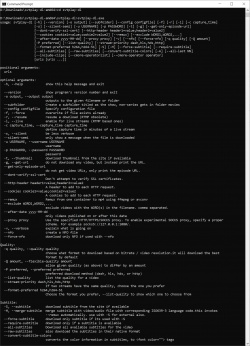
svtplay-dl is an open source command-line program written in python. You can quickly download published videos from various sites to your local computer.
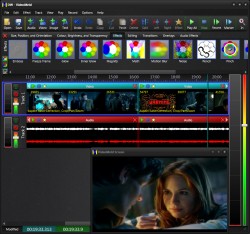
VideoMeld is the latest evolution in modern, multitrack, multilayer video editors. All-In-One Editor. Fast, intuitive drag-and-drop editing with drag-and-drop effects. Copy, cut, split, merge, trim, and crop with ease. Add text captions, overlays, dynamic special effects, and transitions. Combine (meld) any number of audio files, video files, photos, and images into a single, high quality file.
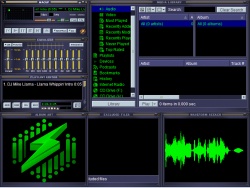
WACUP (Winamp Community Update Project) is an audio player based on Winamp. WACUP (which can be pronounced as wakeup or wac-up or however you prefer it in your native tongue) is designed to work only with the patched Winamp 5.666 release to provide bug fixes, updates of existing features and most importantly new features with the goal to eventually become it's own highly Winamp compatible media player. WACUP makes use of the benefits of Winamp being heavily based on a plug-in system so new plug-ins can add additional features as well as allowing replacements to be created which provide better implementations over the plug-ins natively included with Winamp. If none of that makes sense, a good way to think about WACUP is that it is like a video game mod where you initially use the original game but then files related to it are added to or edited in-order to provide a better experience.
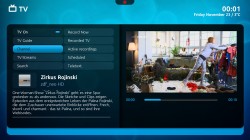
MediaPortal turns your PC in a very advanced Multi MediaCenter / HTPC. It allows you to listen to your favorite music & radio, watch your video's, DVD's and Blurays, view, schedule and record live TV and much more. You get Media Portal for free and best of all it is opensource. MediaPortal 2 is newer but less plugins, see comparison here. Requires .NET 4.8 or .NET 6.0.
Subtitle Edit is a free editor for video subtitles - a subtitle editor. With SE you can easily adjust a subtitle if it is out of sync with the video and much more. Visually sync/adjust a subtitle (start/end position and speed). Import Blu-ray SUP titles or VobSub sub/idx binary subtitles and OCR to text srt subtitles. SUP to SRT, SUB to SRT. DVD to SRT. Requires Microsoft .NET Framework Version 4.8 or later.
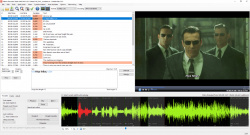
Xreveal is a Windows based application similar to AnyDVD that removes restrictions of DVD, and Blu-ray media automatically in the background. Xreveal works in the background to automatically and transparently enable read access of the contents of a movie DVD or Blu-ray as soon as it's inserted into the drive. The DVD/Blu-ray will become useable to your windows operating system and all programs on your computer, such as DVD/Blu-ray backup software like CloneDVD, CloneBD and others, then supporting any DVD or Blu-ray. Xreveal optionally removes region codes, thereby making the movie region free and comfortably viewable on any DVD/Blu-ray player and with any DVD/Blu-ray playback software.

QMPlay2 is a video and audio player. It can play all formats supported by FFmpeg, libmodplug (including J2B and SFX). It also supports Audio CD, raw files, Rayman 2 music and chiptunes.
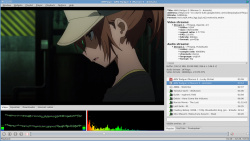
SichboPVR is a hardware-accelerated TV application that is designed to work with DVB-T, DVB-S and ATSC tuners and provide a fun and exciting television viewing experience. Web installer(20MB). Requires .NET 4.0.

XMedia Recode is a free All-In-One video converter, audio converter and video editor. Convert Blu-ray, DVD, AVI, MP4, 3GP, WMV, ASF, MKV, etc. Profiles for most devices like iPod, iPhone, Samsung, SonyEricsson, Zune, PSP, Blackberry, LG, etc. Basic video editing/cutting with video filters like color correction, rotating, cropping, fade-in/out, delogo, detinterlace, hardcode/burn-in subtitles, etc. Requires now Windows 7 or later!
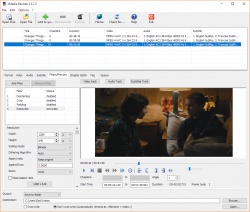
Adobe Premiere Pro software is a nonlinear video editing application. Powerful real-time video and audio editing tools give you precise control over virtually every aspect of your production. Price $20/month or $50/month for all Adobe products.

StreamFab All-In-One (former DVDFab Downloader) is an online video downloader. With StreamFab All-In-One, you can download streaming videos from Netflix, Disney+, Amazon, Hulu, and HBO. Download Online Music & Videos from 200+ Sites An Ad-Free Alternative to Spotify & YouTube, Combined! Download, Play and Organize Your Music & Videos in One Place. Where do you often listen to your favorite songs, enjoy a live concert, or watch online videos from? YouTube? Instagram? Vimeo? ... No matter which website it might be, as a universal music and video downloader software, DVDFab Downloader have you all covered. Compatible with more than 200 popular music or video hosting/sharing sites, including but not just limited to YouTube, Facebook, Vimeo, Instagram, etc., it gives you the extreme convenience to download the trending music or videos from your beloved artists, for unrestricted offline playback. All-In-One costs $279.
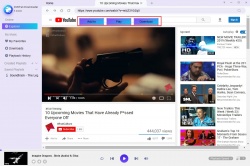
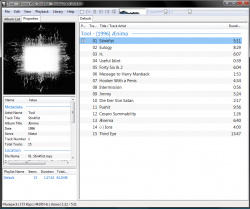
Foobar2000 is an advanced audio player for the Windows platform. Some of the basic features include full unicode support, ReplayGain support and native support for several popular audio formats. Built in audio converter tool. Supported audio formats: MP3, MP4, AAC, CD Audio, WMA, Vorbis, Opus, FLAC, WavPack, WAV, AIFF, Musepack, Speex, AU, SND... and more with additional components. Gapless playback. Easily customizable user interface layout. Advanced tagging capabilities.
Ant Download Manager is a fast and easy downloader of any internet files. The application has many useful features various Internet download content, browse, manage them. Supports HTTP(S), FTP(S), RTMP(x) protocols. Browser Integration (Explorer, Firefox, Chrome). Pro versions costs $10.

Topaz Video AI focuses solely on completing a few video enhancement tasks really well: deinterlacing, upscaling, and motion interpolation. We've taken five years to craft AI models robust enough for natural results on real-world footage. Topaz Video AI will also take full advantage of your modern workstation, as we partner directly with hardware manufacturers to optimize processing times. (Many of them already use Topaz Video AI to benchmark AI inference.) Own the software and use it for as many projects as you like, right in your existing workflow.
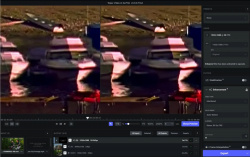
The free DaVinci Resolve is a full professional editing and color grading system that is suitable for independent users working on SD, HD and Ultra HD projects. DaVinci Resolve 15 is the world’s first solution that combines professional offline and online editing, color correction, audio post production and now visual effects all in one software tool! You get unlimited creative flexibility because DaVinci Resolve 15 makes it easy for individual artists to explore different toolsets. Full Studio Edition costs $300.

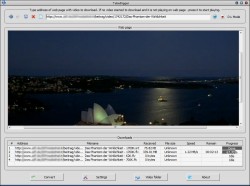
TubeDigger is powerful online video downloader from mostly any media site including sites where many other downloaders will give up. Even if your connection speed is slow TubeDigger tries to detect any possible bitrates/resolutions of online video and to download for you video of the best quality. Integrated media converter is simple in use and contains all required nowadays formats with possibility to adjust converting quality automatically. Downloader may also work as a recorder of live streams and specially for this it has two methods for fixing recorded FLV files.
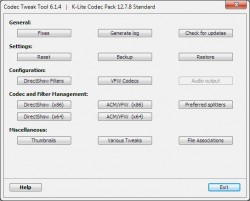
Codec Tweak Tool is a free utility able to detect and remove broken references to codecs and filters. Scan the registry to detect and remove broken references to codecs and filters, Generate a detailed log of all installed codecs and filters, Enable/disable over 190 codecs and filters (if they are installed).
PlayerFab (former DVDFab Media Player) is a media player software. Characterized by an all-around service, PlayerFab makes it accessible for users to playback local videos, DVD/Blu-ray/UHD discs, and videos from Amazon, Netflix, Tubi, Peacock. Also plays Blu-ray & DVD folders, ISO image files, both 2D or 3D. So, it brings absolutely the best audiovisual experiences for Windows users.
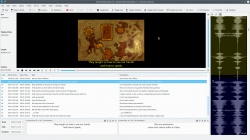
Subtitle Composer is open source text-based subtitle editor that supports basic and advanced editing operations, aiming to become an improved version of Subtitle Workshop for every platform supported by Plasma Frameworks. Open/Save Text Subtitle Formats, SubRip/SRT, MicroDVD, SSA/ASS, MPlayer, TMPlayer and You-Tube captions, OCR/Open Graphics Subtitle Formats. It is available for Microsoft Windows and most major linux distributions, including as AppImage.
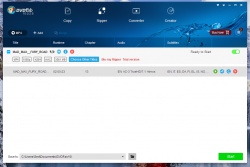
DVDFab DVD Copy is the most powerful and flexible DVD copying/burning software. With 8 copy modes, you can backup any DVD to DVDR or hard drive in just one or a few clicks. DVDFab Blu-ray Copy is the first full-featured Blu-ray copying/burning software. With 4 copy modes, you can backup Blu-ray to BD-R or hard drive in just one or a few clicks. DVDFab DVD Ripper converts DVD title to AVI/MP4/WMV/MKV files which can be played on mobile devices like iPod, PSP, ZUNE, cell phone, etc. DVDFab "Blu-ray to Mobile" option converts Blu-ray title to MKV/MP4/AVI/WMV files which can be played on next generation console like PS3 and Xbox 360,or HD player like WD TV Live.Youtube.
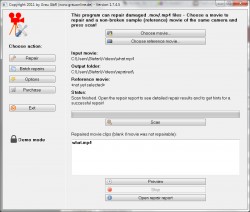
Grau GbRs Video Repair Tool can repair and fix broken or damaged video files (mp4,mv4,mpg,mov,jpg,dvc,3gp) that do not play in your media player. Repairs video files that are truncated, broken, corrupt or damaged. Repairs video files that do not play in QuickTime or Windows Media player. Repairs movies that were not finalized by the camera. The repair does not depend on a valid/correct container format - the raw video and audio stream data is fully automatically reconstructed. Supports non-broken reference movies for finding missing movie meta-data and parameters. $40 for 1 repair and $120 for unlimited repairs. The free trial version will try repair half your movie. NOTE! It has NO installation, just extract all files and run gs.exe.
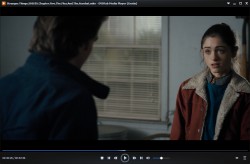
PotPlayer is a free multimedia player with plenty of features and rich customization. No need to install different codecs all the time when using the player. Provides the maximum performance with the minumum resource using DXVA, CUDA, QuickSync. Immersive Viewing Experience with 3D. Various output format. Supports Various Subtitle Formats. Variety of Codecs, Easy to Manage.

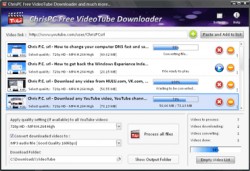
ChrisPC VideoTube Downloader is a powerful software with a friendly user interface that allows you to download videos and playlists from YouTube, videos from Dailymotion, RTL, VOX, Prosieben, BBC iPlayer, ITV Player, ABC, FOX, CBS.com, Vimeo, Veoh, VK.com, MyVideo.de, Flickr, Metacafe, ulive.com, Blip.tv, LiveLeak, Break, Trilulilu.ro, 220.ro, Tare.ro, Adult sites and many more video websites. The pro version costs $40.
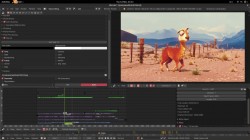
Blender is the free and open source 3D creation suite. It supports the entirety of the 3D pipeline—modeling, rigging, animation, simulation, rendering, compositing and motion tracking, even video editing and game creation.
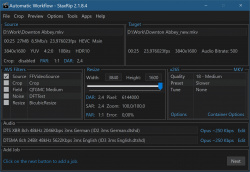
StaxRip is a powerful video/audio encoding GUI for Windows. It executes and controls console apps such as x265, mkvmerge, ffmpeg, etc. and uses scripting based frame servers, AviSynth+ and VapourSynth, for video processing. Each project can also be extended by various events and settings. StaxRip is no One-Click Encoder! Requires .NET.
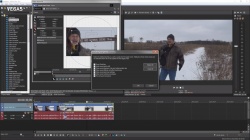
Vegas Pro is a professional non-linear editor. Expertly edit complex SD or HD projects using mouse or keyboard trimming and powerful ripple editing modes. Features include improved video monitoring, customizable window layouts, color-coded snapping, improved HDV, SDI and XDCAM support, Cinescore plug-in support, A/V synchronization detect and repair, playhead scrubbing, drag ripple and arrange, source project editing, and auto-frame quantization. Subscription from $12/month.
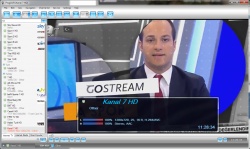
ProgTV is the simple but convenient and universal software for watching TV and listening to radio channels over Internet or local network. Near same interface and functions for Android, iOS and Windows version. And of course possible import/export your data between versions. ProgTV3 is a new ProgTV implementation for Windows. Uses WinUI3 and requires windows 10 or 11. Many functions are implemented much better than in the old ProgTV Pro version $30.
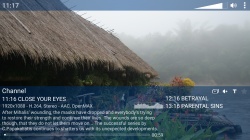
Streamlink is a command-line utility that pipes video streams from various services into a video player, such as VLC. The main purpose of Streamlink is to allow the user to avoid buggy and CPU heavy flash plugins but still be able to enjoy various streamed content. There is also an API available for developers who want access to the video stream data. This project was forked from Livestreamer, which is no longer maintained.

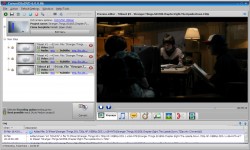
ConvertXToDVD (aka DivXtoDVD) is a 1 click solution to convert your movie files to a compatible DVD playable on any home DVD player. ConvertXToDVD supports most popular format such Blu-Ray(M2TS), DivX, Xvid, MOV, VOB, Mpeg, Mpeg4, AVI, WMV, MP4, MKV, DV and stream formats. It converts your single files into a compliant DVD Video set of files and burns it on a DVD media. Supports switchable subtitles from srt,sub/idx.
Subler is a Mac OS X app created to mux and tag mp4 files. The main features includes: Creation of tx3g subtitles tracks, compatible with all Apple's devices (iPod, AppleTV, iPhone, QuickTime?). Mux video, audio, chapters, subtitles and closed captions tracks from mov, mp4 and mkv. Raw formats: H.264 Elementary streams (.h264, .264), AAC (.aac), AC3 (.ac3), srt Subtitle, Scenarist (.scc), VobSub? (.idx). metadata editing and TMDb, TVDB and iTunes Store support.

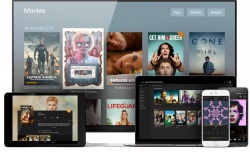
Plex Media Center bridges the gap between your Mac/Windows and your home theater, doing so with a visually appealing user interface that provides instant access to your media. Plex can play a wide range of video, audio and photo formats as well as online streaming audio and video. The real power of Plex is found in its library features: Organize your media into versatile libraries, automatically retrieve metadata from the Internet, and display your libraries using one of the visually stunning skins. Plex Pass costs $5/month.
Free software Trialware
OS:


Version: 1.42.1.10060 / 1.42.2.10122 PlexPass
Released: Sep 8,2025
File size: 97MB
Download
OS:
Version: 1.42.1.10060 / 1.42.2.10122 PlexPass
Released: Sep 8,2025
File size: 97MB
Download
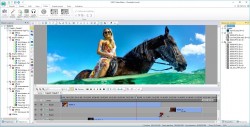
VSDC Free Video Editor is intended for editing video files and creating videos of any complexity involving various visual and audio effects. The program offers rich functionality and yet has a simple and intuitive interface, allowing you to create videos with a bare minimum of efforts. Pro version costs $20 with all features.
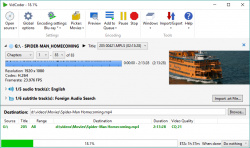
VidCoder is an easy to use DVD, Blu-ray and any video file to MP4/MKV video converter. It uses HandBrake as its encoding engine. Easily batch convert your video/DVDs/ISO/VIDEO_TS and Blu-ray to MP4 or MKV or WEBM. Burn-in/Hardcode srt subtitles. Multi-threaded, H.264/AVC encoding with x264 and H.265/HEVC with x265, the world's best video encoder. Completely integrated encoding: everything is in one process and no huge intermediate temporary files. Requires .NET 6 Client.
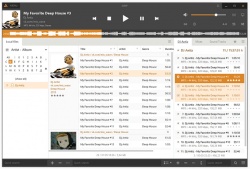
AIMP is a free audio player. Multiformat Playback. Output supports. Built-in sound effects. Reverb, Flanger, Chorus, Pitch, Tempo, Echo, Speed, Bass, Enhancer, Voice Remover. Work with multiple playlists. While one plays - you work with another. Creating bookmarks and playback queue. CUE Sheets supports. Support for plugins. LastFM Scrobbler. Multi-user mode support. Multilanguage interface. Hotkeys. Configure local and global hotkeys as you wish! Files search. Search files on all opened playlists.
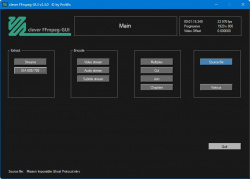
Clever FFmpeg GUI is a small, but smart GUI for FFmpeg. It processes Audio and Video streams separately. These can be muxed after processing. It's for Windows Systems, portable, x86 and x64. Automatic stream detection, Video, Audio and Subtitle stream conversion, Video, Audio and Subtitle stream extraction, Audio volume detection, Audio length and pitch modification, automatic Video crop detection, Audio and Video Fade In and Fade Out, Change aspect ratio, Change Audio and Subtitles stream language, Change profile level without recoding (for x264 and hevc). DVD movie rip implemented (unprotected DVD's only). Point to VOB 1 of a Title Set (g.e. VTS_01_1.VOB for Titleset 1), answer Yes to the questions and the entire movie will be ripped and imported. Requires ffmpeg and .NET 4.8.
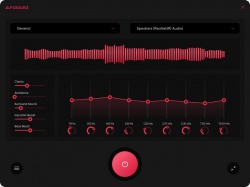
FxSound is a free windows software to boost volume, bass and sound quality directly when playing anything. FxSound corrects the limitations of your audio devices and files.
Shibatch Sample Rate Converter (SSRC) is a fast and high-quality sample rate converter for PCM WAV files. It is designed to efficiently handle the conversion between commonly used sampling rates such as 44.1kHz and 48kHz while ensuring minimal sound quality degradation. Command line software.

Monkey’s Audio is a fast and easy way to compress digital music. Unlike traditional methods such as mp3, ogg, or wma that permanently discard quality to save space, Monkey’s Audio only makes perfect, bit-for-bit copies of your music. That means it always sounds perfect – exactly the same as the original. Even though the sound is perfect, it still saves a lot of space (think of it as a beefed-up Winzip™ your music). The other great thing is that you can always decompress your Monkey's Audio files back to the exact, original files. That way, you'll never have to recopy your CD collection to switch formats, and you'll always be able to perfectly recreate the original music CD.

HandBrake is a multiplatform, multithreaded video transcoder. Supported sources: Any DVD-like source: VIDEO_TS folder, DVD image or real DVD, and some .VOB and .TS files, Blu-ray source, Most any multimedia file it can get libavformat to read and libavcodec to decode. Outputs: File format: MP4, MKV, Video: MPEG-4, H.264/AVC, H.265/HEVC, VP8, VP9 or Theora, Audio: AAC, MP3, Vorbis or AC-3 pass-through (several audio tracks), Switchable or burned in subtitles and much more! Requires Microsoft .NET framework.
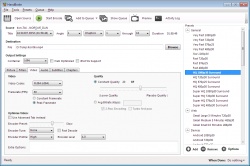
Emby (former Media Browser), beginning with version 3, is no longer a single program. It encompasses a large suite of applications all communicating with a central server that manages your library. No longer locked inside Windows Media Center, Emby can now bring your entire media library to not only all of the computers on your network, but also many of your portable devices. Whether it's the Roku in the living room, or your tablet on the back porch, Emby will bring your media right to you. Requires .NET Framwork 4+.
Freeware Trialware
OS:
Version: 4.8.11.0 / 4.9.1.31 Beta
Released: Sep 11,2025
File size: 0.5MB
Download
OS:
Version: 4.8.11.0 / 4.9.1.31 Beta
Released: Sep 11,2025
File size: 0.5MB
Download
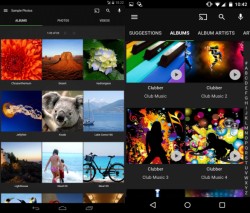
YT-DLP is a fork of Youtube-DLC which in turn is a fork of Youtube-DL. YT-DLP can download video from many streaming video sites. Command line software.
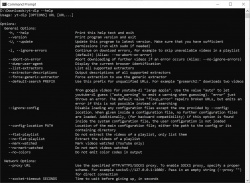
OBS Studio is a free and open source software for video recording and live streaming. Record everything from your monitor/screen/window or camera/capture card and live stream or save to your HDD as MP4/MKV. High performance real time video/audio capturing and mixing, with unlimited scenes you can switch between seamlessly via custom transitions. Filters for video sources such as image masking, color correction, chroma/color keying, and more.
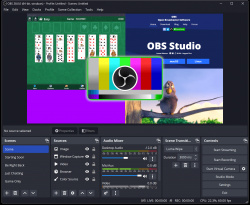
ffWorks(former iFFmpeg) makes it easy to convert media files with FFmpeg for both beginner and experienced users. ffWorks is a front end that does all the hard work for you. This way you can use FFmpeg without the knowledge of all the commands. Requires ffmpeg for Mac.
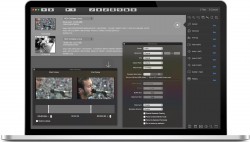
Anime Downloader NX can download anime from different sites. Currently supported are Crunchyroll, Hidive, AnimeOnegai, and AnimationDigitalNetwork. GUI with a local web interface or CLI. Requires ffmpeg and MKVtoolNix and may require some additional software for decryption.
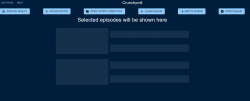
ffMediaMaster(former myFFmpeg) is a graphical front-end for FFmpeg, a command-line tool used to convert multimedia files between formats. The command line instructions can be very hard to master/understand, so ffMediaMaster does all the hard work for you. This allows you to use FFmpeg without detailed command-line knowledge.
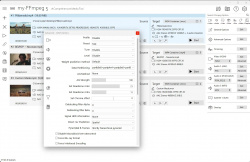
NVEnc software is meant to investigate performance and image quality of HW encoder (NVENC) of NVIDIA. There are 2 types of software developed, one is command line version that runs independently, and the other is a output plug-in of Aviutl.
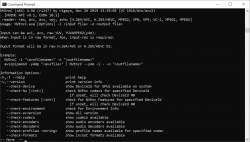
ProgDVB allows you to watch Digital Television and listen to Radio channels directly from Internet TV(IPTV) and satellite by using DVB cards with hardware decoders on the board, SAT-dish, and personal x86-compatible computers. ProgDVB requires Microsoft .NET 4.7.2 or higher. ProgTV is included. Professional version costs $30 and includes HDTV, DVBS2, PIP and multiaudio-channels support.
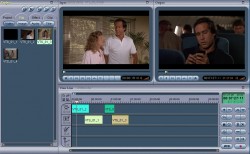
Womble MPEG Video Wizard DVD 5.0 is the latest MPEG editor with DVD authoring and full AC-3 encoder support, and it includes all the features and functionality of its predecessors --- the MPEG Video Wizard and MPEG-VCR. Whether you are a video professional or a new video enthusiast, we are confident that MVW-DVD will meet all of your needs of MPEG editing and DVD authoring. No longer exists!
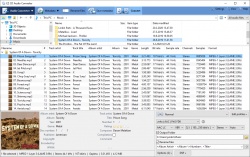
EZ CD Audio Converter is Music Converter Software designed to deliver the highest quality audio format conversions. All in one, easy to use, the most comprehensive audio file converter trusted by home users, audio enthusiasts, professionals, studios, and radio stations worldwide. Convert and encode audio files to/from FLAC, MP3, AAC, xHE-AAC™, M4A, DSD, WAV, Opus, Apple Lossless, Vorbis and many more audio formats. Batch convert unlimited number of audio files freely between all formats.
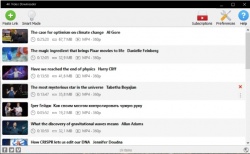
4K Video Downloader+ allows to download video, audio and subtitles from YouTube in high-quality and as fast as your computer and connection will allow. If you want that video on your iPad, iPhone or other device we've got you covered. Downloading is simple and straightforward: just copy the video link from your browser and click 'Paste Url'. Done! Note that NOT all features are free like playlists, subtitles, more than 25 titles. Full version from $20.
| 1251 tool hits, Showing 1 to 50 tools |
Explanation:
NEW SOFTWARE= New tool since your last visit
NEW VERSION= New version since your last visit
NEW REVIEW= New review since your last visit
NEW VERSION= New version
Latest version
Version number / Beta version number / Update version number and when it whas released.
Type and download
NO MORE UPDATES? = The software hasn't been updated in over 2 years.
NO LONGER DEVELOPED = The software hasn't been updated in over 5 years.
RECENTLY UPDATED = The software has been updated the last 31 days.
Freeware = Download Free software.
Freeware Trialware = Download Free software but some parts are trial/shareware.
Free software = Download Free software and also open source code also known as FOSS (Free and Open Source Software).
Free software Trialware = Download Free software and also open source code but some parts are trial/shareware.
Freeware Ads = Download Free software but supported by advertising, usually with a included browser toolbar. It may be disabled when installing or after installation.
Free software Ads = Free Download software and open source code but supported by advertising, usually with a included browser toolbar. It may be disabled when installing or after installation.
Trialware = Also called shareware or demo. Free Trial version available for download and testing with usually a time limit or limited functions.
Payware = No demo or trial available.
Portable version = A portable/standalone version is available. No installation is required.
v1.0.1 = Latest version available.
Download beta = It could be a Beta, RC(Release Candidate) or an Alpha / Nightly / Unstable version of the software.
Download 15MB = A direct link to the software download.
Win = Windows download version. It works on 32-bit and 64-bit Windows.
Win64 = Windows 64-bit download version. It works only on 64-bit Windows.
Mac = Mac download version. It works on 32-bit and 64-bit Mac OS.
Mac64 = Mac OS download version. It works only on 64-bit Mac OS.
Linux = Linux download version.
Portable = Portable version. No installation is required.
Ad-Supported = The software is bundled with advertising. Be careful when you install the software and disable addons that you don't want!
Visit developers site = A link to the software developer site.
Download (mirror link) = A mirror link to the software download. It may not contain the latest versions.
Download old versions = Free downloads of previous versions of the program.
Download 64-bit version = If you have a 64bit operating system you can download this version.
Download portable version = Portable/Standalone version meaning that no installation is required, just extract the files to a folder and run directly.
Portable version available = Download the portable version and you can just extract the files and run the program without installation.
Old versions available = Download old versions of the program.
Version history available = Complete changelog on our site.
= Windows version available.
= Mac OS version available.
= Linux version available.
Our hosted software are virus and malware scanned with several antivirus programs using www.virustotal.com. (NOTE! Just one virustotal warning is 99.9% a false positive. And some software might receive 2-6 warnings but it's if they are not all same virus/trojan then it's 99% false positives.)
Rating
Rating from 0-10.
NEW SOFTWARE= New tool since your last visit
NEW VERSION= New version since your last visit
NEW REVIEW= New review since your last visit
NEW VERSION= New version
Latest version
Version number / Beta version number / Update version number and when it whas released.
Type and download
NO MORE UPDATES? = The software hasn't been updated in over 2 years.
NO LONGER DEVELOPED = The software hasn't been updated in over 5 years.
RECENTLY UPDATED = The software has been updated the last 31 days.
Freeware = Download Free software.
Freeware Trialware = Download Free software but some parts are trial/shareware.
Free software = Download Free software and also open source code also known as FOSS (Free and Open Source Software).
Free software Trialware = Download Free software and also open source code but some parts are trial/shareware.
Freeware Ads = Download Free software but supported by advertising, usually with a included browser toolbar. It may be disabled when installing or after installation.
Free software Ads = Free Download software and open source code but supported by advertising, usually with a included browser toolbar. It may be disabled when installing or after installation.
Trialware = Also called shareware or demo. Free Trial version available for download and testing with usually a time limit or limited functions.
Payware = No demo or trial available.
Portable version = A portable/standalone version is available. No installation is required.
v1.0.1 = Latest version available.
Download beta = It could be a Beta, RC(Release Candidate) or an Alpha / Nightly / Unstable version of the software.
Download 15MB = A direct link to the software download.
Win = Windows download version. It works on 32-bit and 64-bit Windows.
Win64 = Windows 64-bit download version. It works only on 64-bit Windows.
Mac = Mac download version. It works on 32-bit and 64-bit Mac OS.
Mac64 = Mac OS download version. It works only on 64-bit Mac OS.
Linux = Linux download version.
Portable = Portable version. No installation is required.
Ad-Supported = The software is bundled with advertising. Be careful when you install the software and disable addons that you don't want!
Visit developers site = A link to the software developer site.
Download (mirror link) = A mirror link to the software download. It may not contain the latest versions.
Download old versions = Free downloads of previous versions of the program.
Download 64-bit version = If you have a 64bit operating system you can download this version.
Download portable version = Portable/Standalone version meaning that no installation is required, just extract the files to a folder and run directly.
Portable version available = Download the portable version and you can just extract the files and run the program without installation.
Old versions available = Download old versions of the program.
Version history available = Complete changelog on our site.
= Windows version available. = Mac OS version available. = Linux version available.Our hosted software are virus and malware scanned with several antivirus programs using www.virustotal.com. (NOTE! Just one virustotal warning is 99.9% a false positive. And some software might receive 2-6 warnings but it's if they are not all same virus/trojan then it's 99% false positives.)
Rating
Rating from 0-10.
Browse software by sections
All In One Blu-ray Converters (9)
All In One DVD Converters (12)
All In One MKV to MP4, Blu-ray, UHD (11)
All In One Video Converters (19)
Animation (3D, 2D Animation) (12)
Audio Editors (22)
Audio Encoders (81)
Audio Players (19)
Authoring (Blu-ray, UHD, AVCHD) (13)
Authoring (DivX) (4)
Authoring (DVD) (26)
Authoring (SVCD, VCD) (9)
Bitrate Calculators (7)
Blu-ray to AVI, MKV, MP4 (15)
Blu-ray to Blu-ray, AVCHD (10)
Burn (CD,DVD,Blu-ray) (24)
Camcorders, DV, HDV, AVCHD (31)
Capture TV, DVD, VCR (30)
CD, DVD, Blu-ray recovery (3)
Codec Packs (6)
All In One DVD Converters (12)
All In One MKV to MP4, Blu-ray, UHD (11)
All In One Video Converters (19)
Animation (3D, 2D Animation) (12)
Audio Editors (22)
Audio Encoders (81)
Audio Players (19)
Authoring (Blu-ray, UHD, AVCHD) (13)
Authoring (DivX) (4)
Authoring (DVD) (26)
Authoring (SVCD, VCD) (9)
Bitrate Calculators (7)
Blu-ray to AVI, MKV, MP4 (15)
Blu-ray to Blu-ray, AVCHD (10)
Burn (CD,DVD,Blu-ray) (24)
Camcorders, DV, HDV, AVCHD (31)
Capture TV, DVD, VCR (30)
CD, DVD, Blu-ray recovery (3)
Codec Packs (6)
Codec, Video Identifiers (30)
Codecs (67)
Decrypters (DVD Rippers) (16)
Decrypters (UHD, Blu-ray Rippers) (8)
DigitalTV, DVB, IPTV (39)
DVD to DVD (20)
DVD to MP4, MKV, H264, H265 (16)
DVD to VCD, SVCD (5)
DVD to XviD, AVI, DivX (16)
ISO, Image (16)
Linux Video Tools (200)
MacOS Video Tools (233)
Media (Blu-ray, DVD, CD) (9)
Media Center, HTPC (23)
Other Useful Tools (142)
Photo Blu-ray, DVD, SlideShow (8)
Portable (Mobile, PSP) (35)
Region Free Tools (5)
Screen capture , Screen recording (28)
Screenshots , Thumbnails (13)
Codecs (67)
Decrypters (DVD Rippers) (16)
Decrypters (UHD, Blu-ray Rippers) (8)
DigitalTV, DVB, IPTV (39)
DVD to DVD (20)
DVD to MP4, MKV, H264, H265 (16)
DVD to VCD, SVCD (5)
DVD to XviD, AVI, DivX (16)
ISO, Image (16)
Linux Video Tools (200)
MacOS Video Tools (233)
Media (Blu-ray, DVD, CD) (9)
Media Center, HTPC (23)
Other Useful Tools (142)
Photo Blu-ray, DVD, SlideShow (8)
Portable (Mobile, PSP) (35)
Region Free Tools (5)
Screen capture , Screen recording (28)
Screenshots , Thumbnails (13)
Subtitle Editors, Converters (70)
Tag Editors (3)
Video De, Multiplexers (66)
Video Editors (Advanced, NLE) (34)
Video Editors (Basic) (55)
Video Editors (H264, MP4, MKV, MTS) (19)
Video Editors (Lossless) (4)
Video Editors (MPG, DVD) (16)
Video Editors (WMV, AVI) (15)
Video Encoders (AV1, VP8, VP9) (2)
Video Encoders (AVI, WMV) (38)
Video Encoders (H264, H265, MP4, MKV) (44)
Video Encoders (MPG, DVD) (23)
Video Encoders , Converters (153)
Video Frameservers (9)
Video Players (49)
Video Repair, Fix (25)
Video Scripting (11)
Video Streaming (21)
Video Streaming Downloaders (103)
Tag Editors (3)
Video De, Multiplexers (66)
Video Editors (Advanced, NLE) (34)
Video Editors (Basic) (55)
Video Editors (H264, MP4, MKV, MTS) (19)
Video Editors (Lossless) (4)
Video Editors (MPG, DVD) (16)
Video Editors (WMV, AVI) (15)
Video Encoders (AV1, VP8, VP9) (2)
Video Encoders (AVI, WMV) (38)
Video Encoders (H264, H265, MP4, MKV) (44)
Video Encoders (MPG, DVD) (23)
Video Encoders , Converters (153)
Video Frameservers (9)
Video Players (49)
Video Repair, Fix (25)
Video Scripting (11)
Video Streaming (21)
Video Streaming Downloaders (103)