
Help us keep the list up to date and submit new video software here.
Try StreamFab Downloader and download streaming video from Netflix, Amazon, Youtube! Download free trial.
Portable tools
| 540 tool hits, Showing 201 to 250 tools |
AnotherGUI is a graphical front-end for audio/video command line converter (such as ffmpeg/ffmbc). Main features: parallel batch processing (better usage of multi core/threads CPU's). support of complexes options in presets (compatible with studio and professional settings).large support of audio/video converter. AnotherGUI is portable, no installation needed. It requires Microsoft .NET 4.0 and the command line converter you need(like ffmpeg, ffmbc, libav, mencoder, handbrake, etc).
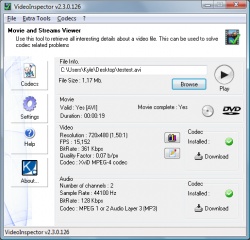
VideoInspector is a tool to retrieve all interesting details about a video file(AVI, MKV, MPG, MPEG2, MOV, MP4). This can be used to solve codec related problems. Also Windows Shell Integration, right click on a video file and select open with VideoInspector. Former known as VideoToolBox. No longer developed.
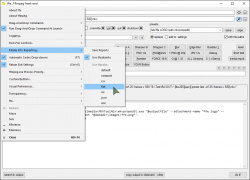
ffe is a simple, powerful Windows front-end for FFmpeg, designed for rapid testing of its many multimedia conversion parameters, enabling you to save lots of slightly different versions of a file very, very quickly; in other words, "find the best settings". You basically throw in video files, set the output format, and click "Do It!", at which point FFmpeg leaps into action. Requires ffmpeg.
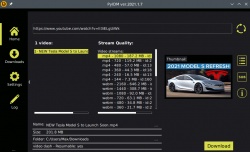
FireDM is a python open source internet download manager with multi-connections, high speed engine, it downloads general files and videos from youtube and tons of other streaming websites. Developed in Python, based on "pyCuRL/libcurl", "youtube_dl", and "PySimpleGUI".
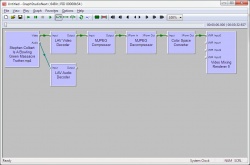
GraphStudioNext is a open source free "GraphEdit" tool. The main reasons for this project were lot of cool features missing in GraphEdit tool. Features: Detailed System, Filter, Pin, MediaType information, Reports, Registry modification (add/remove types for filters manually), Information on registered filters , CLSID, name, file, version, location …), Detection of broken registry entries, Easier graph construction, Support for DVB, DVD, Capture graphs, Inspection of media type formats including header parsing for existing codecs such as H.264, MPEG-2 …, Dumping of media type formats for later analysis, and many more.
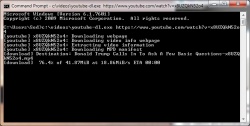
youtube-dl is a small command-line program to download videos from YouTube and a several more sites(like Facebook, Twitter, Vimeo, NBC, ABC, CNN, FOX NEWS, etc, see supported sites). If you don't like command line software then get a GUI like youtube-dl-gui. Or from the command prompt just type youtube-dl.exe https://www.youtube.com/watch?v=x8UZQkN52o4 and it will download your youtube video.
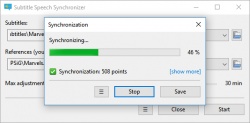
SubSync is an automatic movie subtitle synchronization tool. Synchronization is done by listening to the audio track. Tracks could be of different languages, it will be translated if necessary. Synchronization with another subtitles is also supported. You don't have to adjust subtitles manually anymore! It requires Microsoft Visual C++ 2015 Redistributable for Windows.
Resonic Player is a slick audio player and browser / directory player, built around a big waveform view. Resonic plays your music files, sounds and samples out of your existing folders. It's built to be fast, reliable, and powerful. It does what it is supposed to do, without the bloat, and with exceptional usability. Pro version costs $70.
Freeware Trialware
OS:
Version: 0.9.3 Beta / 0.9.4 Pro
Released: Aug 21,2021
File size: 12.6MB
Download
OS:
Version: 0.9.3 Beta / 0.9.4 Pro
Released: Aug 21,2021
File size: 12.6MB
Download
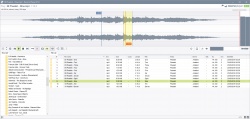
The Visualsubsync Enhanced is a natural enhanced extension of the awesome Visualsubsync by toffparis. It includes new functions like a complete internal filter graph support via mpc-home cinema and lav codecs, online dictionary automatic search (Italian language), new tools for resync, a new tool for progressive desync issues, new updated vsfilter for improved subtitles quality and much more.

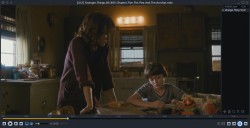
Light Alloy - is a completely free, compact multimedia player. It supports all popular multimedia formats. Player is optimized for quick launch and minimum load of the system resources. Built-in codecs, Live Preview, IPTV support, Internet Radio, Streams switch, Multilingual, ripped Blu-ray and DVD.
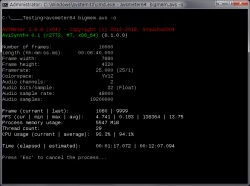
AVSMeter is a CLI (command line interface) tool that "runs" an Avisynth script with virtually no overhead, displays clip info, CPU/GPU and memory usage and the minimum, maximum and average frames processed per second. Measuring how fast Avisynth can serve frames to a client application (x264, VirtualDub) and establishing CPU/GPU/memory usage helps with optimizing scripts and tracking down crashes, slowdowns and bottlenecks.
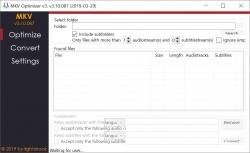
MKV Optimizer removes unnecessary audio tracks from selected MKV files. And that too automatically. Likewise, soundtracks can be recoded. To edit the MKV files MKVToolNix is needed. MKV Optimizer automatically searches for MKVToolNix in the MKV Optimizer folder as well as under the "Program Files" or "Program Files (x86)" folder. If MKVToolNix can not be found, the path can be specified manually. For the recoding of the sound tracks the program ffmpeg is needed. The corresponding executable file is simply copied to the folder of the MKV Optimizer. Requires MKVToolnix!
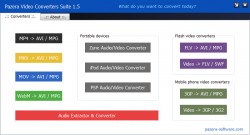
Pazera Free Audio Video Pack(former Pazera Video Converters Suite) is a collection of free portable video and audio converters which helps you to convert between almost all video formats like AVI, MPEG, MP4, MOV, WMV, FLV, MKV, M4V, 3GP. The package also includes specialized converters to convert audio and video files for Zune, iPod and PSP players. In addition, the collection contains audio extractor & converter, which allows you to extract audio tracks from video files and convert audio files between the most important audio formats (MP3, WMA, OGG, WAV, AAC, AC3, FLAC). All converters have a very similar interface and they are simple to use, even for novice users.
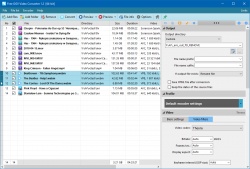
Free OGV Video Converter is a free application that allows you to convert almost any audio and video file to OGV format. Video files created by the program are compatible with HTML5, so you can use them on your websites. The video stream in the input file is encoded using Theora encoder, and audio stream with Vorbis encoder. The program supports two-pass encoding, which provides high image quality and reduces the size of the output file.
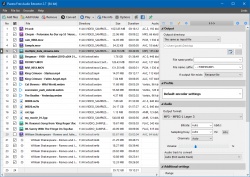
Pazera Free MP4 to MP3 Converter is a free program that converts MP4, M4A (iTunes audio files), M4B (audiobooks), M4R (ringtones) and AAC files to MP3 or WAV format. In addition, the program lets you copy (extract) original audio tracks without any loss of quality.
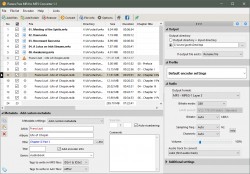
Pazera Free Audio Extractor is an absolutely free application that extracts audio tracks from video files without loss of sound quality or convert them to MP3, AAC, AC3, WMA, FLAC, OGG or WAV format. The application supports all major video formats (AVI, FLV, MP4, MPG, MOV, RM, 3GP, WMV, VOB and other), moreover, allows the conversion of music files, so it can be used as a universal audio converter. GUI for ffmpeg.
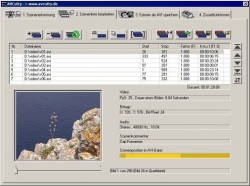
AVCutty is able to capture video material from a DV camera. It saves the videos in AVI files. It also simplifies the splitting of AVI files into the different scenes. It scans the AVI files and detects the scene changes either optically or per DV date stamp. Each scene can be saved into a new AVI file. Because AVCutty does not recompress the video data, the process is lossless. Also it is possible to trim the scenes in a comfortable manner. So, AVCutty is very useful, particularly at the beginning of your video project. Optical scene detection in AVI files, cutting+trimming of scenes/AVIs, splitting+joining of AVIs, export of BMPs, writing scene/AVI index with thumbnails.
BatchGuy is a windows desktop application that allows the user to create batch eac3to, mkvmerge, ffmsindex, avisynth and x264 script files for batch encodes and remuxing of Blu-ray discs. Requires Windows 7, 8.1 x64, Microsoft .Net Framework 4.5+, eac3to, vfw4x264, x264, AviSynth 2.5+ and all relevant plugins.
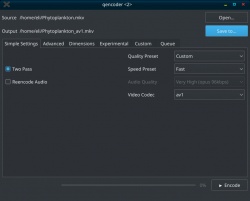
qencoder is a cross platform graphical vp8/vp9/av1 encoder which uses intelligent video splitting to maximize efficiency on computers with lots of cpu cores. It also comes bundled with tons of power user features for optimizing videos and ensuring maximum quality at minimum bitrates.
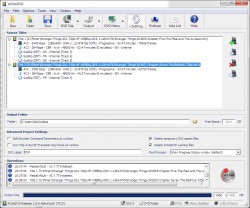
AVStoDVD is a flexible tool to convert various media formats to DVD compliant streams and burn them into a highly compatible single track DVD. Features: Video and Audio editing using AviSynth, Video and Audio encoding using HCEnc/QuEnc/ReJig, DVD Muxing and Authoring using DVDAuthor, ISO Image Building and DVD Burning using ImgBurn. Requires AVISynth(included in package).
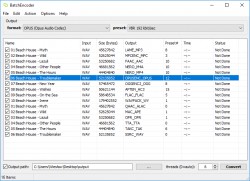
BatchEncoder is an audio files conversion software. It supports most of popular audio file formats including lossy and lossless compression(WAV, MP3, AAC, M4A, OPUS, OGG, FLAC, AC3, etc). The program is very simple to use. BatchEncoder is basically GUI front-end for command-line tools. All it does is create background processes and pass arguments to it with options set in presets/format menu and additionally adds input and output file paths. For specific options for each format use help available for command-line tools. Requires the command line audio encoder for each audio format, see this list.
WebTorrent Desktop is for streaming torrents. Whether it's video from the Internet Archive, music from Creative Commons, or audiobooks from Librivox, you can play it right away. You don't have to wait for it to finish downloading. WebTorrent Desktop is fast, free, non-commercial & open source. WebTorrent is an amazing streaming torrent client for the web browser and the desktop! WebTorrent PC Desktop connects to both BitTorrent and WebTorrent peers.

MPGPatcher is a command line tool to change video basics (resolution/size, framerate, aspect ratio, bitrate) in mpg-video files. Patches the video headers only, does no reencoding. MPGPatcher is similar to DVDPatcher or Restream but fully command line driven (no GUI). Hence MPGPatcher can be used as external tool or for batch scripting.

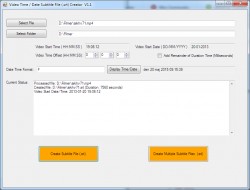
TimeDateSRTCreator creates a basic subtitle file (.srt) containing the time/date info for any video type supported by MediaInfo. Uses the duration parameter along with creation time for the respective file. Both individual and folder selection is available. Time/date info is defined as a VB.Net custom string and is fully configurable. Requires VB.Net 2 (or above).
SeekTester is a simple tool to check if a video source plugin is frame accurate.

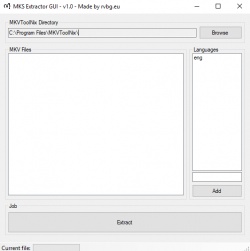
MKS Extractor GUI extracts Matroska subtitle files (MKS) from MKV files with a GUI. Wrapper for MKVToolNix. This tool is intended to use with Windows. Requires Visual C++ 2019 Redistributable and mkvtoolnix.
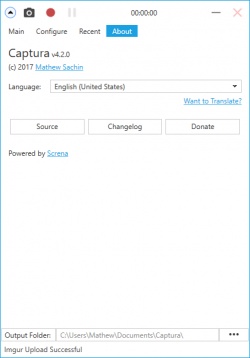
Captura is a .Net application to capture the screen along with audio from microphone and speaker output and clicks and keystrokes. Captura can run unobtrusively remaining minimized to the System Tray. Take ScreenShots and control recordings from the keyboard even when Captura is in System Tray using Configurable Hotkeys. Captura can be used from your terminal. Only for Portable builds. Captura can do the much demanded task of mixing Microphone input audio and Speaker output audio. Captura can capture specific regions using the Region Selector. No longer developed.
Video Container Changer is a simple remultiplexer for different video containers. Convert/Remultiplex between AVI, MP4, MKV, etc without video reconversion. Batch support. This tool can change the H264 video stream Level to 4.1 to play files in your compatible devices. This is a fronted for FFmpeg. Requires .NET Framework 2.

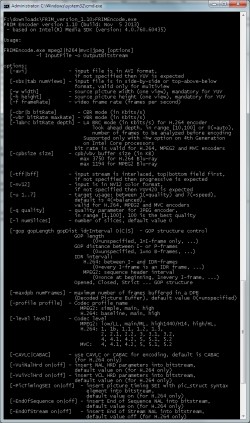
FRIM Encoder and FRIM Decoder are free MVC-3D command-line tools. FRIM Encoder converts planar-yuv file, named pipe, uncompressed avi or Avisynth script into elementary MPEG2, H.264 AVC or MVC-3D streams. Resulting elementary video streams can be then multiplexed into transport stream (.ts, .m2ts) or Blu-ray directory structure. Input from named pipes, avi-files and Avisynth scripts allows connection of FRIM Encoder to NLE Editing systems like Adobe Premiere (via frame-server even without consumption of enormous diskspace). FRIM Decoder converts elementary MPEG2, H.264 AVC or MVC-3D streams into planar-yuv. Output can be either regular file or Windows named pipe. Output to named pipe allows further YUV processing without consumption of enormous diskspace.
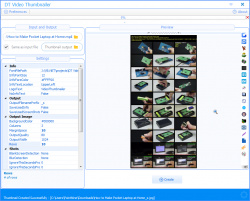
DT Video Thumbnailer is a portable, standalone application that allows you to make thumbnails (caps, previews) of video files. Upload output image (thumbnail) to any image webhosting service. Very fast. Easy to use. Possibility to save each shot in separate file. Load and save options presets. Auto-adjustment of height of a shot. Customizable fonts, colors, contours, shadows, frames, background, text. Stamp time in shots. Video information stamp. It uses FFmpeg's as its engine, so it supports many different videos formats (AVI, WMV, MKV, MP4, FLV, MOV). Substitute black frames. Suitable for both 32-bit and 64-bit Windows PCs
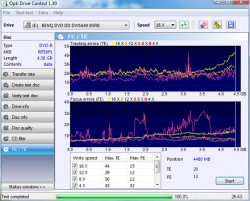
Opti Drive Control is a program for testing optical drives and media from the creator of Nero CD-DVD Speed and Plextools. Support for CD, DVD and BD drives/media, Read / write transfer rate, Create test disc / verify function, Detailed drive information, Detailed disc information, Disc quality tests: BLER, PI/PO, C1/C2, Jitter (*), Erase / format, Overburning, Multi-test, Enhanced save functions.
HamMultiPlayer is a software created to scan your directories (and/or drives) to find and display several files in real time. It can be used to find, move, delete or preview any video/audio file. This is a "portable" software, this means that everything is already included inside the ".exe" (no installation, no registry keys, ...). It uses mplayer and MediaInfo Library to decode and display files (so it can play everything mplayer can play). HamMultiPlayer scans recursively directories you selected and load any compatible file. You can then, sort generated list to find out duplicated or similar files.

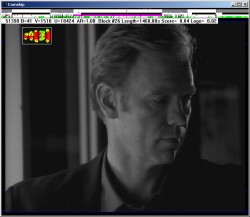
Comskip is a free video commercial detector. It is a windows console application that reads a mpeg/ts/ps/dvr-ms file and analyses the content based on a large amount of configurable parameters. After analysis it generates a file in various possible formats containing the location of the commercials inside the mpeg file. The formats include input files for interactive video editors (VideoRedo, Cuttermaran,...) command line video cutters (mpgtx, mencoder) and video players (zoomplayer, mplayer). Comskip can read MPEG and h.264 video and MPEG2, AC3 and AAC audio from PS , TS and dvr-ms files upto HD resolution (max 2000x1200) at 25fps (PAL) and 29.97fps (NTSC). All features costs $10.
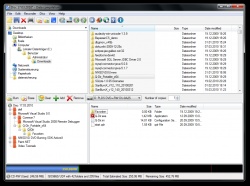
CDBurnerXP is a free application to burn CDs and DVDs, including Blu-Ray and HD-DVDs. It also includes the feature to burn and create ISOs, as well as a multilanguage interface. Everyone, even companies, can use it for free. Requires .NET Framework.
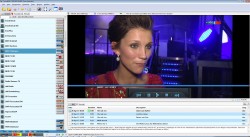
SmartDVB is an unpretentious digital-tv watch application for satellite, terrestrial or cable TV cards. Emphasis has been put on overall speed and user experience on the desktop concerning DVB operations like scanning and channel viewing. It also allows for HTPC/PVR functionality through SmartOSD and legacy video renderer OSD. New OSD includes Options menu for quick PVR like access, better integrated EPG, Teletext, graphical timeshift, program data, zoom, custom graphics station list and also logo support.
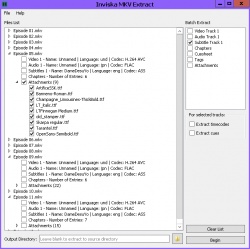
Inviska MKV Extract allows you to extract elements from MKV files, such as video, audio and subtitle tracks, attachments (fonts, images, etc), chapters, cuesheets, tags, cues and timecodes. Batch extract mode to easily extract the same element from multiple files. Displays track name and language for easy track identification. Requires MKVToolNix.
HBBatchBeast is a free GUI application for HandBrake and FFmpeg/FFprobe on Windows, macOS and Linux with an emphasis on multi Handbrake instance batch conversion (including recursive folder scans and folder watching). The destination folder structure is kept the same as the source folder structure. Media in subfolders is also converted. Multiple folders can be monitored and different conversion presets can be specified for each folder. There is also a health check feature which can scan for corrupt video files using Handbrakes's '--scan' feature, although this is not always accurate. This is a standalone program on Windows but requires Handbrake to be installed on Linux and Mac.

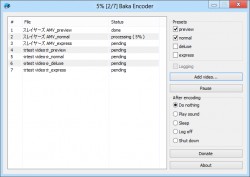
Baka Encoder is a self-contained x264, x265 and NeroAAC frontend dedicated for producing final encodings of video materials. Handles AviSynth scripts, video/audio without compression and video compressed with common intermediate codecs. Presets are defined via xml config with direct control over x264, x265 and NeroAAC command line parameters.
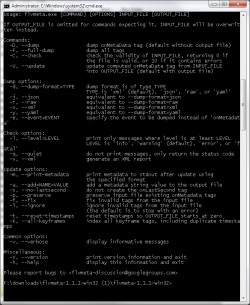
flvmeta is a command-line utility aimed at manipulating FLV files. It has the ability to compute and inject a variety of values in the onMetaData event tag, including keyframe indices. It can also inject the onLastSecond event. flvmeta also has the ability to dump metadata and full file information to standard output. flvmeta can analyze FLV files to detect more than a hundred problems and errors, and generate a textual report. flvmeta can operate on arbitrarily large files, and can handle FLV files using extended (32-bit) timestamps. It can guess video frame dimensions for all known video codecs supported by the official FLV specification.
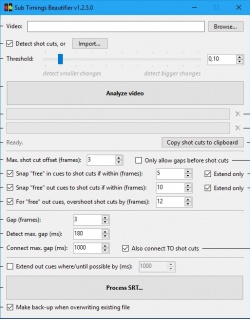
Sub Timings Beautifier automatically aligns the timings (or "cues") of subtitles in subtitle files (e.g. SubRip/.srt) to the exact frame times. It also automatically snaps cues to nearby shot cuts (or "scene changes") for a spot-on sync, and makes the gaps (or "intervals") between subtitles consistent, resulting in a more uniform rhythm in the "flashing" of subtitles. This will sophisticate the overall subtitle and provide a better viewing experience.
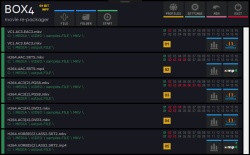
BOX4 is a MKV/MP4/MOV to MKV/MP4 re-packager/remuxer/converter. It is an update to the old rebox.NET which needed refreshing simply because it was a little limited and concentrated too much on outputting to consoles. BOX4 now outputs to both MKV and MP4 using MP3 and AAC audio codec options. It also uses the audio filter ‘Dynamic Audio Normalizer’ which simply, is amazing. Requires .NET Framework.
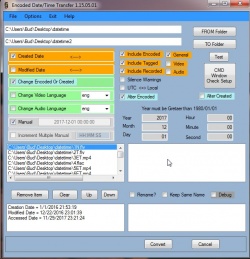
Change Date Time Batch adjusts created/modified windows dates to match the files encoded/tagged metadata which can get altered due to transferring, editing, etc. Also some encoded/tagged data can be incorrect due to being wrong during being filmed such as a camera that had a dead battery and defaulted to manufacturers date. This allows dates to be altered from windows to meta or meta to windows and even has a manual method to set custom dates to either encoded or created. Batch time change all video files.
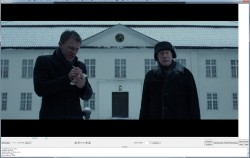
MKV Cutter is a tool to cut h.264 mkv files frame accurate. Cut out mkv video clips exactly without reconverting the entire video. Since it's an ALPHA version it has some major shortcomings.
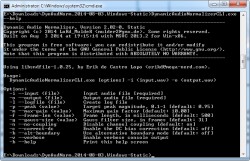
Dynamic Audio Normalizer is a library and a command-line tool for audio normalization. It applies a certain amount of gain to the input audio in order to bring its peak magnitude to a target level (e.g. 0 dBFS). However, in contrast to more "simple" normalization algorithms, the Dynamic Audio Normalizer dynamically adjusts the gain factor to the input audio. This allows for applying extra gain to the "quiet" parts of the audio while avoiding distortions or clipping the "loud" parts. In other words, the volume of the "quiet" and the "loud" parts will be harmonized.
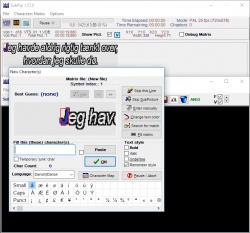
SubRip is a program which allows you to rip DVD subtitles with their timing as a text file. Can also convert vobsub(sub and idx) to srt text subtitles(vobsub to srt / sub to srt / subtosrt / sub2srt ). Subrip 1.4+ can also rip subs from avi with burned in/hardcoded/permanent subtitles.
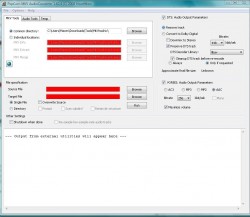
PopCorn MKV AudioConverter is a Matroska MKV DTS/AAC to MKV AC3 converter. It can also remove DTS tracks and convert OGG audio to AC3,MP3,AAC,MP3. Requires external tools like eac3to.
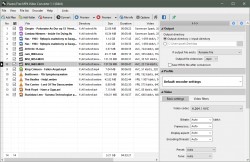
Pazera Free MP4 Video Converter is a free program that converts video files to MP4 format. For encoding the video stream the application can use H.264, H.265 or Xvid encoder. MP4 files created by the program can be played on many portable devices (iPhone, iPad, Samsung Galaxy, Microsoft Surface, PSP) and fixed media players (WD TV, Xtreamer, Popcorn Hour).
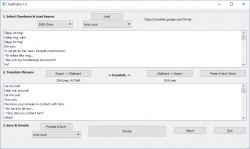
SubPaster should be useful for translating text subtitles to an other language using an external translator or spellchecker. SubPaster splits up a subtitle file into the time marks and text lines on the other hand. It tries to combine the text lines to complete phrases. Translation programs e.g. google translator are known to give significantly better results that way. Usually online translators also have limited text size - thatfore the phrases are optionally provided in chunks of 800/5000 byte. These chunks are passed to the translator via clipboard and vice-versa. The translated phrases then are split into textines and transferred back to the timestamp framework.
WebMConverter(aka WebM for Retards) is a very easy to use WebM video converter. Basically, a wrapper around ffmpeg made for converting videos to WebM without having to use the command line. Requires .NET Framework 4.5 and Avisynth. ffmpeg is included.

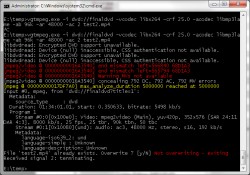
vgtmpeg is a ffmpeg/avconv clone that adds a number of additional features to the stock ffmpeg and libavformat/libavcodec libraries augmenting its functionality. One of the most important ones being support for DVD folders/ISO input. vgtmpeg comes with precompiled binaries for all popular platforms. Windows, MacOS X and Linux in 32 and 64bits. Command line tool.
| 540 tool hits, Showing 201 to 250 tools |
Explanation:
NEW SOFTWARE= New tool since your last visit
NEW VERSION= New version since your last visit
NEW REVIEW= New review since your last visit
NEW VERSION= New version
Latest version
Version number / Beta version number / Update version number and when it whas released.
Type and download
NO MORE UPDATES? = The software hasn't been updated in over 2 years.
NO LONGER DEVELOPED = The software hasn't been updated in over 5 years.
RECENTLY UPDATED = The software has been updated the last 31 days.
Freeware = Download Free software.
Freeware Trialware = Download Free software but some parts are trial/shareware.
Free software = Download Free software and also open source code also known as FOSS (Free and Open Source Software).
Free software Trialware = Download Free software and also open source code but some parts are trial/shareware.
Freeware Ads = Download Free software but supported by advertising, usually with a included browser toolbar. It may be disabled when installing or after installation.
Free software Ads = Free Download software and open source code but supported by advertising, usually with a included browser toolbar. It may be disabled when installing or after installation.
Trialware = Also called shareware or demo. Free Trial version available for download and testing with usually a time limit or limited functions.
Payware = No demo or trial available.
Portable version = A portable/standalone version is available. No installation is required.
v1.0.1 = Latest version available.
Download beta = It could be a Beta, RC(Release Candidate) or an Alpha / Nightly / Unstable version of the software.
Download 15MB = A direct link to the software download.
Win = Windows download version for 32-bit and 64-bit Windows.
Win64 = Windows 64-bit download version for 64-bit Windows.
WinARM64 = Windows 64-bit ARM download version for Windows ARM64/AArch64.
Mac = Mac download version for 64-bit Mac OS Intel/ARM64/AArch64.
MacARM64 = Mac Silicon download version for 64-bit Mac OS ARM64/AArch64.
Mac64 = Mac OS download version for 64-bit Intel Mac OS.
Linux = Linux download version.
Linux64 = Linux download version for 64bit Linux.
Linux ARM = Linux download version for Linux ARM64/AArch64.
Portable = Portable version. No installation is required.
Ad-Supported = The software is bundled with advertising. Be careful when you install the software and disable addons that you don't want!
Visit developers site = A link to the software developer site.
Download (mirror link) = A mirror link to the software download. It may not contain the latest versions.
Download old versions = Free downloads of previous versions of the program.
Download 64-bit version = If you have a 64bit operating system you can download this version.
Download portable version = Portable/Standalone version meaning that no installation is required, just extract the files to a folder and run directly.
Portable version available = Download the portable version and you can just extract the files and run the program without installation.
Old versions available = Download old versions of the program.
Version history available = Complete changelog on our site.
= Windows version available.
 = Mac OS version available.
 = Linux version available.
Our hosted software are virus and malware scanned with several antivirus programs using www.virustotal.com. (NOTE! Just one virustotal warning is 99.9% a false positive. And some software might receive 2-6 warnings but it's if they are not all same virus/trojan then it's 99% false positives.)
Rating
Rating from 0-10.
NEW SOFTWARE= New tool since your last visit
NEW VERSION= New version since your last visit
NEW REVIEW= New review since your last visit
NEW VERSION= New version
Latest version
Version number / Beta version number / Update version number and when it whas released.
Type and download
NO MORE UPDATES? = The software hasn't been updated in over 2 years.
NO LONGER DEVELOPED = The software hasn't been updated in over 5 years.
RECENTLY UPDATED = The software has been updated the last 31 days.
Freeware = Download Free software.
Freeware Trialware = Download Free software but some parts are trial/shareware.
Free software = Download Free software and also open source code also known as FOSS (Free and Open Source Software).
Free software Trialware = Download Free software and also open source code but some parts are trial/shareware.
Freeware Ads = Download Free software but supported by advertising, usually with a included browser toolbar. It may be disabled when installing or after installation.
Free software Ads = Free Download software and open source code but supported by advertising, usually with a included browser toolbar. It may be disabled when installing or after installation.
Trialware = Also called shareware or demo. Free Trial version available for download and testing with usually a time limit or limited functions.
Payware = No demo or trial available.
Portable version = A portable/standalone version is available. No installation is required.
v1.0.1 = Latest version available.
Download beta = It could be a Beta, RC(Release Candidate) or an Alpha / Nightly / Unstable version of the software.
Download 15MB = A direct link to the software download.
Win = Windows download version for 32-bit and 64-bit Windows.
Win64 = Windows 64-bit download version for 64-bit Windows.
WinARM64 = Windows 64-bit ARM download version for Windows ARM64/AArch64.
Mac = Mac download version for 64-bit Mac OS Intel/ARM64/AArch64.
MacARM64 = Mac Silicon download version for 64-bit Mac OS ARM64/AArch64.
Mac64 = Mac OS download version for 64-bit Intel Mac OS.
Linux = Linux download version.
Linux64 = Linux download version for 64bit Linux.
Linux ARM = Linux download version for Linux ARM64/AArch64.
Portable = Portable version. No installation is required.
Ad-Supported = The software is bundled with advertising. Be careful when you install the software and disable addons that you don't want!
Visit developers site = A link to the software developer site.
Download (mirror link) = A mirror link to the software download. It may not contain the latest versions.
Download old versions = Free downloads of previous versions of the program.
Download 64-bit version = If you have a 64bit operating system you can download this version.
Download portable version = Portable/Standalone version meaning that no installation is required, just extract the files to a folder and run directly.
Portable version available = Download the portable version and you can just extract the files and run the program without installation.
Old versions available = Download old versions of the program.
Version history available = Complete changelog on our site.
= Windows version available. = Mac OS version available. = Linux version available.Our hosted software are virus and malware scanned with several antivirus programs using www.virustotal.com. (NOTE! Just one virustotal warning is 99.9% a false positive. And some software might receive 2-6 warnings but it's if they are not all same virus/trojan then it's 99% false positives.)
Rating
Rating from 0-10.
Browse software by sections
All In One Blu-ray Converters (9)
All In One DVD Converters (12)
All In One MKV to MP4, Blu-ray, UHD (11)
All In One Video Converters (19)
Animation (3D, 2D Animation) (12)
Audio Editors (22)
Audio Encoders (80)
Audio Players (19)
Authoring (Blu-ray, UHD, AVCHD) (13)
Authoring (DivX) (4)
Authoring (DVD) (26)
Authoring (SVCD, VCD) (9)
Bitrate Calculators (7)
Blu-ray to AVI, MKV, MP4 (15)
Blu-ray to Blu-ray, AVCHD (10)
Burn (CD,DVD,Blu-ray) (24)
Camcorders, DV, HDV, AVCHD (31)
Capture TV, DVD, VCR (30)
CD, DVD, Blu-ray recovery (3)
Codec Packs (6)
All In One DVD Converters (12)
All In One MKV to MP4, Blu-ray, UHD (11)
All In One Video Converters (19)
Animation (3D, 2D Animation) (12)
Audio Editors (22)
Audio Encoders (80)
Audio Players (19)
Authoring (Blu-ray, UHD, AVCHD) (13)
Authoring (DivX) (4)
Authoring (DVD) (26)
Authoring (SVCD, VCD) (9)
Bitrate Calculators (7)
Blu-ray to AVI, MKV, MP4 (15)
Blu-ray to Blu-ray, AVCHD (10)
Burn (CD,DVD,Blu-ray) (24)
Camcorders, DV, HDV, AVCHD (31)
Capture TV, DVD, VCR (30)
CD, DVD, Blu-ray recovery (3)
Codec Packs (6)
Codec, Video Identifiers (30)
Codecs (67)
Decrypters (DVD Rippers) (16)
Decrypters (UHD, Blu-ray Rippers) (8)
DigitalTV, DVB, IPTV (39)
DVD to DVD (20)
DVD to MP4, MKV, H264, H265 (16)
DVD to VCD, SVCD (5)
DVD to XviD, AVI, DivX (16)
ISO, Image (15)
Linux Video Tools (208)
MacOS Video Tools (244)
Media (Blu-ray, DVD, CD) (9)
Media Center, HTPC (24)
Other Useful Tools (140)
Photo Blu-ray, DVD, SlideShow (8)
Portable (Mobile, PSP) (35)
Region Free Tools (5)
Screen capture , Screen recording (27)
Screenshots , Thumbnails (13)
Codecs (67)
Decrypters (DVD Rippers) (16)
Decrypters (UHD, Blu-ray Rippers) (8)
DigitalTV, DVB, IPTV (39)
DVD to DVD (20)
DVD to MP4, MKV, H264, H265 (16)
DVD to VCD, SVCD (5)
DVD to XviD, AVI, DivX (16)
ISO, Image (15)
Linux Video Tools (208)
MacOS Video Tools (244)
Media (Blu-ray, DVD, CD) (9)
Media Center, HTPC (24)
Other Useful Tools (140)
Photo Blu-ray, DVD, SlideShow (8)
Portable (Mobile, PSP) (35)
Region Free Tools (5)
Screen capture , Screen recording (27)
Screenshots , Thumbnails (13)
Subtitle Editors, Converters (72)
Tag Editors (4)
Video De, Multiplexers (66)
Video Editors (Advanced, NLE) (35)
Video Editors (Basic) (56)
Video Editors (H264, MP4, MKV, MTS) (19)
Video Editors (Lossless) (4)
Video Editors (MPG, DVD) (16)
Video Editors (WMV, AVI) (15)
Video Encoders (AV1, VP8, VP9) (2)
Video Encoders (AVI, WMV) (38)
Video Encoders (H264, H265, MP4, MKV) (45)
Video Encoders (MPG, DVD) (23)
Video Encoders , Converters (155)
Video Frameservers (9)
Video Players (49)
Video Repair, Fix (24)
Video Scripting (10)
Video Streaming (21)
Video Streaming Downloaders (101)
Tag Editors (4)
Video De, Multiplexers (66)
Video Editors (Advanced, NLE) (35)
Video Editors (Basic) (56)
Video Editors (H264, MP4, MKV, MTS) (19)
Video Editors (Lossless) (4)
Video Editors (MPG, DVD) (16)
Video Editors (WMV, AVI) (15)
Video Encoders (AV1, VP8, VP9) (2)
Video Encoders (AVI, WMV) (38)
Video Encoders (H264, H265, MP4, MKV) (45)
Video Encoders (MPG, DVD) (23)
Video Encoders , Converters (155)
Video Frameservers (9)
Video Players (49)
Video Repair, Fix (24)
Video Scripting (10)
Video Streaming (21)
Video Streaming Downloaders (101)