
Help us keep the list up to date and submit new video software here.
Tool
Description
Type
Rating
Reviews
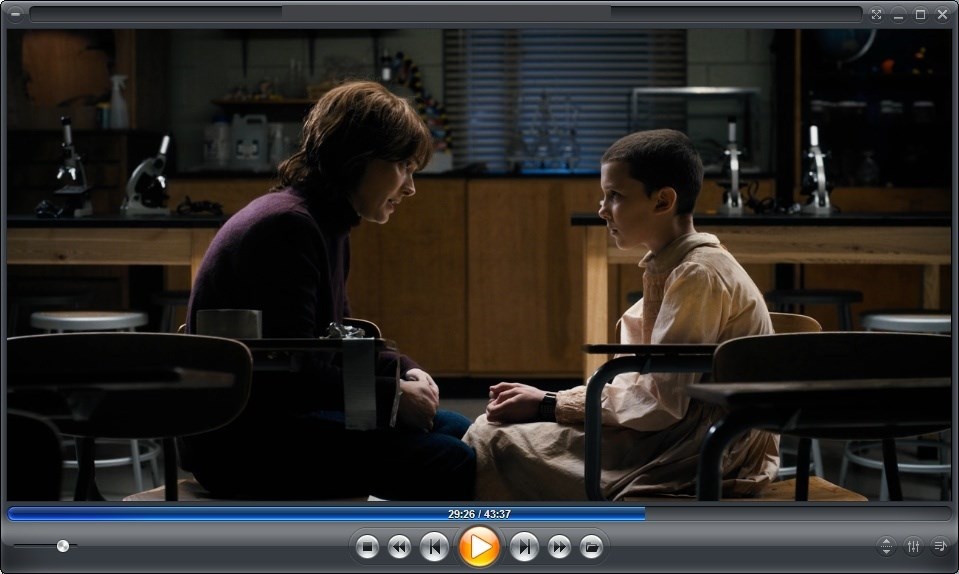
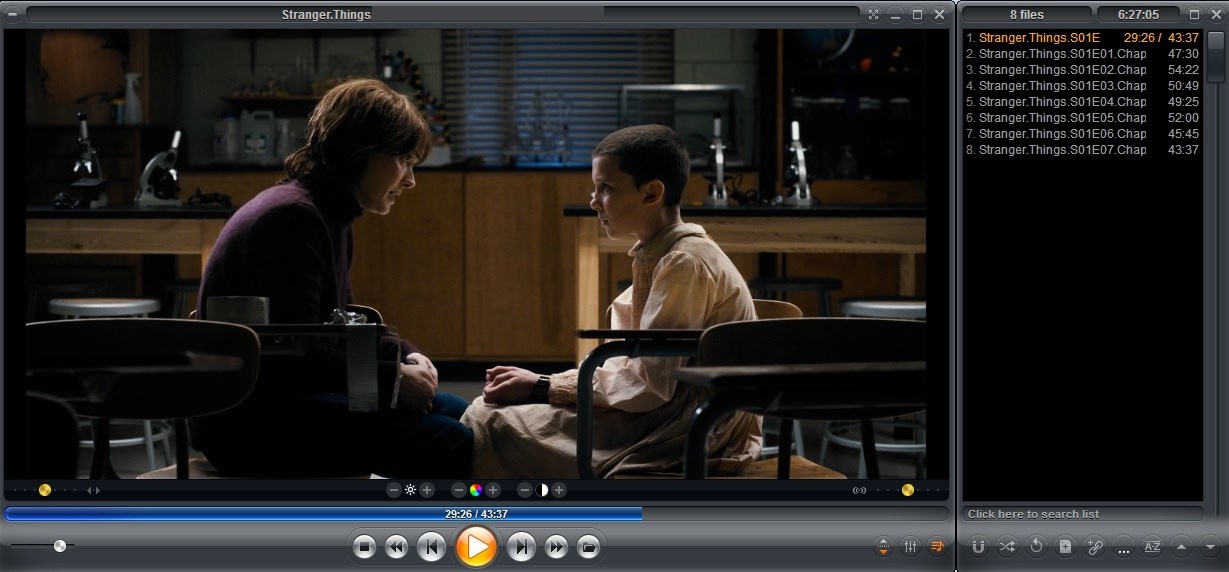
Zoom Player is the most Powerful, Flexible and Customizable DVD and Media Player for the Windows PC platform. Using our powerful Smart Play technology, more image, audio and video media formats play with less hassle, increased stability and better performance. Pro/MAX versions costs from $40, see feature comparison.
Screenshots
Latest version
Download
Download Zoom Player 22.0.1 96MB Win

Download Beta and other versions
Download old versions

Software License
Supported operating systems
Version history / Release notes / Changelog / What's New
What's new in Zoom Player MAX v22.2 beta 1:
Legend :
"*" = New
"+" = Changed
"-" = Fixed
New :
* Introducing Home Theater Video Streaming search!
I implemented a new "Search" section to the Video Streaming Home Theater
interface that allows you to search for Live Streams, Live Programs,
VOD Movies and VOD TV Shows.
The global "Programs" search is still not implemented in this beta
version, I hope to have it ready by the next beta in a week or two.
* I've added support for YouTube DirectShow/libVLC streaming based
on the yt-dlp open source project:
https://github.com/yt-dlp/yt-dlp
yt-dlp is a command line tool that can be used to scan YouTube
video URLs and provide the direct Video/Audio streams.
In Zoom Player, you can now configure YouTube playback to use either
the official YouTube IFRAME Javascript player. DirectShow media
engine using yt-dlp or DirectShow directly (in case you want to
use a DirectShow component such as "3DYD Youtube Source").
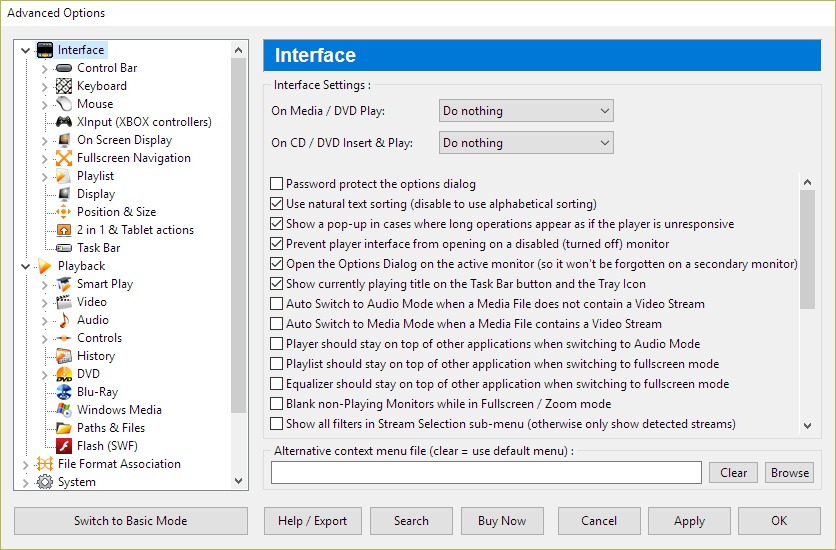
You can pick the YouTube media engine under "Adv. Options / Playback" and
in the case of yt-dlp, you can specify the exact command line Zoom Player
uses with yt-dlp to list the stream URLs. Verify that the path to where
you have yt-dlp installed is correct and you have any yt-dlp prerequisites
installed.
For context, the official IFRAME Javascript player is the fastest and
most responsive, but since it's embedded in a Web Browser (Microsoft's
WebView2) and doesn't use the DirectShow media engine, it lacks support
for higher quality video scalers (MadVR/MPC-VR) and custom audio output
device.
* Beyond YouTube, yt-dlp supports finding streams on many other website
such as Instagram, TikTok, SoundCloud, Twitter/X and many many more :
https://github.com/yt-dlp/yt-dlp/blob/master/supportedsites.md
In the "Advanced Options / Playback" section, you can now specify
website URLs Zoom Player should pass through yt-dlp before trying
to play the stream.
Take into account that playback from such sources may not be perfect.
* Since I've already added support for YouTube, I took the next obvious
step of yt-dlp based stream URL parsing for major websites such as
"Instagram, TikTok, Twitch, etc." under "Adv. Options / Playback".
yt-dlp is compatible with many other websites, here is the full list
of websites supported by yt-dlp:
https://github.com/yt-dlp/yt-dlp/blob/master/supportedsites.md
* New "/UseLibVLC" command line parameter that instructs Zoom Player to
try using libVLC as the media engine for the next media played.
* New "Mouse Hover" color effect for the control overlay's timeline.
You can fully customize the colors in the advanced options dialog
under "Interface / Control Overlay".
* New "Use fuzzy logic when indexing the Episode Guide" Video Streaming
setting (Adv. Options / Playback / Video Streaming). Disabled by default.
In previous versions Zoom Player always used a fuzzy name matching logic
when trying to match the stream index of a Stream Playlist with the
Electronic Program Guide (EPG).
However, using fuzzy matching logic is a lot slower than a direct
match, causing the global program search feature to become impractically
slow when dealing with a massive amount of streams which is the reason I
disabled fuzzy matching by default and created a new setting which you
manually enabled.
For comparison, on the same playlist and program guide, using fuzzy
matching logic took over 2 minutes while a direct match took 4 seconds.
The results were identical since the provider's Playlist and EPG databases
were not too messy.
For greater context, regardless of using either a fuzzy or direct match,
the results are cached so fuzzy-matching's long processing time is only
triggered once per provider and repeated global program searches should
usually take 1-2 seconds on even large databases.
* I wrote new code to load the Playlist -> EPG indexing code to
run in a background thread as soon as you open either the Windowed or
Home Theater versions of the Video Streaming interface.
This means that performing a global program search should return results
a lot faster in most usage cases.
* New "2800" TCP/IP API command to force the next media to load with
libVLC instead of DirectShow. May not apply if DirectShow isn't used
to load the media.
Changed :
+ Filtering streams (searching) in the Video Streaming Windowed interface
should be significantly faster, to the point you may want to disable the
"Filter streams when pressing enter (otherwise filter on each
key stroke)" setting.
+ The "Filter streams/programs when pressing enter" Video Streaming
setting has been changed to "Filter streams when pressing enter"
and now only applied to streams and no longer to program searches
which now always require pressing enter to search.
+ Scrolling through the Video Streaming Home Theater interface should
be a bit smoother.
+ Optimized EPG indexing by removing EPG channel entries that did not
contain any program entries.
+ When creating Windows Shortcuts to streams from the Video Streaming
windowed dialog's right click menu, if libVLC is set as the playback
engine for Video Streaming, the new "/UseLibVLC" command line parameter
will be included in the new shortcut to ensure Zoom Player uses the
correct media engine when the shortcut is launched.
Fixed :
- Fixed multiple bugs in the Video Streaming Episode Guide to Playlist
indexing cache which could inflate the cache file with duplicate
entries, slowing down future indexing and global program searches.
- Enabling the "Pre-load navigation gfx" setting (Adv. Options / Interface
/ Home Theater / Settings) could have triggered a crash under some
conditions, causing the home theater fullscreen interfaces to glitch.
- Fixed a crash when trying to use an external audio track with
Zoom Player's DSP filter disabled.
- Fixed a crash when trying to open the Video Streaming window and then
closing Zoom Player before the Video Streaming window had a chance
to appear.
Legend :
"*" = New
"+" = Changed
"-" = Fixed
New :
* Introducing Home Theater Video Streaming search!
I implemented a new "Search" section to the Video Streaming Home Theater
interface that allows you to search for Live Streams, Live Programs,
VOD Movies and VOD TV Shows.
The global "Programs" search is still not implemented in this beta
version, I hope to have it ready by the next beta in a week or two.
* I've added support for YouTube DirectShow/libVLC streaming based
on the yt-dlp open source project:
https://github.com/yt-dlp/yt-dlp
yt-dlp is a command line tool that can be used to scan YouTube
video URLs and provide the direct Video/Audio streams.
In Zoom Player, you can now configure YouTube playback to use either
the official YouTube IFRAME Javascript player. DirectShow media
engine using yt-dlp or DirectShow directly (in case you want to
use a DirectShow component such as "3DYD Youtube Source").
You can pick the YouTube media engine under "Adv. Options / Playback" and
in the case of yt-dlp, you can specify the exact command line Zoom Player
uses with yt-dlp to list the stream URLs. Verify that the path to where
you have yt-dlp installed is correct and you have any yt-dlp prerequisites
installed.
For context, the official IFRAME Javascript player is the fastest and
most responsive, but since it's embedded in a Web Browser (Microsoft's
WebView2) and doesn't use the DirectShow media engine, it lacks support
for higher quality video scalers (MadVR/MPC-VR) and custom audio output
device.
* Beyond YouTube, yt-dlp supports finding streams on many other website
such as Instagram, TikTok, SoundCloud, Twitter/X and many many more :
https://github.com/yt-dlp/yt-dlp/blob/master/supportedsites.md
In the "Advanced Options / Playback" section, you can now specify
website URLs Zoom Player should pass through yt-dlp before trying
to play the stream.
Take into account that playback from such sources may not be perfect.
* Since I've already added support for YouTube, I took the next obvious
step of yt-dlp based stream URL parsing for major websites such as
"Instagram, TikTok, Twitch, etc." under "Adv. Options / Playback".
yt-dlp is compatible with many other websites, here is the full list
of websites supported by yt-dlp:
https://github.com/yt-dlp/yt-dlp/blob/master/supportedsites.md
* New "/UseLibVLC" command line parameter that instructs Zoom Player to
try using libVLC as the media engine for the next media played.
* New "Mouse Hover" color effect for the control overlay's timeline.
You can fully customize the colors in the advanced options dialog
under "Interface / Control Overlay".
* New "Use fuzzy logic when indexing the Episode Guide" Video Streaming
setting (Adv. Options / Playback / Video Streaming). Disabled by default.
In previous versions Zoom Player always used a fuzzy name matching logic
when trying to match the stream index of a Stream Playlist with the
Electronic Program Guide (EPG).
However, using fuzzy matching logic is a lot slower than a direct
match, causing the global program search feature to become impractically
slow when dealing with a massive amount of streams which is the reason I
disabled fuzzy matching by default and created a new setting which you
manually enabled.
For comparison, on the same playlist and program guide, using fuzzy
matching logic took over 2 minutes while a direct match took 4 seconds.
The results were identical since the provider's Playlist and EPG databases
were not too messy.
For greater context, regardless of using either a fuzzy or direct match,
the results are cached so fuzzy-matching's long processing time is only
triggered once per provider and repeated global program searches should
usually take 1-2 seconds on even large databases.
* I wrote new code to load the Playlist -> EPG indexing code to
run in a background thread as soon as you open either the Windowed or
Home Theater versions of the Video Streaming interface.
This means that performing a global program search should return results
a lot faster in most usage cases.
* New "2800" TCP/IP API command to force the next media to load with
libVLC instead of DirectShow. May not apply if DirectShow isn't used
to load the media.
Changed :
+ Filtering streams (searching) in the Video Streaming Windowed interface
should be significantly faster, to the point you may want to disable the
"Filter streams when pressing enter (otherwise filter on each
key stroke)" setting.
+ The "Filter streams/programs when pressing enter" Video Streaming
setting has been changed to "Filter streams when pressing enter"
and now only applied to streams and no longer to program searches
which now always require pressing enter to search.
+ Scrolling through the Video Streaming Home Theater interface should
be a bit smoother.
+ Optimized EPG indexing by removing EPG channel entries that did not
contain any program entries.
+ When creating Windows Shortcuts to streams from the Video Streaming
windowed dialog's right click menu, if libVLC is set as the playback
engine for Video Streaming, the new "/UseLibVLC" command line parameter
will be included in the new shortcut to ensure Zoom Player uses the
correct media engine when the shortcut is launched.
Fixed :
- Fixed multiple bugs in the Video Streaming Episode Guide to Playlist
indexing cache which could inflate the cache file with duplicate
entries, slowing down future indexing and global program searches.
- Enabling the "Pre-load navigation gfx" setting (Adv. Options / Interface
/ Home Theater / Settings) could have triggered a crash under some
conditions, causing the home theater fullscreen interfaces to glitch.
- Fixed a crash when trying to use an external audio track with
Zoom Player's DSP filter disabled.
- Fixed a crash when trying to open the Video Streaming window and then
closing Zoom Player before the Video Streaming window had a chance
to appear.
View full changelog
All features
Home Theater PC made Simple
Zoom Player's fullscreen navigation interface is based on a simple 5-Key system (up/down/left/right/select). The 5-key system allows easy access and navigation to such interfaces as Media Library, File Browsing, Playlist, Color Control, Audio Equalizer, Chaptering, Play History and many more. The system's simplicity makes it ideal for users with no previous computer experience.
With Zoom Player, you can instantly Convert any PC into a Home Entertainment Center or Home Theater PC (HTPC) with no requirement for specialized hardware or operating system (Zoom Player runs on every version of Windows).
Utilizing Zoom Player's modular design and flexibility, you can easily design a safe viewing environment, limiting or extending functionality, making it ideal for both children and to the consummate professional.
Forward Thinking
Zoom Player's Install Center will scan your system for missing or outdated components and automatically present you with a list of recommended updates and patches. Using Zoom Player's Install Center technology, you can be sure your system is up to date with the most recent technological innovations without compromising security (all updates are digitally signed) while gaining access to a centralized location, removing the burden of manually searching for the latest updates yourself.
Technology meets Sophistication
Zoom Player installs easily, learning your computer's hardware and software setup. Using the innovative Smart Play technology, Zoom Player employs the ideal "play profile" for every session. This profile comprises the most suitable Audio and Video decoders matched with compatible components - a combination that guarantees a perfect viewing experience, time after time.
A tool for every need
Zoom Player addresses every aspect of DVD and Media control. Zoom Player plays media in every conceivable color composition, display type, playback speed and more. With Zoom Player you can create and manage personalized Media Libraries, virtual Chaptering and Bookmarks, cut and edit scenes with the Scene Cut Editor. Zoom Player employs customizable display characteristics and user defined presets, allows to Remote-Control all menu, navigation and playback functions via wireless (RF) or Infra-Red (IR) Remote Control units, and comes ready with a set of TCP/IP Commands to allow control of Zoom Player via the internet (or any TCP/IP based connection).
Customize, Modify, Reshape as you like
Use Zoom Player's flexible customization options to match your taste. Modify the Graphical User Interface, menus and splash screens. Change operation modes, control options, codec compatibility and many other features. Don't compromise. Make the system meet your EXACT needs.
Shape your desired viewing environment with ease using Zoom Player's modular design and flexibility. Extend or limit functionality as you wish. Personalize the interface, functions and viewing parameters to suit any type of use, any viewer - from a simple, safely monitored, children-friendly viewing tool to a sophisticated, no-limits powerhouse for professionals.
Flavors for All
Zoom Player comes in three flavors: Zoom Player Professional, Zoom Player Premium, and Zoom Player MAX Professional.
Zoom Player's fullscreen navigation interface is based on a simple 5-Key system (up/down/left/right/select). The 5-key system allows easy access and navigation to such interfaces as Media Library, File Browsing, Playlist, Color Control, Audio Equalizer, Chaptering, Play History and many more. The system's simplicity makes it ideal for users with no previous computer experience.
With Zoom Player, you can instantly Convert any PC into a Home Entertainment Center or Home Theater PC (HTPC) with no requirement for specialized hardware or operating system (Zoom Player runs on every version of Windows).
Utilizing Zoom Player's modular design and flexibility, you can easily design a safe viewing environment, limiting or extending functionality, making it ideal for both children and to the consummate professional.
Forward Thinking
Zoom Player's Install Center will scan your system for missing or outdated components and automatically present you with a list of recommended updates and patches. Using Zoom Player's Install Center technology, you can be sure your system is up to date with the most recent technological innovations without compromising security (all updates are digitally signed) while gaining access to a centralized location, removing the burden of manually searching for the latest updates yourself.
Technology meets Sophistication
Zoom Player installs easily, learning your computer's hardware and software setup. Using the innovative Smart Play technology, Zoom Player employs the ideal "play profile" for every session. This profile comprises the most suitable Audio and Video decoders matched with compatible components - a combination that guarantees a perfect viewing experience, time after time.
A tool for every need
Zoom Player addresses every aspect of DVD and Media control. Zoom Player plays media in every conceivable color composition, display type, playback speed and more. With Zoom Player you can create and manage personalized Media Libraries, virtual Chaptering and Bookmarks, cut and edit scenes with the Scene Cut Editor. Zoom Player employs customizable display characteristics and user defined presets, allows to Remote-Control all menu, navigation and playback functions via wireless (RF) or Infra-Red (IR) Remote Control units, and comes ready with a set of TCP/IP Commands to allow control of Zoom Player via the internet (or any TCP/IP based connection).
Customize, Modify, Reshape as you like
Use Zoom Player's flexible customization options to match your taste. Modify the Graphical User Interface, menus and splash screens. Change operation modes, control options, codec compatibility and many other features. Don't compromise. Make the system meet your EXACT needs.
Shape your desired viewing environment with ease using Zoom Player's modular design and flexibility. Extend or limit functionality as you wish. Personalize the interface, functions and viewing parameters to suit any type of use, any viewer - from a simple, safely monitored, children-friendly viewing tool to a sophisticated, no-limits powerhouse for professionals.
Flavors for All
Zoom Player comes in three flavors: Zoom Player Professional, Zoom Player Premium, and Zoom Player MAX Professional.
Sections/Browse similar tools
Alternative to Zoom Player
(Latest version updated)KMPlayer (Jan 26, 2026)
Guides and How to's
Acronyms / Also Known As
Notify me when software updated or report software
| 18 reviews, Showing 1 to 5 reviews |
Tried the free version since I only need a player, not all the LAN etc., capabilities. Much of the documentation is left over from Win 7, 8, needs updates for Win 10, including their site. Interface is OK, nothing special, kinda old like the rest. It works but it seems whenever you try to play a vid or change a setting, nag popups to buy the full version appear and can't be clicked away for a few seconds. Really cheesy to offer a free version, then constantly pester for the full version with "we need the money" as a reason. Happens so often, I'd call the free version clickbait. Can't see any capability this player has as just a player that I'd pay for. Uninstalled after a few hours.
(Not sure how to score value for money, it's free, so I gave it 5.)
(Not sure how to score value for money, it's free, so I gave it 5.)
Review by Zoomer on
Feb 24, 2021 Version: 15.5
OS: Windows 10 64-bit Ease of use: 3/10
Functionality: 2/10
Value for money: 5/10
Overall: 3/10
Zoom Player is a very good 32 bit Windows player, reliable, quite fast (not as MPC-HC), quite light-weight. Full of customizations, lots of settings, no bugs, great developer. The Smart Play filter system is a good plus for new users. Works perfectly with madVR video renderer and MPC Wasapi audio renderer. To improve yet the player, IMHO, the developer should implement Avisynth, Vapoursynth and some external extensions like for MPDN.NET or MPV. All in all, a good player; the price is good, even if I must say that I prefer MPC-HC 'cause it's lighter, faster and a bit more reliable yet.
Review by Ziggy1978 on
Nov 10, 2019 Version: 15.2 RC2
OS: Windows 8 64-bit Ease of use: 9/10
Functionality: 10/10
Value for money: 8/10
Overall: 9/10
Price is roughly usd.40 (1 year free upgrades). It seems though one still needs another player:
- DVD from external drive : doesn't work, VLC no problem
- BluRay from internal drive: error "Unable to play [00000.m2ts]" bla bla, VLC no problem
- Unable to customize interface, also here, VLC no problem
- Toolbar (Control bar), when visible, is floating. One should hit shift-spacebar to bring up the control bar.
- Things may unexpectedly not be working anymore and you need to spend time on finding find the solutions
(e.g. playing a video, click on slow motion button, nothing changes, video goes on playing at normal speed,
or suddenly there is no sound. I didn't change anything. VLC plays the video -with- sound, so one has to spent time on checking)
All kinds of little things, hence one needs another player to play the stuff Zoom Player can't.
- DVD from external drive : doesn't work, VLC no problem
- BluRay from internal drive: error "Unable to play [00000.m2ts]" bla bla, VLC no problem
- Unable to customize interface, also here, VLC no problem
- Toolbar (Control bar), when visible, is floating. One should hit shift-spacebar to bring up the control bar.
- Things may unexpectedly not be working anymore and you need to spend time on finding find the solutions
(e.g. playing a video, click on slow motion button, nothing changes, video goes on playing at normal speed,
or suddenly there is no sound. I didn't change anything. VLC plays the video -with- sound, so one has to spent time on checking)
All kinds of little things, hence one needs another player to play the stuff Zoom Player can't.
Review by vhwul62 on
Jun 27, 2019 Version: 14.5
OS: Windows 10 64-bit Ease of use: 6/10
Functionality: 7/10
Value for money: 5/10
Overall: 6/10
Rating by Steve34 on
Jan 18, 2019 Version: 14.4
OS: Windows 10 64-bit Ease of use: 9/10
Functionality: 9/10
Value for money: 10/10
Overall: 9/10
Can't even play mkv and any movies in my harddisk. useless!
Review by yoi on
Dec 14, 2018 Version: 14.4
OS: Windows 8 64-bit Ease of use: 1/10
Functionality: 1/10
Value for money: 1/10
Overall: 1/10
| 18 reviews, Showing 1 to 5 reviews |
| 1 tool hits, Showing 1 to 1 tools |
Explanation:
NEW SOFTWARE= New tool since your last visit
NEW VERSION= New version since your last visit
NEW REVIEW= New review since your last visit
NEW VERSION= New version
Latest version
Version number / Beta version number / Update version number and when it whas released.
Type and download
NO MORE UPDATES? = The software hasn't been updated in over 2 years.
NO LONGER DEVELOPED = The software hasn't been updated in over 5 years.
RECENTLY UPDATED = The software has been updated the last 31 days.
Freeware = Download Free software.
Freeware Trialware = Download Free software but some parts are trial/shareware.
Free software = Download Free software and also open source code also known as FOSS (Free and Open Source Software).
Free software Trialware = Download Free software and also open source code but some parts are trial/shareware.
Freeware Ads = Download Free software but supported by advertising, usually with a included browser toolbar. It may be disabled when installing or after installation.
Free software Ads = Free Download software and open source code but supported by advertising, usually with a included browser toolbar. It may be disabled when installing or after installation.
Trialware = Also called shareware or demo. Free Trial version available for download and testing with usually a time limit or limited functions.
Payware = No demo or trial available.
Portable version = A portable/standalone version is available. No installation is required.
v1.0.1 = Latest version available.
Download beta = It could be a Beta, RC(Release Candidate) or an Alpha / Nightly / Unstable version of the software.
Download 15MB = A direct link to the software download.
Win = Windows download version. It works on 32-bit and 64-bit Windows.
Win64 = Windows 64-bit download version. It works only on 64-bit Windows.
Mac = Mac download version. It works on 32-bit and 64-bit Mac OS.
Mac64 = Mac OS download version. It works only on 64-bit Mac OS.
Linux = Linux download version.
Portable = Portable version. No installation is required.
Ad-Supported = The software is bundled with advertising. Be careful when you install the software and disable addons that you don't want!
Visit developers site = A link to the software developer site.
Download (mirror link) = A mirror link to the software download. It may not contain the latest versions.
Download old versions = Free downloads of previous versions of the program.
Download 64-bit version = If you have a 64bit operating system you can download this version.
Download portable version = Portable/Standalone version meaning that no installation is required, just extract the files to a folder and run directly.
Portable version available = Download the portable version and you can just extract the files and run the program without installation.
Old versions available = Download old versions of the program.
Version history available = Complete changelog on our site.
= Windows version available.
 = Mac OS version available.
 = Linux version available.
Our hosted software are virus and malware scanned with several antivirus programs using www.virustotal.com. (NOTE! Just one virustotal warning is 99.9% a false positive. And some software might receive 2-6 warnings but it's if they are not all same virus/trojan then it's 99% false positives.)
Rating
Rating from 0-10.
NEW SOFTWARE= New tool since your last visit
NEW VERSION= New version since your last visit
NEW REVIEW= New review since your last visit
NEW VERSION= New version
Latest version
Version number / Beta version number / Update version number and when it whas released.
Type and download
NO MORE UPDATES? = The software hasn't been updated in over 2 years.
NO LONGER DEVELOPED = The software hasn't been updated in over 5 years.
RECENTLY UPDATED = The software has been updated the last 31 days.
Freeware = Download Free software.
Freeware Trialware = Download Free software but some parts are trial/shareware.
Free software = Download Free software and also open source code also known as FOSS (Free and Open Source Software).
Free software Trialware = Download Free software and also open source code but some parts are trial/shareware.
Freeware Ads = Download Free software but supported by advertising, usually with a included browser toolbar. It may be disabled when installing or after installation.
Free software Ads = Free Download software and open source code but supported by advertising, usually with a included browser toolbar. It may be disabled when installing or after installation.
Trialware = Also called shareware or demo. Free Trial version available for download and testing with usually a time limit or limited functions.
Payware = No demo or trial available.
Portable version = A portable/standalone version is available. No installation is required.
v1.0.1 = Latest version available.
Download beta = It could be a Beta, RC(Release Candidate) or an Alpha / Nightly / Unstable version of the software.
Download 15MB = A direct link to the software download.
Win = Windows download version. It works on 32-bit and 64-bit Windows.
Win64 = Windows 64-bit download version. It works only on 64-bit Windows.
Mac = Mac download version. It works on 32-bit and 64-bit Mac OS.
Mac64 = Mac OS download version. It works only on 64-bit Mac OS.
Linux = Linux download version.
Portable = Portable version. No installation is required.
Ad-Supported = The software is bundled with advertising. Be careful when you install the software and disable addons that you don't want!
Visit developers site = A link to the software developer site.
Download (mirror link) = A mirror link to the software download. It may not contain the latest versions.
Download old versions = Free downloads of previous versions of the program.
Download 64-bit version = If you have a 64bit operating system you can download this version.
Download portable version = Portable/Standalone version meaning that no installation is required, just extract the files to a folder and run directly.
Portable version available = Download the portable version and you can just extract the files and run the program without installation.
Old versions available = Download old versions of the program.
Version history available = Complete changelog on our site.
= Windows version available. = Mac OS version available. = Linux version available.Our hosted software are virus and malware scanned with several antivirus programs using www.virustotal.com. (NOTE! Just one virustotal warning is 99.9% a false positive. And some software might receive 2-6 warnings but it's if they are not all same virus/trojan then it's 99% false positives.)
Rating
Rating from 0-10.
Browse software by sections
All In One Blu-ray Converters (9)
All In One DVD Converters (12)
All In One MKV to MP4, Blu-ray, UHD (11)
All In One Video Converters (19)
Animation (3D, 2D Animation) (12)
Audio Editors (22)
Audio Encoders (80)
Audio Players (19)
Authoring (Blu-ray, UHD, AVCHD) (13)
Authoring (DivX) (4)
Authoring (DVD) (26)
Authoring (SVCD, VCD) (9)
Bitrate Calculators (7)
Blu-ray to AVI, MKV, MP4 (15)
Blu-ray to Blu-ray, AVCHD (10)
Burn (CD,DVD,Blu-ray) (24)
Camcorders, DV, HDV, AVCHD (31)
Capture TV, DVD, VCR (30)
CD, DVD, Blu-ray recovery (3)
Codec Packs (6)
All In One DVD Converters (12)
All In One MKV to MP4, Blu-ray, UHD (11)
All In One Video Converters (19)
Animation (3D, 2D Animation) (12)
Audio Editors (22)
Audio Encoders (80)
Audio Players (19)
Authoring (Blu-ray, UHD, AVCHD) (13)
Authoring (DivX) (4)
Authoring (DVD) (26)
Authoring (SVCD, VCD) (9)
Bitrate Calculators (7)
Blu-ray to AVI, MKV, MP4 (15)
Blu-ray to Blu-ray, AVCHD (10)
Burn (CD,DVD,Blu-ray) (24)
Camcorders, DV, HDV, AVCHD (31)
Capture TV, DVD, VCR (30)
CD, DVD, Blu-ray recovery (3)
Codec Packs (6)
Codec, Video Identifiers (30)
Codecs (67)
Decrypters (DVD Rippers) (16)
Decrypters (UHD, Blu-ray Rippers) (8)
DigitalTV, DVB, IPTV (39)
DVD to DVD (20)
DVD to MP4, MKV, H264, H265 (16)
DVD to VCD, SVCD (5)
DVD to XviD, AVI, DivX (16)
ISO, Image (15)
Linux Video Tools (206)
MacOS Video Tools (240)
Media (Blu-ray, DVD, CD) (9)
Media Center, HTPC (24)
Other Useful Tools (140)
Photo Blu-ray, DVD, SlideShow (8)
Portable (Mobile, PSP) (35)
Region Free Tools (5)
Screen capture , Screen recording (28)
Screenshots , Thumbnails (13)
Codecs (67)
Decrypters (DVD Rippers) (16)
Decrypters (UHD, Blu-ray Rippers) (8)
DigitalTV, DVB, IPTV (39)
DVD to DVD (20)
DVD to MP4, MKV, H264, H265 (16)
DVD to VCD, SVCD (5)
DVD to XviD, AVI, DivX (16)
ISO, Image (15)
Linux Video Tools (206)
MacOS Video Tools (240)
Media (Blu-ray, DVD, CD) (9)
Media Center, HTPC (24)
Other Useful Tools (140)
Photo Blu-ray, DVD, SlideShow (8)
Portable (Mobile, PSP) (35)
Region Free Tools (5)
Screen capture , Screen recording (28)
Screenshots , Thumbnails (13)
Subtitle Editors, Converters (70)
Tag Editors (4)
Video De, Multiplexers (66)
Video Editors (Advanced, NLE) (36)
Video Editors (Basic) (56)
Video Editors (H264, MP4, MKV, MTS) (19)
Video Editors (Lossless) (4)
Video Editors (MPG, DVD) (16)
Video Editors (WMV, AVI) (15)
Video Encoders (AV1, VP8, VP9) (2)
Video Encoders (AVI, WMV) (38)
Video Encoders (H264, H265, MP4, MKV) (45)
Video Encoders (MPG, DVD) (23)
Video Encoders , Converters (154)
Video Frameservers (9)
Video Players (49)
Video Repair, Fix (24)
Video Scripting (10)
Video Streaming (21)
Video Streaming Downloaders (101)
Tag Editors (4)
Video De, Multiplexers (66)
Video Editors (Advanced, NLE) (36)
Video Editors (Basic) (56)
Video Editors (H264, MP4, MKV, MTS) (19)
Video Editors (Lossless) (4)
Video Editors (MPG, DVD) (16)
Video Editors (WMV, AVI) (15)
Video Encoders (AV1, VP8, VP9) (2)
Video Encoders (AVI, WMV) (38)
Video Encoders (H264, H265, MP4, MKV) (45)
Video Encoders (MPG, DVD) (23)
Video Encoders , Converters (154)
Video Frameservers (9)
Video Players (49)
Video Repair, Fix (24)
Video Scripting (10)
Video Streaming (21)
Video Streaming Downloaders (101)