
Help us keep the list up to date and submit new video software here.
Try StreamFab Downloader and download streaming video from Netflix, Amazon, Youtube! Download free trial.
| 162 tool hits, Showing 1 to 50 tools |
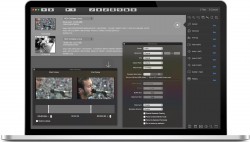
ffWorks(former iFFmpeg) makes it easy to convert media files with FFmpeg for both beginner and experienced users. ffWorks is a front end that does all the hard work for you. This way you can use FFmpeg without the knowledge of all the commands. Requires ffmpeg for Mac.
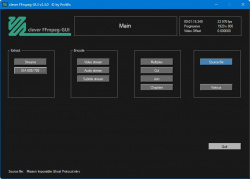
Clever FFmpeg GUI is a small, but smart GUI for FFmpeg. It processes Audio and Video streams separately. These can be muxed after processing. It's for Windows Systems, portable, x86 and x64. Automatic stream detection, Video, Audio and Subtitle stream conversion, Video, Audio and Subtitle stream extraction, Audio volume detection, Audio length and pitch modification, automatic Video crop detection, Audio and Video Fade In and Fade Out, Change aspect ratio, Change Audio and Subtitles stream language, Change profile level without recoding (for x264 and hevc). DVD movie rip implemented (unprotected DVD's only). Point to VOB 1 of a Title Set (g.e. VTS_01_1.VOB for Titleset 1), answer Yes to the questions and the entire movie will be ripped and imported. Requires ffmpeg and .NET 4.8.
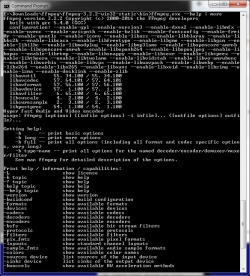
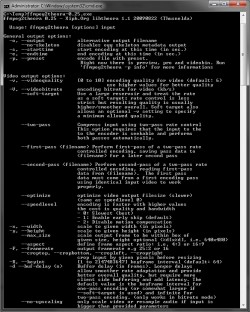
FFmpeg is a complete solution to record, convert, edit and stream audio and video. It is a command line video software for Windows, Mac and Linux. It supports converting between most video and audio formats. It supports grabbing and encoding in real time from streaming media, capture cards, etc. Multiplex(join) and demultipex(split) video and audio tracks from all video formats. Edit(cut,join) all video formats. Advanced video and audio filters. Subtitle support. ffplay(basic video player) and ffprobe(video identifier) are also included. Several frontEnds/GUIs are available like FFmpeg Batch Converter or clever FFMPEG-GUI.
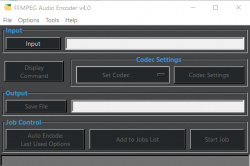
FFMPEG Audio Encoder can intake any media file that has audio and encode it to the codec/settings of your choice. You can open video files and or files that is only audio. You can encode with all the following codecs. Currently DTS only supports DTS to core or extract DTS-HD from files that have a DTS track. Coded completely in python and it's completely portable. It is powered with FFMPEG and has as portable version of MediaInfo, these are all required for the app to run.
FFmpeg Batch Converter is a Windows front-end for ffmpeg advanced users, that allows single or multi-process unlimited batch processing, with automatic shutdown feature on queue completion. User can use the full potential of ffmpeg in a convenient GUI, using any set of parameters, which can be tried for a small part of any file prior to start conversion. It also features convenient way for trimming and concatenating multimedia files.

FFmpegGUI is a frontend for ffmpeg video converter. There's a lot of GUIs for ffmpeg, this is a little different than most as it focuses on broadcasting/streaming (assisting with capture card selections, network video input, etc...) and stream publishing output and has features specific to that. FFmpegGUI currently supports File, DirectShow, Blackmagic Decklink, NewTek NDI or URL inputs. Drag and drop your file(s) from your system to be processed quickly.

ffmpeg2theora is a powerful Theora video encoder. It supports most input formats and you can also adjust brightness, deinterlace, resize, crop, add metadata and subtitles, etc. Outputs an OGV file with Theora video and Vorbis audio. Command line application but frontends/GUIs available like FFCoder or Hyper Video Converter.
ffmpegX is a Mac OS X graphic user interface designed to easily operate more than 20 powerful Unix open-source video and audio processing tools including ffmpeg the "hyper fast video and audio encoder. iPod, PSP profiles.

Gui4fmpeg is a graphic user interface to handle encoding with ffmpeg. It includes mp3 and ac3 support. Gui4ffmpeg can read from AviSynth files. Gui4ffmpeg contains a detailed documentation in english and german.

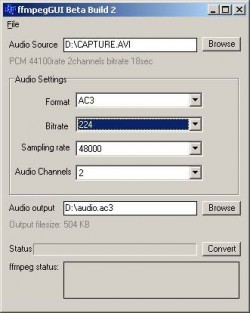
ffmpegGUI is very simple and fast AC3, MPA/MP2 audio encoder tool. Open WAV, MP3, AVI video, MPG video and convert directly to AC3 or MPA/MP2 audio in one step. GUI for ffmpeg. Extract all files to a folder and run ffmpeggui.exe.
TSCutter.GUI is a cross-platform MPEG-TS editing and diagnostic toolkit. It combines fast keyframe-based cutting with stream inspection, extraction, filtering, structural editing, repair, merging, and packet analysis tools, without transcoding the original audio or video.

EffectCraft is for animated titles, motion graphics and compositing work: the kind of thing people reach for After Effects to do. You build a composition out of layers (solids, shapes, text, footage, other compositions), animate their properties with keyframes, stack effects on them and render the result.

FilmCraft is a non-linear editor for people who know Premiere: the same panels, workspaces, tools and shortcuts, so your hands already know where everything is. Underneath, it is new from the bitstream up. The H.264, HEVC, ProRes and AAC codecs are our own, written in Rust from the public specifications. A GPU compositor works in linear light. Frame math runs on exact integer time, so edits never drift. And every action in the app is a command that an AI agent can drive as precisely as you can. An open-source, clean-room take on the Adobe Premiere Pro workflow: native on macOS, Windows and Linux, and in the browser via WebAssembly. By the ArtCraft team.

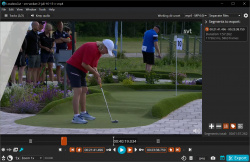
LosslessCut aims to be the ultimate cross platform FFmpeg GUI for extremely fast and lossless operations on video, audio, subtitle and other related media files. The main feature is lossless trimming and cutting of video and audio files, which is great for saving space by rough-cutting your large video files taken from a video camera, GoPro, drone, etc. It lets you quickly extract the good parts from your videos and discard many gigabytes of data without doing a slow re-encode and thereby losing quality. Or you can add a music or subtitle track to your video without needing to encode. Everything is extremely fast because it does an almost direct data copy, fueled by the awesome FFmpeg which does all the grunt work.
VidControl is a free all-in-one video converter. CPU Encoding, Hardware-accelerated encoding with NVIDIA NVENC, AMD AMF, and Intel QSV for maximum speed. Subtitle Editor, Built-in editor with OCR recognition (Tesseract), spell checking, and batch processing. Batch Queue, Queue multiple files and let them process automatically one after another. Encoding Presets, Predefined and custom presets for quick setup – from CRF values to audio settings. Crop Editor, Visual crop editor with preview and automatic black bar detection. Watch Folders, Folder monitoring: New files are automatically detected and added to the queue. Requires ffmpeg!
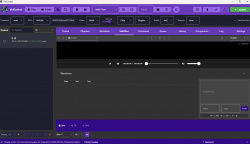
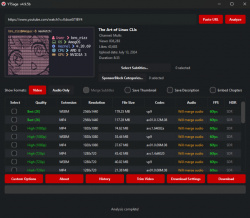
YTSage is designed for users who want a simple yet powerful YouTube downloader. Unlike other tools, it offers: A clean, modern PySide6 interface, One-click downloads for video, audio, and subtitles, Advanced features like SponsorBlock, subtitle merging, and playlist selection, Cross-platform support and easy installation.
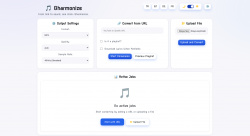
Gharmonize is a video downloader. Seamlessly download content from YouTube, YouTube Music, and major platforms like X, Facebook, Instagram, Vimeo, Dailymotion, and TikTok. Leverage Spotify, Apple Music, and Deezer for intelligent metadata matching and track discovery — then fetch high-quality media via yt-dlp. Includes DRM-free disc ripping, iPhone / Android ringtone output, and blazing-fast GPU-accelerated transcoding, all powered by a robust and reliable processing engine.
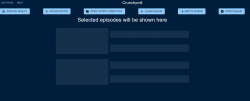
Anime Downloader NX can download anime from different sites. Currently supported are Crunchyroll, Hidive, AnimeOnegai, and AnimationDigitalNetwork. GUI with a local web interface or CLI. Requires ffmpeg and MKVtoolNix and may require some additional software for decryption.
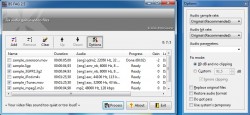
BS FAG will fix audio gain in video files to volume level 89 dB with clipping prevention. Now it allows custom volume level and clipping control. Similar original audio specification will be applied unless customized in options. Note! All audio will be reconverted to MP3. Requires: FFmpeg and mp3gain.
Freeware Trialware
OS:
Version: 6.7.2 Trial / 4.2 Free
Released: Oct 21,2026
File size: 16.9MB
Download
OS:
Version: 6.7.2 Trial / 4.2 Free
Released: Oct 21,2026
File size: 16.9MB
Download
svtplay-dl is an open source command-line program written in python. You can quickly download published videos from various sites to your local computer. Requires ffmpeg if you want to merge video and audio automatically. Put ffmpeg.exe in the same folder as svtplay-dl.exe.
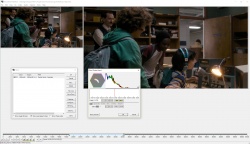
VirtualDub2 is a video capture/processing utility for Windows. VirtualDub2 (former VirtualDub FilterMod) has all features of original VirtualDub, plus built-in encode/decode of H264 and other formats; open and save MOV, MP4, MKV etc; improved navigation, display (pan display when zoomed in, ...), and other UI bits (color format selection...); improved performance; and support for high bit-depth (ie, deep) color formats.
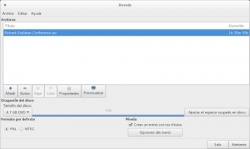
DevedeNG is a program to create video DVDs and CDs (VCD, sVCD or CVD), suitables for home players, from any number of video files, in any of the formats supported by Mplayer. The big advantage over other utilites is that it only needs Mplayer, Mencoder, FFMpeg, DVDAuthor, VCDImager and MKisofs (well, and Python3, PyGTK and PyGlade), so its dependencies are really small. The suffix NG is because it is a rewrite from scratch of the old Devede, to work with Python3 and Gtk3, and with a new internal architecture that allows to expand it and easily add new features.
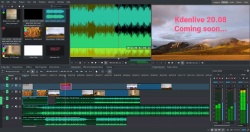
Kdenlive is a non-linear video editor for GNU/Linux and Windows, which supports DV, HDV and AVCHD(not complete yet) editing. Kdenlive relies on several other open source projects like FFmpeg and the MLT video framework. It was designed to answer all needs, from basic video editing to semi-professionnal work.
Hybrid is a Windows/Linux QT-based frontend for a bunch of other tools which can convert most input formats to common audio & video formats and containers, see feature list for details. Hybrid is intended for advanced users.
MMP: Minimalist Media Player is a player, editor and browser for for video, audio and images. A powerful, open source, MPV/FFmpeg-based minimal-interface media player (and media manager) for 64-bit Windows. Lots of keyboard-controlled functionality (nearly 200 functions) but with minimal screen clutter. Automatically adjusts the window to match the video dimensions, without a window caption/title bar, to give an immersive viewing experience whether in window mode or fullscreen mode. Includes an Audio & Video Timeline Editor for fast, lossless editing of audio and video files with no re-encoding required. Includes an Image & Thumbnail Browser for managing your image library.

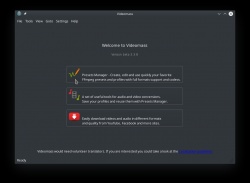
Videomass is a free, open source and cross-platform GUI for FFmpeg and youtube-dl / yt-dlp, concatenate (mux or encode videos), presets manager, conversions. This video encoder is userfriendly for beginners and more advanced users. Using the step by step interface (GUI) you can simply choose a preset or make your own. For the people that are familiar with FFmpeg there is the possbility to easily make your own presets using the FFmpeg command line or make a preset through the GUI and adapt this to your specific needs. It offers out of the box output to all possible file formats like MP4, MKV, MOV etc. Video: MPEG-4, H.264/AVC, H.265/HEVC, VP9 and audio: AAC, MP3, OPUS, WAV, FLAC or AC-3 and subtitles and much more! Also you can copy streams (lossless video and/or audio) and extract audio. Finally it has a simple timeline editor, extended multimedia information and optional youtube downloader.
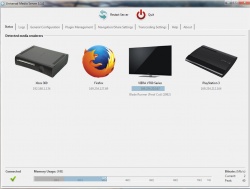
Universal Media Server is a DLNA-compliant UPnP Media Server. It was originally based on PS3 Media Server by shagrath. UMS was started by SubJunk, an official developer of PMS, in order to ensure greater stability and file-compatibility. Universal Media Server supports all major operating systems, with versions for Windows, Linux and Mac OS X. The program streams or transcodes video, audio and image formats with little or no configuration. It is powered by FFmpeg, MEncoder, tsMuxeR, MediaInfo and more, which combine to offer support for a wide range of media formats. NOTE! Early Releases requires a Patreon subscription.
Free software Donationware
OS: 

Version: 15.8.2 / 15.9.0 Patreon
Released: Oct 5,2026
File size: 165MB
Download
OS:
Version: 15.8.2 / 15.9.0 Patreon
Released: Oct 5,2026
File size: 165MB
Download
video-compare can be used to visually compare the impact of codecs, resizing algorithms, and other modifications on two video files played in sync. The tool is versatile, allowing videos of differing resolutions, frame rates, scanning methods, color formats, dynamic ranges, input protocols, container formats, codecs, or durations. Command line tool or use the GUI.

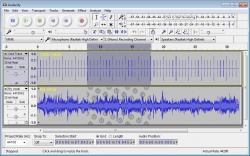
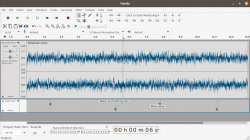
Audacity is a free, easy-to-use and multilingual audio editor and recorder for Windows, Mac OS X, GNU/Linux and other operating systems. You can use Audacity to: Record live audio. Convert tapes and records into digital recordings or CDs. Edit Ogg Vorbis, MP3, WAV or AIFF sound files. Cut, copy, splice or mix sounds together. Change the speed or pitch of a recording.
Any Video Converter is a simple video converter which can convert video files from various formats with fast converting speed and excellent video quality . It can convert almost all video formats including DivX, XviD, MOV, rm, rmvb, MPEG, VOB, DVD, WMV, AVI to MPEG-I, MPEG-I, DVD NTSC , DVD PAL, Flash for Video (FLV) ,AVI Video and Customized WMV movie formats. It also supports any user defined video file formats as the output. It has an unmatchable speed and high quality. Based on ffmpeg and mplayer/mencoder. Pro version costs $40.
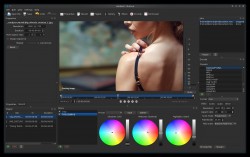
Shotcut is a free, open source, cross-platform video editor. Support for the latest audio and video formats thanks to FFMPEG, Video compositing across video tracks, Cross platform support: available on Windows, Linux and MacOS, Blackmagic Design SDI and HDMI for input and preview monitoring.
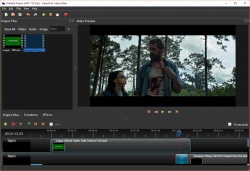
OpenShot Video Editor is a free, open-source, non-linear video editor for Linux, Mac OS, Windows, built with Python, GTK, and the MLT Framework. Our goal is to create an easy-to-use, powerful, non-linear video editor, with a focus on "User Interface", "Work flow", and "Stability".
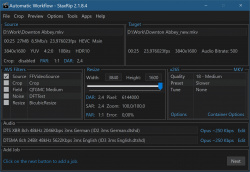
StaxRip is a powerful video/audio encoding GUI for Windows. It executes and controls console apps such as x265, mkvmerge, ffmpeg, etc. and uses scripting based frame servers, AviSynth+ and VapourSynth, for video processing. Each project can also be extended by various events and settings. StaxRip is no One-Click Encoder! Requires .NET.
Video Duplicate Finder is a cross-platform software to find duplicated video (and image) files on hard disk based on similiarity. That means unlike other duplicate finders this one does also finds duplicates which have a different resolution, frame rate and even watermarked. It requires the ffmpeg library to check to video files.

Tero Subtitler is an open source, cross platform, and free subtitle editing software. URUWorks' subtitling solution began as Subtitle Workshop. In making the distinction from the other project with the same name, the organization is retiring that repository in favor of Tero Subtitler.

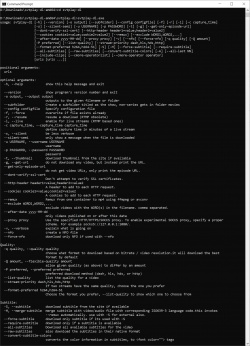
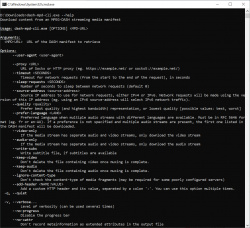
dash-mpd-cli is an open source commandline application for downloading media content from a DASH MPD file, as used for on-demand replay of TV content and video streaming services. Supports Microsoft Windows, MacOS, Linux and Android. Command line software.
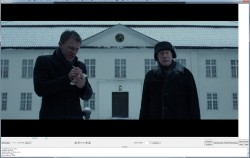
MKV Cutter is a tool to cut h.264 mkv files frame accurate. Cut out mkv video clips exactly without reconverting the entire video. Since it's an ALPHA version it has some major shortcomings.
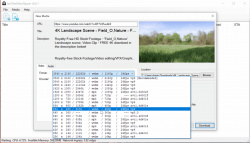
Media Archiver (former JackTheVideoRipper) is a desktop application designed to archive and manage media content locally. It leverages the power of Rust for its backend and SvelteKit for its frontend, providing a high-performance and modern user experience. Cross-platform media archiver frontend that wraps around yt-dlp and ffmpeg and works on a variety of sources
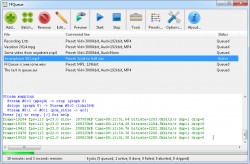
FFQueue is a graphical user interface for FFMpeg with comprehensive support for both the basic features but also the more advanced features like filtergraphs. FFQueue makes it easy to create multiple jobs and process them as a single queue. Requires ffmpeg.
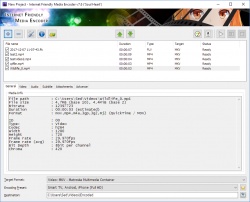
IFME(Internet Friendly Media Encoder) encodes, remuxes and repackages video and audio. It handles subtitles and font attachments, merges multiple streams into a single file, drops the streams you do not want, and can pull subtitles straight out of another video without extracting them first. AviSynth scripts are supported for advanced processing. What makes it different is that the encoders are not baked in.
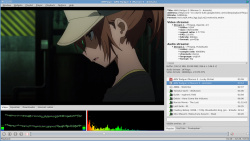
QMPlay2 is a video and audio player. It can play all formats supported by FFmpeg, libmodplug (including J2B and SFX). It also supports Audio CD, raw files, Rayman 2 music and chiptunes.
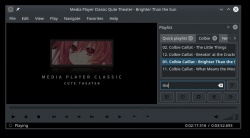
Media Player Classic Qute Theater (mpc-qt) aims to reproduce most of the interface and functionality of mpc-hc while using libmpv to play video instead of DirectShow. Nearly everything that MPC-HC does. For the most part, unwritten portions relate to setting options, streaming from devices, and storing favorites.
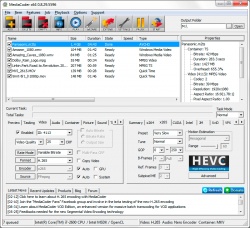
MediaCoder is an audio/video batch transcoder, putting together many excellent audio/video softwares from the open source community into one friendly GUI. On video side, MEncoder, ffmpeg are used as back-end, which provides support for nearly all known video compression and container formats as well as rich and useful video filtering features (e.g. post-processing, 3D de-noise). Supports CUDA acceleration. Some features are limited in the free version. Premium version costs $125.
Tenacity is an easy-to-use, cross-platform multi-track audio editor/recorder for Windows, Linux, and other operating systems and is developed by a group of volunteers as open-source software. Tenacity is a fork of Audacity.
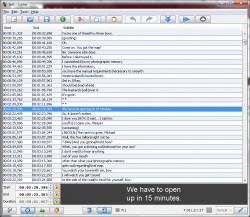
Jubler is a tool to edit text-based subtitles. It can be used as an authoring software for new subtitles or as a tool to convert, transform, correct and refine existing subtitles. Requires Mplayer for previewing video and Java runtime.
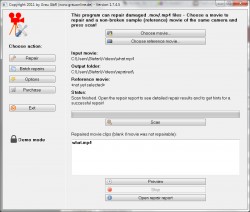
Grau GbRs Video Repair Tool can repair and fix broken or damaged video files (mp4,mv4,mpg,mov,jpg,dvc,3gp) that do not play in your media player. Repairs video files that are truncated, broken, corrupt or damaged. Repairs video files that do not play in QuickTime or Windows Media player. Repairs movies that were not finalized by the camera. The repair does not depend on a valid/correct container format - the raw video and audio stream data is fully automatically reconstructed. Supports non-broken reference movies for finding missing movie meta-data and parameters. $40 for 1 repair and $120 for unlimited repairs. The free trial version will try repair half your movie. NOTE! It has NO installation, just extract all files and run gs.exe.
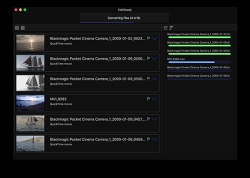
EditReady (replaces ClipWrap) can Rewrap or transcode any MXF, MTS (AVCHD), M2T (HDV), MP4, or QuickTime (MOV) file. Target Apple ProRes, Avid DNxHD/HR, or h.264 output.Simple UI designed to ensure you get the best quality output for your source media. Resize, rotate, retime and apply color changing LUTs. View and edit metadata. Support for all the popular editing formats (ProRes, DNxHD, etc) and non-linear editors (Final Cut Pro, FCPX, Avid Media Composer, Adobe Premiere Pro, Apple iMovie)rewraps your HDV (m2t) and AVCHD (mts, m2ts) files into QuickTime movies (mov). Faster than transcoding. No generation loss. Support for all the popular editing formats (ProRes, DNxHD, etc) and non-linear editors (Final Cut Pro, Avid Media Composer, Adobe Premiere Pro, Apple iMovie). Requires Mac OS X 10.8 or higher.
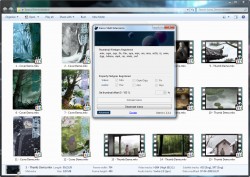
Icaros can provide Windows Explorer thumbnails, for essentially any video media format supported by FFmpeg, this includes popular filetypes such as: Mkv, Flv, Avi, Mp4, Mov, Rmvb, M2ts, Ogm etc. Besides the FFmpeg supported filetypes, Icaros also contains custom parsers, which can produce Cover Art thumbnails for Mkv, Flac, Ape, and Mpc files. Icaros also provides Windows Explorer properties for the following popular filetypes: Mkv, Flv, Ogm, Ogv, Ogg, Flac, Ape, and Mpc. Requires .NET.
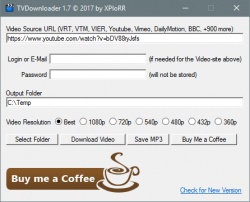
TVDownloader (aka YoutubeVideoDownloader) downloads video and audio streams from Youtube, Vimeo, DailyMotion, Twitch, Veoh, BBC, +900 more sites to a videofile or mp3file. Very easy to use, just copy the video url, set the output folder, select the video resolution option: Best, 1080p, 720p, 480p, 360p and download! Based on youtube-dl and ffmpeg.
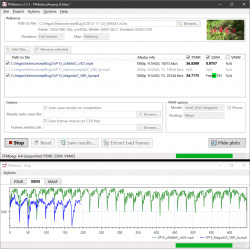
FFMetrics is yet another program for video Visual Quality Metrics visualization. This great free piece of software compare the original video with further compressed video files of the original. It can simply calculate the VMAF, PSNR and SSIM score. This is an indicator for quality. So you can compare different encoded files, see the bitrate usage of the whole video within a graph. It uses the latest ffmpeg library.
| 162 tool hits, Showing 1 to 50 tools |
Explanation:
NEW SOFTWARE= New tool since your last visit
NEW VERSION= New version since your last visit
NEW REVIEW= New review since your last visit
NEW VERSION= New version
Latest version
Version number / Beta version number / Update version number and when it whas released.
Type and download
NO MORE UPDATES? = The software hasn't been updated in over 2 years.
NO LONGER DEVELOPED = The software hasn't been updated in over 5 years.
RECENTLY UPDATED = The software has been updated the last 31 days.
Freeware = Download Free software.
Freeware Trialware = Download Free software but some parts are trial/shareware.
Free software = Download Free software and also open source code also known as FOSS (Free and Open Source Software).
Free software Trialware = Download Free software and also open source code but some parts are trial/shareware.
Freeware Ads = Download Free software but supported by advertising, usually with a included browser toolbar. It may be disabled when installing or after installation.
Free software Ads = Free Download software and open source code but supported by advertising, usually with a included browser toolbar. It may be disabled when installing or after installation.
Trialware = Also called shareware or demo. Free Trial version available for download and testing with usually a time limit or limited functions.
Payware = No demo or trial available.
Portable version = A portable/standalone version is available. No installation is required.
v1.0.1 = Latest version available.
Download beta = It could be a Beta, RC(Release Candidate) or an Alpha / Nightly / Unstable version of the software.
Download 15MB = A direct link to the software download.
Win = Windows download version for 32-bit and 64-bit Windows.
Win64 = Windows 64-bit download version for 64-bit Windows.
WinARM64 = Windows 64-bit ARM download version for Windows ARM64/AArch64.
Mac = Mac download version for 64-bit Mac OS Intel/ARM64/AArch64.
MacARM64 = Mac Silicon download version for 64-bit Mac OS ARM64/AArch64.
Mac64 = Mac OS download version for 64-bit Intel Mac OS.
Linux = Linux download version.
Linux64 = Linux download version for 64bit Linux.
Linux ARM = Linux download version for Linux ARM64/AArch64.
Portable = Portable version. No installation is required.
Ad-Supported = The software is bundled with advertising. Be careful when you install the software and disable addons that you don't want!
Visit developers site = A link to the software developer site.
Download (mirror link) = A mirror link to the software download. It may not contain the latest versions.
Download old versions = Free downloads of previous versions of the program.
Download 64-bit version = If you have a 64bit operating system you can download this version.
Download portable version = Portable/Standalone version meaning that no installation is required, just extract the files to a folder and run directly.
Portable version available = Download the portable version and you can just extract the files and run the program without installation.
Old versions available = Download old versions of the program.
Version history available = Complete changelog on our site.
= Windows version available.
= Mac OS version available.
= Linux version available.
Our hosted software are virus and malware scanned with several antivirus programs using www.virustotal.com. (NOTE! Just one virustotal warning is 99.9% a false positive. And some software might receive 2-6 warnings but it's if they are not all same virus/trojan then it's 99% false positives.)
Rating
Rating from 0-10.
NEW SOFTWARE= New tool since your last visit
NEW VERSION= New version since your last visit
NEW REVIEW= New review since your last visit
NEW VERSION= New version
Latest version
Version number / Beta version number / Update version number and when it whas released.
Type and download
NO MORE UPDATES? = The software hasn't been updated in over 2 years.
NO LONGER DEVELOPED = The software hasn't been updated in over 5 years.
RECENTLY UPDATED = The software has been updated the last 31 days.
Freeware = Download Free software.
Freeware Trialware = Download Free software but some parts are trial/shareware.
Free software = Download Free software and also open source code also known as FOSS (Free and Open Source Software).
Free software Trialware = Download Free software and also open source code but some parts are trial/shareware.
Freeware Ads = Download Free software but supported by advertising, usually with a included browser toolbar. It may be disabled when installing or after installation.
Free software Ads = Free Download software and open source code but supported by advertising, usually with a included browser toolbar. It may be disabled when installing or after installation.
Trialware = Also called shareware or demo. Free Trial version available for download and testing with usually a time limit or limited functions.
Payware = No demo or trial available.
Portable version = A portable/standalone version is available. No installation is required.
v1.0.1 = Latest version available.
Download beta = It could be a Beta, RC(Release Candidate) or an Alpha / Nightly / Unstable version of the software.
Download 15MB = A direct link to the software download.
Win = Windows download version for 32-bit and 64-bit Windows.
Win64 = Windows 64-bit download version for 64-bit Windows.
WinARM64 = Windows 64-bit ARM download version for Windows ARM64/AArch64.
Mac = Mac download version for 64-bit Mac OS Intel/ARM64/AArch64.
MacARM64 = Mac Silicon download version for 64-bit Mac OS ARM64/AArch64.
Mac64 = Mac OS download version for 64-bit Intel Mac OS.
Linux = Linux download version.
Linux64 = Linux download version for 64bit Linux.
Linux ARM = Linux download version for Linux ARM64/AArch64.
Portable = Portable version. No installation is required.
Ad-Supported = The software is bundled with advertising. Be careful when you install the software and disable addons that you don't want!
Visit developers site = A link to the software developer site.
Download (mirror link) = A mirror link to the software download. It may not contain the latest versions.
Download old versions = Free downloads of previous versions of the program.
Download 64-bit version = If you have a 64bit operating system you can download this version.
Download portable version = Portable/Standalone version meaning that no installation is required, just extract the files to a folder and run directly.
Portable version available = Download the portable version and you can just extract the files and run the program without installation.
Old versions available = Download old versions of the program.
Version history available = Complete changelog on our site.
= Windows version available. = Mac OS version available. = Linux version available.Our hosted software are virus and malware scanned with several antivirus programs using www.virustotal.com. (NOTE! Just one virustotal warning is 99.9% a false positive. And some software might receive 2-6 warnings but it's if they are not all same virus/trojan then it's 99% false positives.)
Rating
Rating from 0-10.
Browse software by sections
All In One Blu-ray Converters (9)
All In One DVD Converters (12)
All In One MKV to MP4, Blu-ray, UHD (11)
All In One Video Converters (19)
Animation (3D, 2D Animation) (13)
Audio Editors (23)
Audio Encoders (80)
Audio Players (19)
Authoring (Blu-ray, UHD, AVCHD) (13)
Authoring (DivX) (4)
Authoring (DVD) (26)
Authoring (SVCD, VCD) (9)
Bitrate Calculators (7)
Blu-ray to AVI, MKV, MP4 (15)
Blu-ray to Blu-ray, AVCHD (10)
Burn (CD,DVD,Blu-ray) (24)
Camcorders, DV, HDV, AVCHD (31)
Capture TV, DVD, VCR (30)
CD, DVD, Blu-ray recovery (3)
Codec Packs (6)
All In One DVD Converters (12)
All In One MKV to MP4, Blu-ray, UHD (11)
All In One Video Converters (19)
Animation (3D, 2D Animation) (13)
Audio Editors (23)
Audio Encoders (80)
Audio Players (19)
Authoring (Blu-ray, UHD, AVCHD) (13)
Authoring (DivX) (4)
Authoring (DVD) (26)
Authoring (SVCD, VCD) (9)
Bitrate Calculators (7)
Blu-ray to AVI, MKV, MP4 (15)
Blu-ray to Blu-ray, AVCHD (10)
Burn (CD,DVD,Blu-ray) (24)
Camcorders, DV, HDV, AVCHD (31)
Capture TV, DVD, VCR (30)
CD, DVD, Blu-ray recovery (3)
Codec Packs (6)
Codec, Video Identifiers (31)
Codecs (67)
Decrypters (DVD Rippers) (16)
Decrypters (UHD, Blu-ray Rippers) (8)
DigitalTV, DVB, IPTV (40)
DVD to DVD (20)
DVD to MP4, MKV, H264, H265 (16)
DVD to VCD, SVCD (5)
DVD to XviD, AVI, DivX (16)
ISO, Image (14)
Linux Video Tools (220)
MacOS Video Tools (252)
Media (Blu-ray, DVD, CD) (9)
Media Center, HTPC (25)
Other Useful Tools (136)
Photo Blu-ray, DVD, SlideShow (8)
Portable (Mobile, PSP) (35)
Region Free Tools (5)
Screen capture , Screen recording (25)
Screenshots , Thumbnails (13)
Codecs (67)
Decrypters (DVD Rippers) (16)
Decrypters (UHD, Blu-ray Rippers) (8)
DigitalTV, DVB, IPTV (40)
DVD to DVD (20)
DVD to MP4, MKV, H264, H265 (16)
DVD to VCD, SVCD (5)
DVD to XviD, AVI, DivX (16)
ISO, Image (14)
Linux Video Tools (220)
MacOS Video Tools (252)
Media (Blu-ray, DVD, CD) (9)
Media Center, HTPC (25)
Other Useful Tools (136)
Photo Blu-ray, DVD, SlideShow (8)
Portable (Mobile, PSP) (35)
Region Free Tools (5)
Screen capture , Screen recording (25)
Screenshots , Thumbnails (13)
Subtitle Editors, Converters (72)
Tag Editors (4)
Video Compare Software (6)
Video Demultiplexers, Multiplexers (66)
Video Editors (Advanced, NLE) (37)
Video Editors (Basic) (58)
Video Editors (H264, MP4, MKV, MTS) (21)
Video Editors (Lossless) (7)
Video Editors (MPG, DVD) (16)
Video Editors (WMV, AVI) (15)
Video Encoders (AV1, VP8, VP9) (2)
Video Encoders (AVI, WMV) (38)
Video Encoders (H264, H265, MP4, MKV) (45)
Video Encoders (MPG, DVD) (23)
Video Encoders , Converters (156)
Video Frameservers (9)
Video Players (48)
Video Repair, Fix (24)
Video Scripting (10)
Video Streaming (20)
Tag Editors (4)
Video Compare Software (6)
Video Demultiplexers, Multiplexers (66)
Video Editors (Advanced, NLE) (37)
Video Editors (Basic) (58)
Video Editors (H264, MP4, MKV, MTS) (21)
Video Editors (Lossless) (7)
Video Editors (MPG, DVD) (16)
Video Editors (WMV, AVI) (15)
Video Encoders (AV1, VP8, VP9) (2)
Video Encoders (AVI, WMV) (38)
Video Encoders (H264, H265, MP4, MKV) (45)
Video Encoders (MPG, DVD) (23)
Video Encoders , Converters (156)
Video Frameservers (9)
Video Players (48)
Video Repair, Fix (24)
Video Scripting (10)
Video Streaming (20)