
Help us keep the list up to date and submit new video software here.
Tool
Description
Type
Rating
Reviews
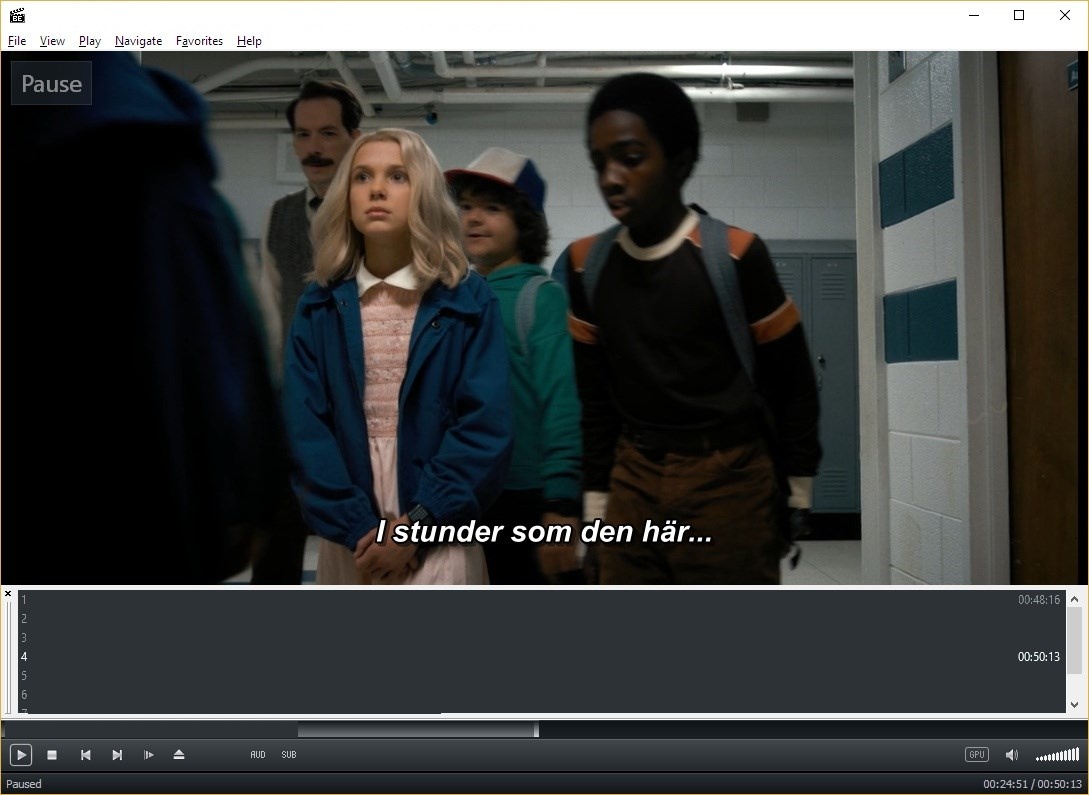
Media Player Classic - BE (aka MPC-BE) is based on the original "Media Player Classic" project (Gabest) and "Media Player Classic Home Cinema" project (Casimir666), contains additional features and bug fixes. Playing various video and audio files. Support for hardware decoding and deinterlacing. Automatically mount ISO images.
Free software
OS:
File size: 18MB
Portable version
Other versions
Old versions
Version history
Alternative software
OS:
File size: 18MB
Portable version
Other versions
Old versions
Version history
Alternative software
Screenshots
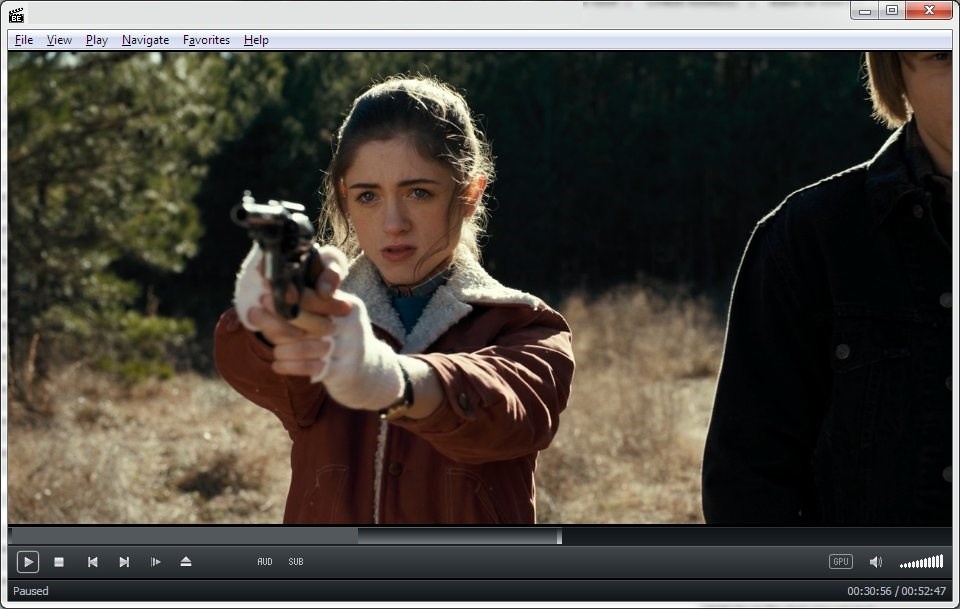
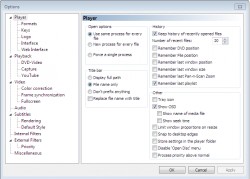
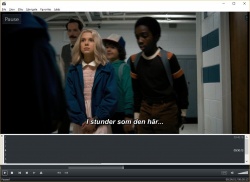
Latest version
Download
Download MPC-BE 1.9.2 64-bit 19MB Win64
Download Portable and other versions
Portable 
Download latest MPC-BE Nightly Builds here
Download old versions

Software License
Supported operating systems
More information and other downloads
Download MPC Video Renderer - it is a video renderer for DirectShow. The renderer can potentially work with any DirectShow player, but full support is available only in the MPC-BE. Recommended MPC-BE v1.5.4.4699 or newer.
Version history / Release notes / Changelog / What's New
1.9.2 - 2026-10-13
=============================
AviSplitter
Fixed playback of some MPC audio files.
BinkSplitter
Added support for audio in Bink Video 2 files.
MpaDecFilter
Expanded mixer functionality for unsupported channel layouts.
The DSD stream will be converted to Float 96000 Hz.
MPCVideoDec
Improved support for Color Transfer Characteristic BT.2020.
Added H.264/HEVC 4:2:2 support for the NVDEC decoder.
Added VP9 4:2:0 12-bit support for NVDEC.
NVDEC operation has been optimized.
VideoRenderers
Fixed retrieval of the original video frame size for MPC VR and madVR.
Fixed rare EVR-CP freezes.
Subtitles
BT.2020 support added for PGS subtitles.
yt-dlp
The ability to select a preferred audio track language has been restored.
Player
Fixed the issue with the Space bar when Japanese character input is active.
Added dark theme for dialog boxes.
Fixed Windows Media Controls behavior in full-screen mode.
Additional search paths for audio tracks and subtitles have been added.
Fixed an issue with moving the player window while screen-edge snapping is enabled and the Windows taskbar is positioned at the sides or top.
Fixed the playback acceleration function when long-pressing the left mouse button.
Various interface fixes.
Installer
Updated MPC Video Renderer 0.10.9.
Updated Bulgarian translation (by jekovcar).
Updated Romanian translation (by Andrei Miloiu).
Updated Dutch translation (by beter).
Updated German translation (by Klaus1189).
Updated Turkish translation (by cmhrky).
Updated Chinese (Simplified) translation (by wushantao).
Updated Hungarian translation (by mickey).
Updated libraries:
ffmpeg n9.1-dev-1964-gba987fe24d;
nv-codec-headers n13.0.19.1.
=============================
AviSplitter
Fixed playback of some MPC audio files.
BinkSplitter
Added support for audio in Bink Video 2 files.
MpaDecFilter
Expanded mixer functionality for unsupported channel layouts.
The DSD stream will be converted to Float 96000 Hz.
MPCVideoDec
Improved support for Color Transfer Characteristic BT.2020.
Added H.264/HEVC 4:2:2 support for the NVDEC decoder.
Added VP9 4:2:0 12-bit support for NVDEC.
NVDEC operation has been optimized.
VideoRenderers
Fixed retrieval of the original video frame size for MPC VR and madVR.
Fixed rare EVR-CP freezes.
Subtitles
BT.2020 support added for PGS subtitles.
yt-dlp
The ability to select a preferred audio track language has been restored.
Player
Fixed the issue with the Space bar when Japanese character input is active.
Added dark theme for dialog boxes.
Fixed Windows Media Controls behavior in full-screen mode.
Additional search paths for audio tracks and subtitles have been added.
Fixed an issue with moving the player window while screen-edge snapping is enabled and the Windows taskbar is positioned at the sides or top.
Fixed the playback acceleration function when long-pressing the left mouse button.
Various interface fixes.
Installer
Updated MPC Video Renderer 0.10.9.
Updated Bulgarian translation (by jekovcar).
Updated Romanian translation (by Andrei Miloiu).
Updated Dutch translation (by beter).
Updated German translation (by Klaus1189).
Updated Turkish translation (by cmhrky).
Updated Chinese (Simplified) translation (by wushantao).
Updated Hungarian translation (by mickey).
Updated libraries:
ffmpeg n9.1-dev-1964-gba987fe24d;
nv-codec-headers n13.0.19.1.
View full changelog
Sections/Browse similar tools
Alternative to MPC-BE
(Latest version updated)BSPlayer (Aug 26, 2025)
GOM Encoder (May 3, 2021)
Kantaris Media Player (Sep 9, 2013)
KMPlayer (Oct 27, 2026)
Light Alloy (May 4, 2021)
Media Player Classic (Feb 14, 2010)
MPC-HC (Oct 18, 2026)
PotPlayer (Oct 21, 2026)
SMPlayer (Aug 30, 2026)
VLC media player (Sep 22, 2026)
Guides and How to's
MPC-BE configuration tutorial
- ReadMPC-BE video tutorials
View all guides with guide description here
Acronyms / Also Known As
Download MPC-BE Portable download from the Download links under Download and Download other versions!
Notify me when software updated or report software
| 183 reviews, Showing 1 to 5 reviews |
Rating by zzh on
Jan 23, 2026 Version: 1.8.8
OS: Windows 11 64-bit Ease of use: 9/10
Functionality: 10/10
Value for money: 10/10
Overall: 10/10
Video playback is slow
Review by on
Oct 18, 2025 Version: MPC-BE 1.8.7
OS: Windows 11 64-bit Ease of use: 5/10
Functionality: 5/10
Value for money: 5/10
Overall: 5/10
Still the best, the absolute winner.
Review by sledding felicity on
Jun 17, 2025 Version: 1.8.5
OS: Windows 10 64-bit Ease of use: 10/10
Functionality: 10/10
Value for money: 10/10
Overall: 10/10
Works well on my Laptop.
Minor issue is getting the MpcVideoRenderer working. I would like to work without having to install this render, like other players do.
Minor issue is getting the MpcVideoRenderer working. I would like to work without having to install this render, like other players do.
Review by Anthony on
Jun 17, 2025 Version: MPC-BE 1.8.5
OS: Windows 10 64-bit Ease of use: 9/10
Functionality: 9/10
Value for money: 10/10
Overall: 9/10
Version 1.8.4, Windows 11 is complaning abour Tojan/Virus Win32/Wacatac.B!ml?
All previous versions no such problem.
All previous versions no such problem.
Review by Matt on
Apr 20, 2025 Version: 1.8.4
OS: Windows 11 64-bit Ease of use: 10/10
Functionality: 10/10
Value for money: 10/10
Overall: 10/10
| 183 reviews, Showing 1 to 5 reviews |
| 1 tool hits, Showing 1 to 1 tools |
Explanation:
NEW SOFTWARE= New tool since your last visit
NEW VERSION= New version since your last visit
NEW REVIEW= New review since your last visit
NEW VERSION= New version
Latest version
Version number / Beta version number / Update version number and when it whas released.
Type and download
NO MORE UPDATES? = The software hasn't been updated in over 2 years.
NO LONGER DEVELOPED = The software hasn't been updated in over 5 years.
RECENTLY UPDATED = The software has been updated the last 31 days.
Freeware = Download Free software.
Freeware Trialware = Download Free software but some parts are trial/shareware.
Free software = Download Free software and also open source code also known as FOSS (Free and Open Source Software).
Free software Trialware = Download Free software and also open source code but some parts are trial/shareware.
Freeware Ads = Download Free software but supported by advertising, usually with a included browser toolbar. It may be disabled when installing or after installation.
Free software Ads = Free Download software and open source code but supported by advertising, usually with a included browser toolbar. It may be disabled when installing or after installation.
Trialware = Also called shareware or demo. Free Trial version available for download and testing with usually a time limit or limited functions.
Payware = No demo or trial available.
Portable version = A portable/standalone version is available. No installation is required.
v1.0.1 = Latest version available.
Download beta = It could be a Beta, RC(Release Candidate) or an Alpha / Nightly / Unstable version of the software.
Download 15MB = A direct link to the software download.
Win = Windows download version for 32-bit and 64-bit Windows.
Win64 = Windows 64-bit download version for 64-bit Windows.
WinARM64 = Windows 64-bit ARM download version for Windows ARM64/AArch64.
Mac = Mac download version for 64-bit Mac OS Intel/ARM64/AArch64.
MacARM64 = Mac Silicon download version for 64-bit Mac OS ARM64/AArch64.
Mac64 = Mac OS download version for 64-bit Intel Mac OS.
Linux = Linux download version.
Linux64 = Linux download version for 64bit Linux.
Linux ARM = Linux download version for Linux ARM64/AArch64.
Portable = Portable version. No installation is required.
Ad-Supported = The software is bundled with advertising. Be careful when you install the software and disable addons that you don't want!
Visit developers site = A link to the software developer site.
Download (mirror link) = A mirror link to the software download. It may not contain the latest versions.
Download old versions = Free downloads of previous versions of the program.
Download 64-bit version = If you have a 64bit operating system you can download this version.
Download portable version = Portable/Standalone version meaning that no installation is required, just extract the files to a folder and run directly.
Portable version available = Download the portable version and you can just extract the files and run the program without installation.
Old versions available = Download old versions of the program.
Version history available = Complete changelog on our site.
= Windows version available.
 = Mac OS version available.
 = Linux version available.
Our hosted software are virus and malware scanned with several antivirus programs using www.virustotal.com. (NOTE! Just one virustotal warning is 99.9% a false positive. And some software might receive 2-6 warnings but it's if they are not all same virus/trojan then it's 99% false positives.)
Rating
Rating from 0-10.
NEW SOFTWARE= New tool since your last visit
NEW VERSION= New version since your last visit
NEW REVIEW= New review since your last visit
NEW VERSION= New version
Latest version
Version number / Beta version number / Update version number and when it whas released.
Type and download
NO MORE UPDATES? = The software hasn't been updated in over 2 years.
NO LONGER DEVELOPED = The software hasn't been updated in over 5 years.
RECENTLY UPDATED = The software has been updated the last 31 days.
Freeware = Download Free software.
Freeware Trialware = Download Free software but some parts are trial/shareware.
Free software = Download Free software and also open source code also known as FOSS (Free and Open Source Software).
Free software Trialware = Download Free software and also open source code but some parts are trial/shareware.
Freeware Ads = Download Free software but supported by advertising, usually with a included browser toolbar. It may be disabled when installing or after installation.
Free software Ads = Free Download software and open source code but supported by advertising, usually with a included browser toolbar. It may be disabled when installing or after installation.
Trialware = Also called shareware or demo. Free Trial version available for download and testing with usually a time limit or limited functions.
Payware = No demo or trial available.
Portable version = A portable/standalone version is available. No installation is required.
v1.0.1 = Latest version available.
Download beta = It could be a Beta, RC(Release Candidate) or an Alpha / Nightly / Unstable version of the software.
Download 15MB = A direct link to the software download.
Win = Windows download version for 32-bit and 64-bit Windows.
Win64 = Windows 64-bit download version for 64-bit Windows.
WinARM64 = Windows 64-bit ARM download version for Windows ARM64/AArch64.
Mac = Mac download version for 64-bit Mac OS Intel/ARM64/AArch64.
MacARM64 = Mac Silicon download version for 64-bit Mac OS ARM64/AArch64.
Mac64 = Mac OS download version for 64-bit Intel Mac OS.
Linux = Linux download version.
Linux64 = Linux download version for 64bit Linux.
Linux ARM = Linux download version for Linux ARM64/AArch64.
Portable = Portable version. No installation is required.
Ad-Supported = The software is bundled with advertising. Be careful when you install the software and disable addons that you don't want!
Visit developers site = A link to the software developer site.
Download (mirror link) = A mirror link to the software download. It may not contain the latest versions.
Download old versions = Free downloads of previous versions of the program.
Download 64-bit version = If you have a 64bit operating system you can download this version.
Download portable version = Portable/Standalone version meaning that no installation is required, just extract the files to a folder and run directly.
Portable version available = Download the portable version and you can just extract the files and run the program without installation.
Old versions available = Download old versions of the program.
Version history available = Complete changelog on our site.
= Windows version available. = Mac OS version available. = Linux version available.Our hosted software are virus and malware scanned with several antivirus programs using www.virustotal.com. (NOTE! Just one virustotal warning is 99.9% a false positive. And some software might receive 2-6 warnings but it's if they are not all same virus/trojan then it's 99% false positives.)
Rating
Rating from 0-10.
Browse software by sections
All In One Blu-ray Converters (9)
All In One DVD Converters (12)
All In One MKV to MP4, Blu-ray, UHD (11)
All In One Video Converters (19)
Animation (3D, 2D Animation) (13)
Audio Editors (23)
Audio Encoders (80)
Audio Players (19)
Authoring (Blu-ray, UHD, AVCHD) (13)
Authoring (DivX) (4)
Authoring (DVD) (26)
Authoring (SVCD, VCD) (9)
Bitrate Calculators (7)
Blu-ray to AVI, MKV, MP4 (15)
Blu-ray to Blu-ray, AVCHD (10)
Burn (CD,DVD,Blu-ray) (24)
Camcorders, DV, HDV, AVCHD (31)
Capture TV, DVD, VCR (30)
CD, DVD, Blu-ray recovery (3)
Codec Packs (6)
All In One DVD Converters (12)
All In One MKV to MP4, Blu-ray, UHD (11)
All In One Video Converters (19)
Animation (3D, 2D Animation) (13)
Audio Editors (23)
Audio Encoders (80)
Audio Players (19)
Authoring (Blu-ray, UHD, AVCHD) (13)
Authoring (DivX) (4)
Authoring (DVD) (26)
Authoring (SVCD, VCD) (9)
Bitrate Calculators (7)
Blu-ray to AVI, MKV, MP4 (15)
Blu-ray to Blu-ray, AVCHD (10)
Burn (CD,DVD,Blu-ray) (24)
Camcorders, DV, HDV, AVCHD (31)
Capture TV, DVD, VCR (30)
CD, DVD, Blu-ray recovery (3)
Codec Packs (6)
Codec, Video Identifiers (31)
Codecs (67)
Decrypters (DVD Rippers) (16)
Decrypters (UHD, Blu-ray Rippers) (8)
DigitalTV, DVB, IPTV (40)
DVD to DVD (20)
DVD to MP4, MKV, H264, H265 (16)
DVD to VCD, SVCD (5)
DVD to XviD, AVI, DivX (16)
ISO, Image (14)
Linux Video Tools (220)
MacOS Video Tools (252)
Media (Blu-ray, DVD, CD) (9)
Media Center, HTPC (25)
Other Useful Tools (136)
Photo Blu-ray, DVD, SlideShow (8)
Portable (Mobile, PSP) (35)
Region Free Tools (5)
Screen capture , Screen recording (25)
Screenshots , Thumbnails (13)
Codecs (67)
Decrypters (DVD Rippers) (16)
Decrypters (UHD, Blu-ray Rippers) (8)
DigitalTV, DVB, IPTV (40)
DVD to DVD (20)
DVD to MP4, MKV, H264, H265 (16)
DVD to VCD, SVCD (5)
DVD to XviD, AVI, DivX (16)
ISO, Image (14)
Linux Video Tools (220)
MacOS Video Tools (252)
Media (Blu-ray, DVD, CD) (9)
Media Center, HTPC (25)
Other Useful Tools (136)
Photo Blu-ray, DVD, SlideShow (8)
Portable (Mobile, PSP) (35)
Region Free Tools (5)
Screen capture , Screen recording (25)
Screenshots , Thumbnails (13)
Subtitle Editors, Converters (72)
Tag Editors (4)
Video Compare Software (6)
Video Demultiplexers, Multiplexers (66)
Video Editors (Advanced, NLE) (37)
Video Editors (Basic) (58)
Video Editors (H264, MP4, MKV, MTS) (21)
Video Editors (Lossless) (7)
Video Editors (MPG, DVD) (16)
Video Editors (WMV, AVI) (15)
Video Encoders (AV1, VP8, VP9) (2)
Video Encoders (AVI, WMV) (38)
Video Encoders (H264, H265, MP4, MKV) (45)
Video Encoders (MPG, DVD) (23)
Video Encoders , Converters (156)
Video Frameservers (9)
Video Players (48)
Video Repair, Fix (24)
Video Scripting (10)
Video Streaming (20)
Tag Editors (4)
Video Compare Software (6)
Video Demultiplexers, Multiplexers (66)
Video Editors (Advanced, NLE) (37)
Video Editors (Basic) (58)
Video Editors (H264, MP4, MKV, MTS) (21)
Video Editors (Lossless) (7)
Video Editors (MPG, DVD) (16)
Video Editors (WMV, AVI) (15)
Video Encoders (AV1, VP8, VP9) (2)
Video Encoders (AVI, WMV) (38)
Video Encoders (H264, H265, MP4, MKV) (45)
Video Encoders (MPG, DVD) (23)
Video Encoders , Converters (156)
Video Frameservers (9)
Video Players (48)
Video Repair, Fix (24)
Video Scripting (10)
Video Streaming (20)