
Help us keep the list up to date and submit new video software here.
Tool
Description
Type
Rating
Reviews
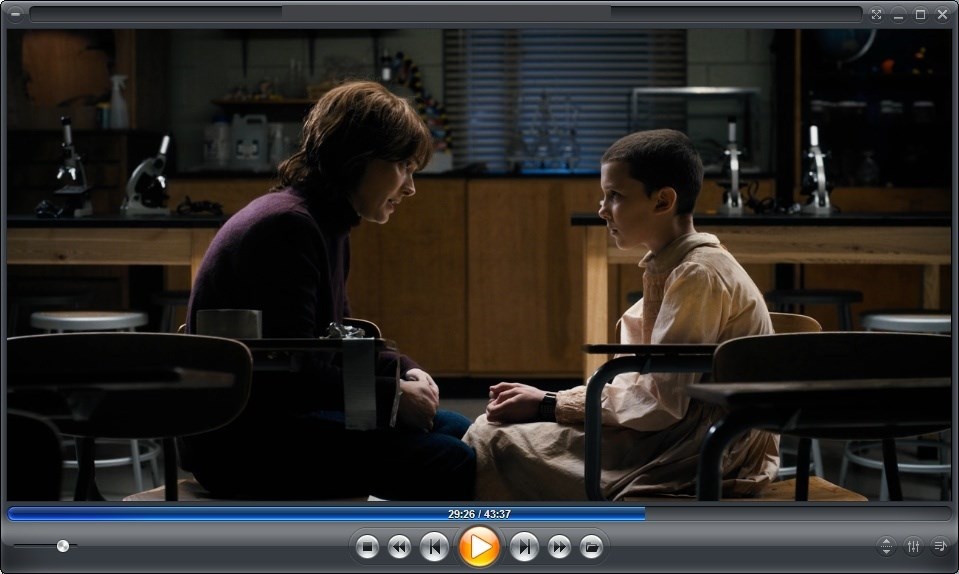
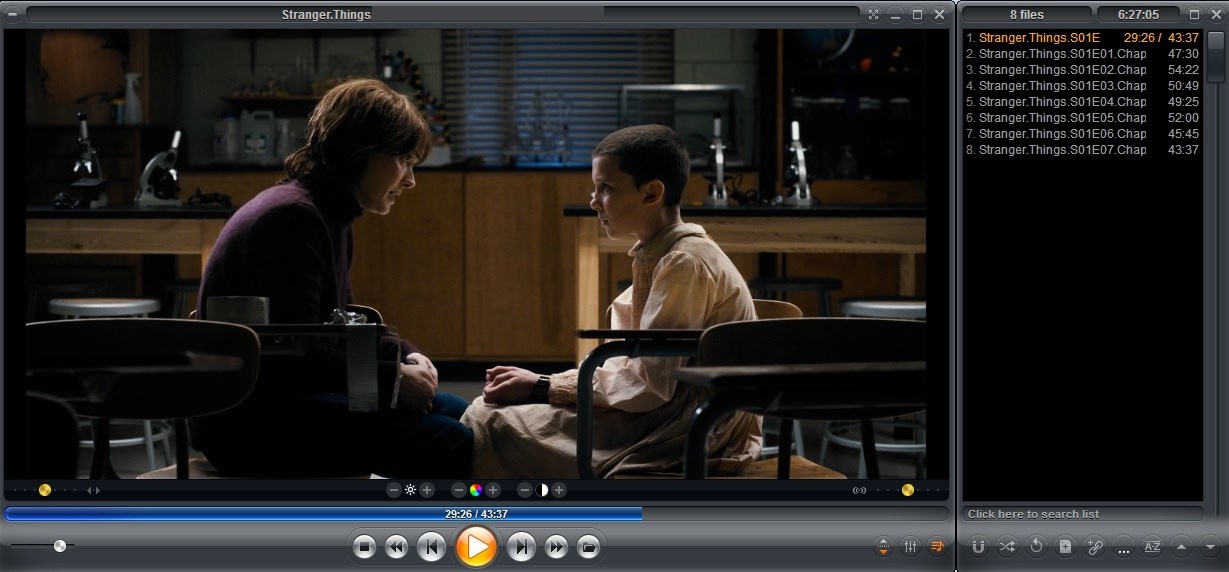
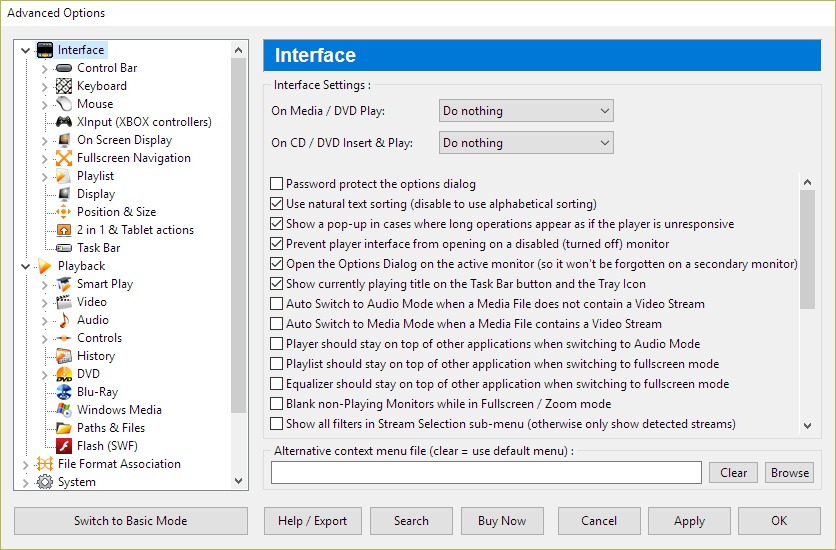
Zoom Player is the most Powerful, Flexible and Customizable DVD and Media Player for the Windows PC platform. Using our powerful Smart Play technology, more image, audio and video media formats play with less hassle, increased stability and better performance. Pro/MAX versions costs from $40, see feature comparison.
Screenshots
Latest version
Download
Download Zoom Player 22.5 64-bit 96MB Win64

Download old versions

Software License
Supported operating systems
Version history / Release notes / Changelog / What's New
Legend :
"*" = New
"+" = Changed
"-" = Fixed
Zoom Player v22.5 change list
What's new, changed and fixed
New :
* A while back, the owners of the OpenSubtitles.org decided on a change of directions and switched the entire website to OpenSubtitles.com along with new authentication requirements and an updated JSON based API.
These changes broke Zoom Player's subtitle Search & Download features.
Introducing Zoom Player new OpenSubtitles.com subtitle plugin!
Specify your OpenSubtitles.com user/password under "Adv. Options / Playback / Video / Subtitles" by selecting the OpenSubtitles.com plugin and then clicking the "Configure" button.
If you're interested, I open-sourced the plugin's code here: https://github.com/bLightZP/OpenSubtitles.com.Delphi.API
* Added support for Windows' SMTC (System Media Transport Controls), the little card fly-out you see when using the keyboard's volume control or on some PC's lock screens. In theory, you should be able to use HASS to use this feature to automate multiple Zoom Player instances: https://en.wikipedia.org/wiki/Home_Assistant Additional information: https://www.reddit.com/r/ZoomPlayer/comments/1sji2rs
* New Settings (Adv. Options / Interface / Playlist) to show additional columns on the playlist editor window (disabled by default) : - Artist - Album - Release Year - Genre
You can resize the columns and their size is saved across sessions.
* New Settings (Adv. Options / Interface / Playlist) to show a header above the playlist entries (enabled by default).
* New Settings (Adv. Options / Interface / Playlist) that allows you to specify the playlist editor's column margins.
* The media library's search feature (using the magnifying glass or now the "Quick Search" option on the functions page) will now show a full multi-lingual virtual keyboard, allowing you to search for items within a media library category with only the mouse, keyboard or a remote control (previously you had to use both a mouse and a keyboard to utilize this feature).
* New Setting (Adv. Options / Interface / Home Theater) that lets you control the media library's Virtual Keyboard size relative to the currently active monitor.
* New "Mark as Unseen" option in Zoom Player's media library's functions page to make it easier to setup when re-watching. When used, selected entries or entire folders can be easily removed from the play history.
* Added support for custom keyboard actions based on the Home, End, PgUp and PgDn keys (Adv. Options / Interface / Keyboard) when Zoom Player isn't navigating through the Home Theater fullscreen interface.
Previously, the PgUp/PgDn keyboard actions were hard-coded to the use the "Play previous/next file in the playing folder with the same file extension" functions and these remain as defaults.
The Home/End keyboard actions were previously unassigned and are now set to "Main Home Theater interface" for the Home key and "Play History Home Theater interface" for the End key.
* Added two new settings to "Advanced Options / System" allowing you to automatically scale (multiply) the default PixelArt skin elements based on the start-up or current monitor.
* Split the Video Streaming download timeout (Adv. Options / Playback / Video Streaming) to include a separate value when downloading meta-data as sometimes the authentication/update server may be slower to respond compared to the meta-data server.
* Added a more accurate "Duration" listing on the info page ("I" keyboard shortcut).
* DirectShow Zoom & Pan features are now supported when using MPC-VR as the video renderer.
* I've added a new libVLC feature that allows you to specify custom libVLC startup options: https://wiki.videolan.org/VLC_command-line_help
* New setting (Adv. Options / Interface / Position & Size) to automatically position the playback window to a specified screen snap zone (position on screen) when a new media is loaded.
* The increase/decrease play rate functions assigned by default to the Alt+"Home" (increase) and Alt+"End" (decrease) keyboard shortcuts now work when using the default YouTube IFRAME Javascript media engine.
On YouTube, each video has it's own assigned play rates, with some videos not having any play rates at all (e.g. Live video), using the increase or decrease play rate functions will cycle between the available play rates and finally, back to standard play speed.
Changed :
+ When designing the control overlay interface, I made the mistake of designing it to automatically adjust element sizes (buttons, volume bar, etc) to scale based on the monitor's resolution instead of the monitor's DPI (dots per inch, dots being Pixels in this context) value. This miscalculation caused cases where a 24" monitor at 1920x1080 had smaller buttons than a 27" monitor at 2560x1440 while essentially, their physical DPI was nearly the same (Windows was set to 100% DPI for both).
To fix this issue in the upcoming version, I modified the element-size math to conform to the DPI setting. Here what this means for existing installations:
- If you're using an 1920x1080 monitor at 100% DPI, you shouldn't notice any difference.
- If you're using a higher resolution monitor or using a Windows DPI setting above 100%, you may need to adjust the control overlay element sizes under "Advanced Options / Interface / Control Overlay" to return the element sizes to your preference.
Fixed :
- The Windowed (Ctrl+G) and Home Theater (Shift+G) versions of the Video Streaming interfaces did not properly adjust the program guide's time display to automatically account for timezone and daylight saving.
If you previously used the time-shift feature to compensate for this issue, you may need to reset the time-shift back to 0.
- The media library's search feature did not refresh the screen following a search under some conditions.
- Zoom Player should now use the default Windows fonts for interfaces that are not skinned (e.g. Options dialog). This should fix cases where fonts may not appear to have anti-aliasing enabled on foreign language version of Windows.
- Hopefully fixed a case where the "new version available" pop-up doesn't show on a turned-off secondary monitor.
- When using the Media Server browser (PLEX/Emby/Jellyfin), right clicking a media entry could result in the media's extended information window appearing behind the Media Server browser window.
- The "Reset user interface size to default" function (Ctrl+"`" keyboard shortcut) accidentally remained functional while in fullscreen mode.
- The playlist editor's selected item(s) border color was not being set for the default skin causing it to be corrupted when switching skins.
- Control Overlay button hints that appears when hovering over buttons in the "Fixed" and "Dynamic" zones showed the hints in a bad position, partially covering the buttons.
- Media with encoded rotation value (e.g. shot vertically on an iPhone) are now automatically rotated to the specified orientation when using MPC-VR as the video renderer.
- Fixed meta-data and embedded image display for music files (e.g. mp3) edited by Directory Opus and possibly other software.
- After a fresh reboot, on some systems, running Zoom Player Windows triggered multiple "WM_DEVICECHANGE" events in sequence, causing Zoom Player to crash and become unresponsive.
- Fixed a rare crash on exit, probably didn't have any affect.
- The "Opening a new media shows the control overlay" setting did not always work as intended.
- The "Auto-select last viewed media/folder on entering a folder" media library setting did not work when using the "Reset filters" feature.
- Fixed a crash when using the home theater confirmation dialog.
"*" = New
"+" = Changed
"-" = Fixed
Zoom Player v22.5 change list
What's new, changed and fixed
New :
* A while back, the owners of the OpenSubtitles.org decided on a change of directions and switched the entire website to OpenSubtitles.com along with new authentication requirements and an updated JSON based API.
These changes broke Zoom Player's subtitle Search & Download features.
Introducing Zoom Player new OpenSubtitles.com subtitle plugin!
Specify your OpenSubtitles.com user/password under "Adv. Options / Playback / Video / Subtitles" by selecting the OpenSubtitles.com plugin and then clicking the "Configure" button.
If you're interested, I open-sourced the plugin's code here: https://github.com/bLightZP/OpenSubtitles.com.Delphi.API
* Added support for Windows' SMTC (System Media Transport Controls), the little card fly-out you see when using the keyboard's volume control or on some PC's lock screens. In theory, you should be able to use HASS to use this feature to automate multiple Zoom Player instances: https://en.wikipedia.org/wiki/Home_Assistant Additional information: https://www.reddit.com/r/ZoomPlayer/comments/1sji2rs
* New Settings (Adv. Options / Interface / Playlist) to show additional columns on the playlist editor window (disabled by default) : - Artist - Album - Release Year - Genre
You can resize the columns and their size is saved across sessions.
* New Settings (Adv. Options / Interface / Playlist) to show a header above the playlist entries (enabled by default).
* New Settings (Adv. Options / Interface / Playlist) that allows you to specify the playlist editor's column margins.
* The media library's search feature (using the magnifying glass or now the "Quick Search" option on the functions page) will now show a full multi-lingual virtual keyboard, allowing you to search for items within a media library category with only the mouse, keyboard or a remote control (previously you had to use both a mouse and a keyboard to utilize this feature).
* New Setting (Adv. Options / Interface / Home Theater) that lets you control the media library's Virtual Keyboard size relative to the currently active monitor.
* New "Mark as Unseen" option in Zoom Player's media library's functions page to make it easier to setup when re-watching. When used, selected entries or entire folders can be easily removed from the play history.
* Added support for custom keyboard actions based on the Home, End, PgUp and PgDn keys (Adv. Options / Interface / Keyboard) when Zoom Player isn't navigating through the Home Theater fullscreen interface.
Previously, the PgUp/PgDn keyboard actions were hard-coded to the use the "Play previous/next file in the playing folder with the same file extension" functions and these remain as defaults.
The Home/End keyboard actions were previously unassigned and are now set to "Main Home Theater interface" for the Home key and "Play History Home Theater interface" for the End key.
* Added two new settings to "Advanced Options / System" allowing you to automatically scale (multiply) the default PixelArt skin elements based on the start-up or current monitor.
* Split the Video Streaming download timeout (Adv. Options / Playback / Video Streaming) to include a separate value when downloading meta-data as sometimes the authentication/update server may be slower to respond compared to the meta-data server.
* Added a more accurate "Duration" listing on the info page ("I" keyboard shortcut).
* DirectShow Zoom & Pan features are now supported when using MPC-VR as the video renderer.
* I've added a new libVLC feature that allows you to specify custom libVLC startup options: https://wiki.videolan.org/VLC_command-line_help
* New setting (Adv. Options / Interface / Position & Size) to automatically position the playback window to a specified screen snap zone (position on screen) when a new media is loaded.
* The increase/decrease play rate functions assigned by default to the Alt+"Home" (increase) and Alt+"End" (decrease) keyboard shortcuts now work when using the default YouTube IFRAME Javascript media engine.
On YouTube, each video has it's own assigned play rates, with some videos not having any play rates at all (e.g. Live video), using the increase or decrease play rate functions will cycle between the available play rates and finally, back to standard play speed.
Changed :
+ When designing the control overlay interface, I made the mistake of designing it to automatically adjust element sizes (buttons, volume bar, etc) to scale based on the monitor's resolution instead of the monitor's DPI (dots per inch, dots being Pixels in this context) value. This miscalculation caused cases where a 24" monitor at 1920x1080 had smaller buttons than a 27" monitor at 2560x1440 while essentially, their physical DPI was nearly the same (Windows was set to 100% DPI for both).
To fix this issue in the upcoming version, I modified the element-size math to conform to the DPI setting. Here what this means for existing installations:
- If you're using an 1920x1080 monitor at 100% DPI, you shouldn't notice any difference.
- If you're using a higher resolution monitor or using a Windows DPI setting above 100%, you may need to adjust the control overlay element sizes under "Advanced Options / Interface / Control Overlay" to return the element sizes to your preference.
Fixed :
- The Windowed (Ctrl+G) and Home Theater (Shift+G) versions of the Video Streaming interfaces did not properly adjust the program guide's time display to automatically account for timezone and daylight saving.
If you previously used the time-shift feature to compensate for this issue, you may need to reset the time-shift back to 0.
- The media library's search feature did not refresh the screen following a search under some conditions.
- Zoom Player should now use the default Windows fonts for interfaces that are not skinned (e.g. Options dialog). This should fix cases where fonts may not appear to have anti-aliasing enabled on foreign language version of Windows.
- Hopefully fixed a case where the "new version available" pop-up doesn't show on a turned-off secondary monitor.
- When using the Media Server browser (PLEX/Emby/Jellyfin), right clicking a media entry could result in the media's extended information window appearing behind the Media Server browser window.
- The "Reset user interface size to default" function (Ctrl+"`" keyboard shortcut) accidentally remained functional while in fullscreen mode.
- The playlist editor's selected item(s) border color was not being set for the default skin causing it to be corrupted when switching skins.
- Control Overlay button hints that appears when hovering over buttons in the "Fixed" and "Dynamic" zones showed the hints in a bad position, partially covering the buttons.
- Media with encoded rotation value (e.g. shot vertically on an iPhone) are now automatically rotated to the specified orientation when using MPC-VR as the video renderer.
- Fixed meta-data and embedded image display for music files (e.g. mp3) edited by Directory Opus and possibly other software.
- After a fresh reboot, on some systems, running Zoom Player Windows triggered multiple "WM_DEVICECHANGE" events in sequence, causing Zoom Player to crash and become unresponsive.
- Fixed a rare crash on exit, probably didn't have any affect.
- The "Opening a new media shows the control overlay" setting did not always work as intended.
- The "Auto-select last viewed media/folder on entering a folder" media library setting did not work when using the "Reset filters" feature.
- Fixed a crash when using the home theater confirmation dialog.
View full changelog
All features
Home Theater PC made Simple
Zoom Player's fullscreen navigation interface is based on a simple 5-Key system (up/down/left/right/select). The 5-key system allows easy access and navigation to such interfaces as Media Library, File Browsing, Playlist, Color Control, Audio Equalizer, Chaptering, Play History and many more. The system's simplicity makes it ideal for users with no previous computer experience.
With Zoom Player, you can instantly Convert any PC into a Home Entertainment Center or Home Theater PC (HTPC) with no requirement for specialized hardware or operating system (Zoom Player runs on every version of Windows).
Utilizing Zoom Player's modular design and flexibility, you can easily design a safe viewing environment, limiting or extending functionality, making it ideal for both children and to the consummate professional.
Forward Thinking
Zoom Player's Install Center will scan your system for missing or outdated components and automatically present you with a list of recommended updates and patches. Using Zoom Player's Install Center technology, you can be sure your system is up to date with the most recent technological innovations without compromising security (all updates are digitally signed) while gaining access to a centralized location, removing the burden of manually searching for the latest updates yourself.
Technology meets Sophistication
Zoom Player installs easily, learning your computer's hardware and software setup. Using the innovative Smart Play technology, Zoom Player employs the ideal "play profile" for every session. This profile comprises the most suitable Audio and Video decoders matched with compatible components - a combination that guarantees a perfect viewing experience, time after time.
A tool for every need
Zoom Player addresses every aspect of DVD and Media control. Zoom Player plays media in every conceivable color composition, display type, playback speed and more. With Zoom Player you can create and manage personalized Media Libraries, virtual Chaptering and Bookmarks, cut and edit scenes with the Scene Cut Editor. Zoom Player employs customizable display characteristics and user defined presets, allows to Remote-Control all menu, navigation and playback functions via wireless (RF) or Infra-Red (IR) Remote Control units, and comes ready with a set of TCP/IP Commands to allow control of Zoom Player via the internet (or any TCP/IP based connection).
Customize, Modify, Reshape as you like
Use Zoom Player's flexible customization options to match your taste. Modify the Graphical User Interface, menus and splash screens. Change operation modes, control options, codec compatibility and many other features. Don't compromise. Make the system meet your EXACT needs.
Shape your desired viewing environment with ease using Zoom Player's modular design and flexibility. Extend or limit functionality as you wish. Personalize the interface, functions and viewing parameters to suit any type of use, any viewer - from a simple, safely monitored, children-friendly viewing tool to a sophisticated, no-limits powerhouse for professionals.
Flavors for All
Zoom Player comes in three flavors: Zoom Player Professional, Zoom Player Premium, and Zoom Player MAX Professional.
Zoom Player's fullscreen navigation interface is based on a simple 5-Key system (up/down/left/right/select). The 5-key system allows easy access and navigation to such interfaces as Media Library, File Browsing, Playlist, Color Control, Audio Equalizer, Chaptering, Play History and many more. The system's simplicity makes it ideal for users with no previous computer experience.
With Zoom Player, you can instantly Convert any PC into a Home Entertainment Center or Home Theater PC (HTPC) with no requirement for specialized hardware or operating system (Zoom Player runs on every version of Windows).
Utilizing Zoom Player's modular design and flexibility, you can easily design a safe viewing environment, limiting or extending functionality, making it ideal for both children and to the consummate professional.
Forward Thinking
Zoom Player's Install Center will scan your system for missing or outdated components and automatically present you with a list of recommended updates and patches. Using Zoom Player's Install Center technology, you can be sure your system is up to date with the most recent technological innovations without compromising security (all updates are digitally signed) while gaining access to a centralized location, removing the burden of manually searching for the latest updates yourself.
Technology meets Sophistication
Zoom Player installs easily, learning your computer's hardware and software setup. Using the innovative Smart Play technology, Zoom Player employs the ideal "play profile" for every session. This profile comprises the most suitable Audio and Video decoders matched with compatible components - a combination that guarantees a perfect viewing experience, time after time.
A tool for every need
Zoom Player addresses every aspect of DVD and Media control. Zoom Player plays media in every conceivable color composition, display type, playback speed and more. With Zoom Player you can create and manage personalized Media Libraries, virtual Chaptering and Bookmarks, cut and edit scenes with the Scene Cut Editor. Zoom Player employs customizable display characteristics and user defined presets, allows to Remote-Control all menu, navigation and playback functions via wireless (RF) or Infra-Red (IR) Remote Control units, and comes ready with a set of TCP/IP Commands to allow control of Zoom Player via the internet (or any TCP/IP based connection).
Customize, Modify, Reshape as you like
Use Zoom Player's flexible customization options to match your taste. Modify the Graphical User Interface, menus and splash screens. Change operation modes, control options, codec compatibility and many other features. Don't compromise. Make the system meet your EXACT needs.
Shape your desired viewing environment with ease using Zoom Player's modular design and flexibility. Extend or limit functionality as you wish. Personalize the interface, functions and viewing parameters to suit any type of use, any viewer - from a simple, safely monitored, children-friendly viewing tool to a sophisticated, no-limits powerhouse for professionals.
Flavors for All
Zoom Player comes in three flavors: Zoom Player Professional, Zoom Player Premium, and Zoom Player MAX Professional.
Sections/Browse similar tools
Alternative to Zoom Player
(Latest version updated)KMPlayer (Jul 24, 2026)
Guides and How to's
Acronyms / Also Known As
Notify me when software updated or report software
| 18 reviews, Showing 1 to 5 reviews |
Tried the free version since I only need a player, not all the LAN etc., capabilities. Much of the documentation is left over from Win 7, 8, needs updates for Win 10, including their site. Interface is OK, nothing special, kinda old like the rest. It works but it seems whenever you try to play a vid or change a setting, nag popups to buy the full version appear and can't be clicked away for a few seconds. Really cheesy to offer a free version, then constantly pester for the full version with "we need the money" as a reason. Happens so often, I'd call the free version clickbait. Can't see any capability this player has as just a player that I'd pay for. Uninstalled after a few hours.
(Not sure how to score value for money, it's free, so I gave it 5.)
(Not sure how to score value for money, it's free, so I gave it 5.)
Review by Zoomer on
Feb 24, 2021 Version: 15.5
OS: Windows 10 64-bit Ease of use: 3/10
Functionality: 2/10
Value for money: 5/10
Overall: 3/10
Zoom Player is a very good 32 bit Windows player, reliable, quite fast (not as MPC-HC), quite light-weight. Full of customizations, lots of settings, no bugs, great developer. The Smart Play filter system is a good plus for new users. Works perfectly with madVR video renderer and MPC Wasapi audio renderer. To improve yet the player, IMHO, the developer should implement Avisynth, Vapoursynth and some external extensions like for MPDN.NET or MPV. All in all, a good player; the price is good, even if I must say that I prefer MPC-HC 'cause it's lighter, faster and a bit more reliable yet.
Review by Ziggy1978 on
Nov 10, 2019 Version: 15.2 RC2
OS: Windows 8 64-bit Ease of use: 9/10
Functionality: 10/10
Value for money: 8/10
Overall: 9/10
Price is roughly usd.40 (1 year free upgrades). It seems though one still needs another player:
- DVD from external drive : doesn't work, VLC no problem
- BluRay from internal drive: error "Unable to play [00000.m2ts]" bla bla, VLC no problem
- Unable to customize interface, also here, VLC no problem
- Toolbar (Control bar), when visible, is floating. One should hit shift-spacebar to bring up the control bar.
- Things may unexpectedly not be working anymore and you need to spend time on finding find the solutions
(e.g. playing a video, click on slow motion button, nothing changes, video goes on playing at normal speed,
or suddenly there is no sound. I didn't change anything. VLC plays the video -with- sound, so one has to spent time on checking)
All kinds of little things, hence one needs another player to play the stuff Zoom Player can't.
- DVD from external drive : doesn't work, VLC no problem
- BluRay from internal drive: error "Unable to play [00000.m2ts]" bla bla, VLC no problem
- Unable to customize interface, also here, VLC no problem
- Toolbar (Control bar), when visible, is floating. One should hit shift-spacebar to bring up the control bar.
- Things may unexpectedly not be working anymore and you need to spend time on finding find the solutions
(e.g. playing a video, click on slow motion button, nothing changes, video goes on playing at normal speed,
or suddenly there is no sound. I didn't change anything. VLC plays the video -with- sound, so one has to spent time on checking)
All kinds of little things, hence one needs another player to play the stuff Zoom Player can't.
Review by vhwul62 on
Jun 27, 2019 Version: 14.5
OS: Windows 10 64-bit Ease of use: 6/10
Functionality: 7/10
Value for money: 5/10
Overall: 6/10
Rating by Steve34 on
Jan 18, 2019 Version: 14.4
OS: Windows 10 64-bit Ease of use: 9/10
Functionality: 9/10
Value for money: 10/10
Overall: 9/10
Can't even play mkv and any movies in my harddisk. useless!
Review by yoi on
Dec 14, 2018 Version: 14.4
OS: Windows 8 64-bit Ease of use: 1/10
Functionality: 1/10
Value for money: 1/10
Overall: 1/10
| 18 reviews, Showing 1 to 5 reviews |
| 1 tool hits, Showing 1 to 1 tools |
Explanation:
NEW SOFTWARE= New tool since your last visit
NEW VERSION= New version since your last visit
NEW REVIEW= New review since your last visit
NEW VERSION= New version
Latest version
Version number / Beta version number / Update version number and when it whas released.
Type and download
NO MORE UPDATES? = The software hasn't been updated in over 2 years.
NO LONGER DEVELOPED = The software hasn't been updated in over 5 years.
RECENTLY UPDATED = The software has been updated the last 31 days.
Freeware = Download Free software.
Freeware Trialware = Download Free software but some parts are trial/shareware.
Free software = Download Free software and also open source code also known as FOSS (Free and Open Source Software).
Free software Trialware = Download Free software and also open source code but some parts are trial/shareware.
Freeware Ads = Download Free software but supported by advertising, usually with a included browser toolbar. It may be disabled when installing or after installation.
Free software Ads = Free Download software and open source code but supported by advertising, usually with a included browser toolbar. It may be disabled when installing or after installation.
Trialware = Also called shareware or demo. Free Trial version available for download and testing with usually a time limit or limited functions.
Payware = No demo or trial available.
Portable version = A portable/standalone version is available. No installation is required.
v1.0.1 = Latest version available.
Download beta = It could be a Beta, RC(Release Candidate) or an Alpha / Nightly / Unstable version of the software.
Download 15MB = A direct link to the software download.
Win = Windows download version for 32-bit and 64-bit Windows.
Win64 = Windows 64-bit download version for 64-bit Windows.
WinARM64 = Windows 64-bit ARM download version for Windows ARM64/AArch64.
Mac = Mac download version for 64-bit Mac OS Intel/ARM64/AArch64.
MacARM64 = Mac Silicon download version for 64-bit Mac OS ARM64/AArch64.
Mac64 = Mac OS download version for 64-bit Intel Mac OS.
Linux = Linux download version.
Linux64 = Linux download version for 64bit Linux.
Linux ARM = Linux download version for Linux ARM64/AArch64.
Portable = Portable version. No installation is required.
Ad-Supported = The software is bundled with advertising. Be careful when you install the software and disable addons that you don't want!
Visit developers site = A link to the software developer site.
Download (mirror link) = A mirror link to the software download. It may not contain the latest versions.
Download old versions = Free downloads of previous versions of the program.
Download 64-bit version = If you have a 64bit operating system you can download this version.
Download portable version = Portable/Standalone version meaning that no installation is required, just extract the files to a folder and run directly.
Portable version available = Download the portable version and you can just extract the files and run the program without installation.
Old versions available = Download old versions of the program.
Version history available = Complete changelog on our site.
= Windows version available.
 = Mac OS version available.
 = Linux version available.
Our hosted software are virus and malware scanned with several antivirus programs using www.virustotal.com. (NOTE! Just one virustotal warning is 99.9% a false positive. And some software might receive 2-6 warnings but it's if they are not all same virus/trojan then it's 99% false positives.)
Rating
Rating from 0-10.
NEW SOFTWARE= New tool since your last visit
NEW VERSION= New version since your last visit
NEW REVIEW= New review since your last visit
NEW VERSION= New version
Latest version
Version number / Beta version number / Update version number and when it whas released.
Type and download
NO MORE UPDATES? = The software hasn't been updated in over 2 years.
NO LONGER DEVELOPED = The software hasn't been updated in over 5 years.
RECENTLY UPDATED = The software has been updated the last 31 days.
Freeware = Download Free software.
Freeware Trialware = Download Free software but some parts are trial/shareware.
Free software = Download Free software and also open source code also known as FOSS (Free and Open Source Software).
Free software Trialware = Download Free software and also open source code but some parts are trial/shareware.
Freeware Ads = Download Free software but supported by advertising, usually with a included browser toolbar. It may be disabled when installing or after installation.
Free software Ads = Free Download software and open source code but supported by advertising, usually with a included browser toolbar. It may be disabled when installing or after installation.
Trialware = Also called shareware or demo. Free Trial version available for download and testing with usually a time limit or limited functions.
Payware = No demo or trial available.
Portable version = A portable/standalone version is available. No installation is required.
v1.0.1 = Latest version available.
Download beta = It could be a Beta, RC(Release Candidate) or an Alpha / Nightly / Unstable version of the software.
Download 15MB = A direct link to the software download.
Win = Windows download version for 32-bit and 64-bit Windows.
Win64 = Windows 64-bit download version for 64-bit Windows.
WinARM64 = Windows 64-bit ARM download version for Windows ARM64/AArch64.
Mac = Mac download version for 64-bit Mac OS Intel/ARM64/AArch64.
MacARM64 = Mac Silicon download version for 64-bit Mac OS ARM64/AArch64.
Mac64 = Mac OS download version for 64-bit Intel Mac OS.
Linux = Linux download version.
Linux64 = Linux download version for 64bit Linux.
Linux ARM = Linux download version for Linux ARM64/AArch64.
Portable = Portable version. No installation is required.
Ad-Supported = The software is bundled with advertising. Be careful when you install the software and disable addons that you don't want!
Visit developers site = A link to the software developer site.
Download (mirror link) = A mirror link to the software download. It may not contain the latest versions.
Download old versions = Free downloads of previous versions of the program.
Download 64-bit version = If you have a 64bit operating system you can download this version.
Download portable version = Portable/Standalone version meaning that no installation is required, just extract the files to a folder and run directly.
Portable version available = Download the portable version and you can just extract the files and run the program without installation.
Old versions available = Download old versions of the program.
Version history available = Complete changelog on our site.
= Windows version available. = Mac OS version available. = Linux version available.Our hosted software are virus and malware scanned with several antivirus programs using www.virustotal.com. (NOTE! Just one virustotal warning is 99.9% a false positive. And some software might receive 2-6 warnings but it's if they are not all same virus/trojan then it's 99% false positives.)
Rating
Rating from 0-10.
Browse software by sections
All In One Blu-ray Converters (9)
All In One DVD Converters (12)
All In One MKV to MP4, Blu-ray, UHD (11)
All In One Video Converters (19)
Animation (3D, 2D Animation) (12)
Audio Editors (22)
Audio Encoders (80)
Audio Players (19)
Authoring (Blu-ray, UHD, AVCHD) (13)
Authoring (DivX) (4)
Authoring (DVD) (26)
Authoring (SVCD, VCD) (9)
Bitrate Calculators (7)
Blu-ray to AVI, MKV, MP4 (15)
Blu-ray to Blu-ray, AVCHD (10)
Burn (CD,DVD,Blu-ray) (24)
Camcorders, DV, HDV, AVCHD (31)
Capture TV, DVD, VCR (30)
CD, DVD, Blu-ray recovery (3)
Codec Packs (6)
All In One DVD Converters (12)
All In One MKV to MP4, Blu-ray, UHD (11)
All In One Video Converters (19)
Animation (3D, 2D Animation) (12)
Audio Editors (22)
Audio Encoders (80)
Audio Players (19)
Authoring (Blu-ray, UHD, AVCHD) (13)
Authoring (DivX) (4)
Authoring (DVD) (26)
Authoring (SVCD, VCD) (9)
Bitrate Calculators (7)
Blu-ray to AVI, MKV, MP4 (15)
Blu-ray to Blu-ray, AVCHD (10)
Burn (CD,DVD,Blu-ray) (24)
Camcorders, DV, HDV, AVCHD (31)
Capture TV, DVD, VCR (30)
CD, DVD, Blu-ray recovery (3)
Codec Packs (6)
Codec, Video Identifiers (31)
Codecs (67)
Decrypters (DVD Rippers) (16)
Decrypters (UHD, Blu-ray Rippers) (8)
DigitalTV, DVB, IPTV (39)
DVD to DVD (20)
DVD to MP4, MKV, H264, H265 (16)
DVD to VCD, SVCD (5)
DVD to XviD, AVI, DivX (16)
ISO, Image (15)
Linux Video Tools (212)
MacOS Video Tools (243)
Media (Blu-ray, DVD, CD) (9)
Media Center, HTPC (24)
Other Useful Tools (140)
Photo Blu-ray, DVD, SlideShow (8)
Portable (Mobile, PSP) (35)
Region Free Tools (5)
Screen capture , Screen recording (26)
Screenshots , Thumbnails (13)
Codecs (67)
Decrypters (DVD Rippers) (16)
Decrypters (UHD, Blu-ray Rippers) (8)
DigitalTV, DVB, IPTV (39)
DVD to DVD (20)
DVD to MP4, MKV, H264, H265 (16)
DVD to VCD, SVCD (5)
DVD to XviD, AVI, DivX (16)
ISO, Image (15)
Linux Video Tools (212)
MacOS Video Tools (243)
Media (Blu-ray, DVD, CD) (9)
Media Center, HTPC (24)
Other Useful Tools (140)
Photo Blu-ray, DVD, SlideShow (8)
Portable (Mobile, PSP) (35)
Region Free Tools (5)
Screen capture , Screen recording (26)
Screenshots , Thumbnails (13)
Subtitle Editors, Converters (72)
Tag Editors (4)
Video De, Multiplexers (66)
Video Editors (Advanced, NLE) (35)
Video Editors (Basic) (56)
Video Editors (H264, MP4, MKV, MTS) (19)
Video Editors (Lossless) (4)
Video Editors (MPG, DVD) (16)
Video Editors (WMV, AVI) (15)
Video Encoders (AV1, VP8, VP9) (2)
Video Encoders (AVI, WMV) (38)
Video Encoders (H264, H265, MP4, MKV) (45)
Video Encoders (MPG, DVD) (23)
Video Encoders , Converters (155)
Video Frameservers (9)
Video Players (48)
Video Repair, Fix (24)
Video Scripting (10)
Video Streaming (20)
Video Streaming Downloaders (100)
Tag Editors (4)
Video De, Multiplexers (66)
Video Editors (Advanced, NLE) (35)
Video Editors (Basic) (56)
Video Editors (H264, MP4, MKV, MTS) (19)
Video Editors (Lossless) (4)
Video Editors (MPG, DVD) (16)
Video Editors (WMV, AVI) (15)
Video Encoders (AV1, VP8, VP9) (2)
Video Encoders (AVI, WMV) (38)
Video Encoders (H264, H265, MP4, MKV) (45)
Video Encoders (MPG, DVD) (23)
Video Encoders , Converters (155)
Video Frameservers (9)
Video Players (48)
Video Repair, Fix (24)
Video Scripting (10)
Video Streaming (20)
Video Streaming Downloaders (100)