
Help us keep the list up to date and submit new video software here.
Tool
Description
Type
Rating
Reviews
Adobe Photoshop software, the professional image-editing standard, helps you work more efficiently, explore new creative options, and produce the highest quality images for print, the Web, and anywhere else. Price $10/month or $50/month for all Adobe products.
Screenshots
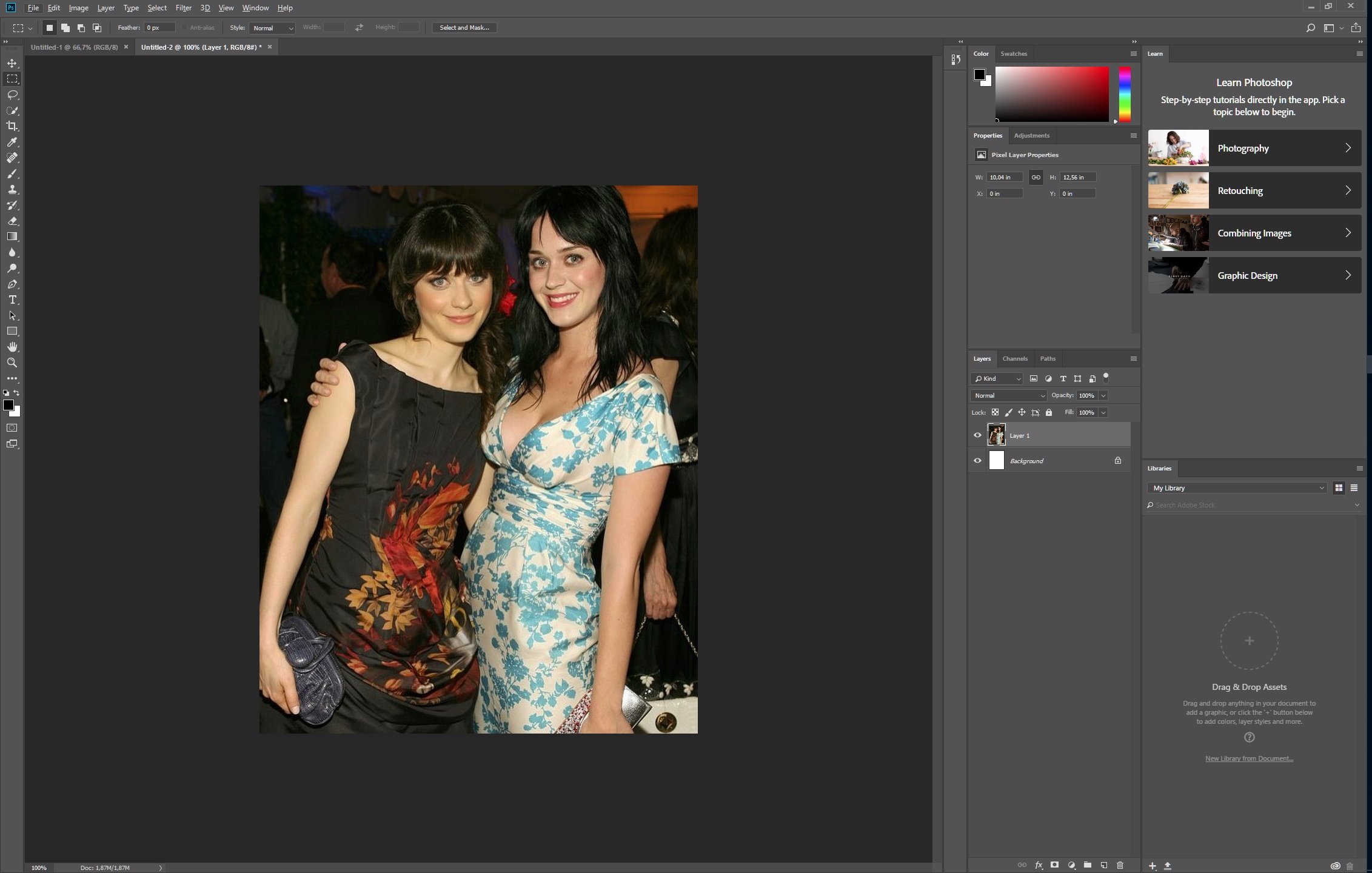

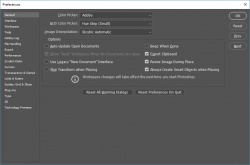
Latest version
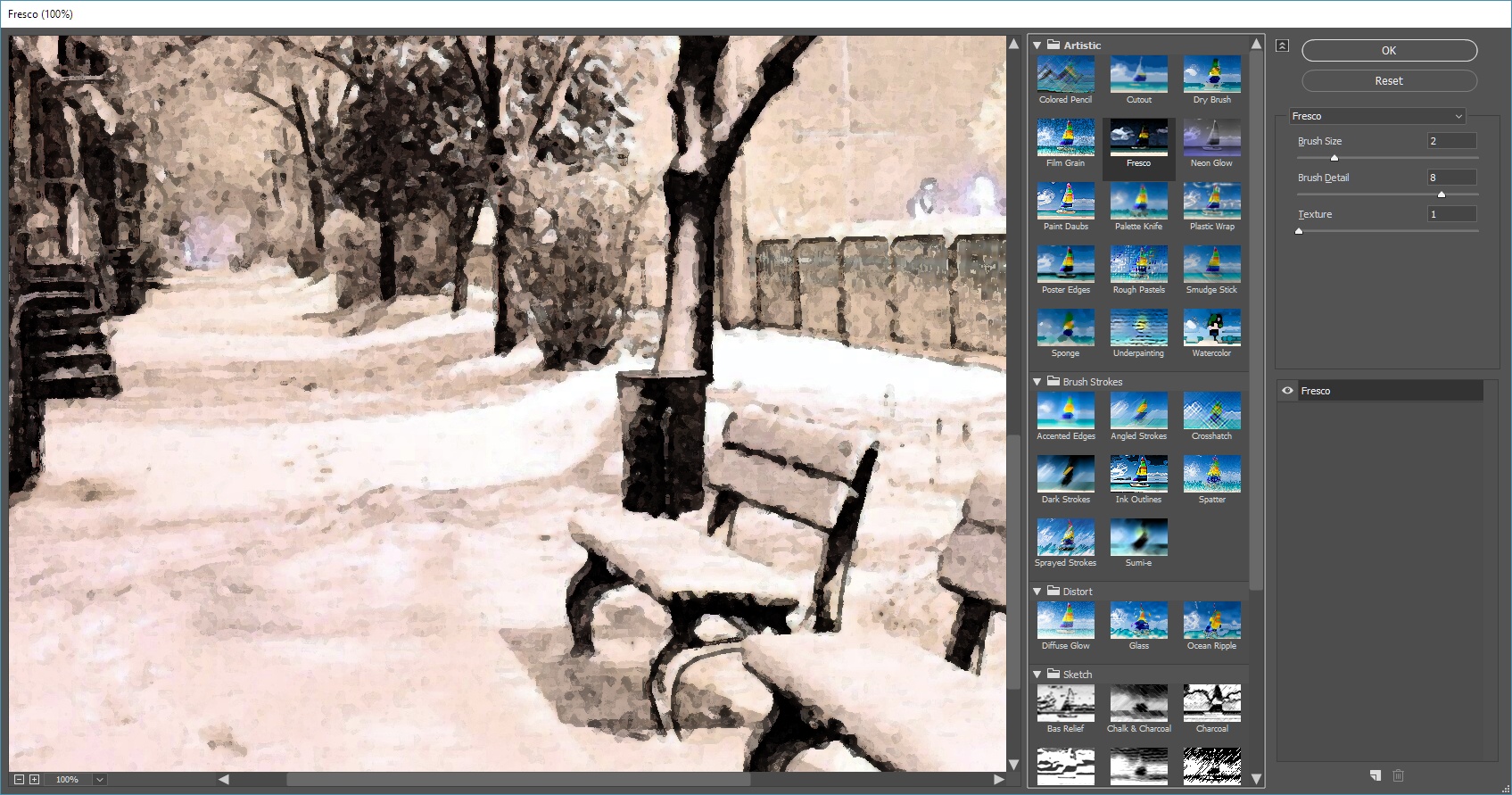
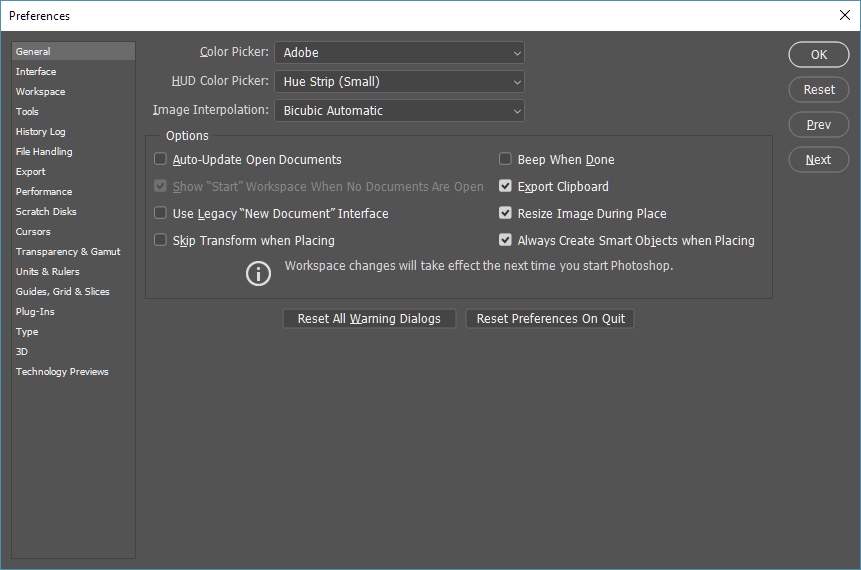
Download
Download Adobe Photoshop 27.11 Windows 980MB Win

Download Adobe Photoshop 27.11 Mac Mac

Software License
Supported operating systems
Mac OS More information and other downloads
Download the old PhotoShop CS2(9.0) for free here
Use this serial keys for Photoshop CS2 9.0 Free:
Windows Serial number: 1045-1412-5685-1654-6343-1431
Mac OS X Serial number: 1045-0410-5403-3188-5429-0639
Use this serial keys for Photoshop CS2 9.0 Free:
Windows Serial number: 1045-1412-5685-1654-6343-1431
Mac OS X Serial number: 1045-0410-5403-3188-5429-0639
Version history / Release notes / Changelog / What's New
September 2026 (version 27.11)
Create cleaner, more natural-looking edges
Refine edges and remove background color from edges with AI-powered edge enhancement.
Learn more about Enhance Edge ›
Generate and edit images with GPT Image 2
Use GPT Image 2 to generate images and make precise edits with prompts directly in Photoshop.
Create cleaner, more natural-looking edges
Refine edges and remove background color from edges with AI-powered edge enhancement.
Learn more about Enhance Edge ›
Generate and edit images with GPT Image 2
Use GPT Image 2 to generate images and make precise edits with prompts directly in Photoshop.
View full changelog
Sections/Browse similar tools
Guides and How to's
How to make DVD case covers in Photoshop
- ReadUsing Photoshop and PDF templates to create CD/DVD Labels
- ReadAdobe Photoshop video tutorials
View all guides with guide description here
Acronyms / Also Known As
Notify me when software updated or report software
| 5 reviews, Showing 1 to 5 reviews |
Rating by PU User on
Dec 10, 2021 Version: 23.0.2
OS: Windows 10 64-bit Ease of use: 7/10
Functionality: 10/10
Value for money: 7/10
Overall: 10/10
Some things it seems you can only do in P/Shop -- it can really help with DVD menus in some authoring programs, in fact DVDA makes it harder on you if you don't use it.
Unfortunately Adobe is going downhill... the DVD for CS4 doesn't even include a PDF manual, & there's no book included. Customer Svc is almost non-existent. CS4 installation problems are common enough that Adobe has set aside a section of their site just for that, & their forum search, where I eventually found an answer, is ridiculous -- filtering doesn't work correctly, so I had to wade thru pages of post headings, reading anything that sounded promising before I found the cure. To add insult, the problem was caused by registry keys under ie's User Agent key, had to be put back for ie7 to work properly after install, & was reported with DreamWeaver CS4 Beta, yet Adobe neither fixed it or included it in the list of known problems. They did however remove the original, DreamWeaver post -- lucky for me someone remembered & posted about it.
Problems running P/Shop CS4 are rampant in the Adobe forums, but loads of users like myself were forced to upgrade or lose eligibility -- Adobe limits how old your version can be to qualify. While CS4 is supposed to work in Windows 64, the ReadMe file on the DVD says XP 64 is untested -- use at your own risk. P/Shop now uses the GPU for some display manipulation, but again loads of user complaints. The good news is that as of 12/11/08 you can still pick up the CS3 Upgrade for ~$120. You ***might*** even get a free upgrade to CS4 from Adobe, for buying CS3 after the CS4 announcement, though some folks have had to email & call for over a month. A free copy of CS4 might even come in handy, assuming Adobe fixes it.
Unfortunately Adobe is going downhill... the DVD for CS4 doesn't even include a PDF manual, & there's no book included. Customer Svc is almost non-existent. CS4 installation problems are common enough that Adobe has set aside a section of their site just for that, & their forum search, where I eventually found an answer, is ridiculous -- filtering doesn't work correctly, so I had to wade thru pages of post headings, reading anything that sounded promising before I found the cure. To add insult, the problem was caused by registry keys under ie's User Agent key, had to be put back for ie7 to work properly after install, & was reported with DreamWeaver CS4 Beta, yet Adobe neither fixed it or included it in the list of known problems. They did however remove the original, DreamWeaver post -- lucky for me someone remembered & posted about it.
Problems running P/Shop CS4 are rampant in the Adobe forums, but loads of users like myself were forced to upgrade or lose eligibility -- Adobe limits how old your version can be to qualify. While CS4 is supposed to work in Windows 64, the ReadMe file on the DVD says XP 64 is untested -- use at your own risk. P/Shop now uses the GPU for some display manipulation, but again loads of user complaints. The good news is that as of 12/11/08 you can still pick up the CS3 Upgrade for ~$120. You ***might*** even get a free upgrade to CS4 from Adobe, for buying CS3 after the CS4 announcement, though some folks have had to email & call for over a month. A free copy of CS4 might even come in handy, assuming Adobe fixes it.
Review by mikiem on
Dec 11, 2008 Version: CS4
OS: WinXP Ease of use: 6/10
Functionality: 9/10
Value for money: 5/10
Overall: 8/10
One possible perspective is that Photoshop is a large integrated collection of very useful graphic utilities. If I imagine each utility that I commonly use as a stand-alone, then I'm paying much less than $50 for each. Although the learning curve can be steep, there is always at least one good and easy to find tutorial somewhere on the web that explains most any PS feature.
Review by oldsalt on
Dec 9, 2006 Version: CS2
OS: WinXP Ease of use: 7/10
Functionality: 10/10
Value for money: 8/10
Overall: 9/10
Photoshop is an incredible piece of software. It can and will do anything you want, providing you know how to perform with it. Which is the problem. PS is so powerful that it is sometimes overwhelming. Unfortunately, this can disuade newer users from working in it.
Otherwise, it's fantastic. Perhaps not as user friendly as I'd like to see (Adobe take a hint), but I'll use it until the day I die!
Otherwise, it's fantastic. Perhaps not as user friendly as I'd like to see (Adobe take a hint), but I'll use it until the day I die!
Review by theleetbeagle on
Feb 6, 2004 Version: 6.5
OS: MacOSX Ease of use: 5/10
Functionality: 10/10
Value for money: 10/10
Overall: 8/10
What can i say that you allready didn´t heard?
Adobe Photoshop is as important as windows itself If you´re into raster graphic design. There ain´t and won´t be a tool that comes close to Photoshop. You can do ANYTHING you want. And if you can´t, just get a plugin. Every plugin out there is designed to work on Photoshop.
If you´re into video and DVD creation, Photoshop will perform perfectly all the tasks for completing your production: DVD menus, titles, FX...you can even add FX to a Film Strip exported from premiere.
If you got the cash...get this! you won´t regreat it.
Adobe Photoshop is as important as windows itself If you´re into raster graphic design. There ain´t and won´t be a tool that comes close to Photoshop. You can do ANYTHING you want. And if you can´t, just get a plugin. Every plugin out there is designed to work on Photoshop.
If you´re into video and DVD creation, Photoshop will perform perfectly all the tasks for completing your production: DVD menus, titles, FX...you can even add FX to a Film Strip exported from premiere.
If you got the cash...get this! you won´t regreat it.
Review by haznut on
Oct 9, 2003 Version: 7
OS: WinXP Ease of use: 7/10
Functionality: 10/10
Value for money: 10/10
Overall: 10/10
| 5 reviews, Showing 1 to 5 reviews |
| 1 tool hits, Showing 1 to 1 tools |
Explanation:
NEW SOFTWARE= New tool since your last visit
NEW VERSION= New version since your last visit
NEW REVIEW= New review since your last visit
NEW VERSION= New version
Latest version
Version number / Beta version number / Update version number and when it whas released.
Type and download
NO MORE UPDATES? = The software hasn't been updated in over 2 years.
NO LONGER DEVELOPED = The software hasn't been updated in over 5 years.
RECENTLY UPDATED = The software has been updated the last 31 days.
Freeware = Download Free software.
Freeware Trialware = Download Free software but some parts are trial/shareware.
Free software = Download Free software and also open source code also known as FOSS (Free and Open Source Software).
Free software Trialware = Download Free software and also open source code but some parts are trial/shareware.
Freeware Ads = Download Free software but supported by advertising, usually with a included browser toolbar. It may be disabled when installing or after installation.
Free software Ads = Free Download software and open source code but supported by advertising, usually with a included browser toolbar. It may be disabled when installing or after installation.
Trialware = Also called shareware or demo. Free Trial version available for download and testing with usually a time limit or limited functions.
Payware = No demo or trial available.
Portable version = A portable/standalone version is available. No installation is required.
v1.0.1 = Latest version available.
Download beta = It could be a Beta, RC(Release Candidate) or an Alpha / Nightly / Unstable version of the software.
Download 15MB = A direct link to the software download.
Win = Windows download version for 32-bit and 64-bit Windows.
Win64 = Windows 64-bit download version for 64-bit Windows.
WinARM64 = Windows 64-bit ARM download version for Windows ARM64/AArch64.
Mac = Mac download version for 64-bit Mac OS Intel/ARM64/AArch64.
MacARM64 = Mac Silicon download version for 64-bit Mac OS ARM64/AArch64.
Mac64 = Mac OS download version for 64-bit Intel Mac OS.
Linux = Linux download version.
Linux64 = Linux download version for 64bit Linux.
Linux ARM = Linux download version for Linux ARM64/AArch64.
Portable = Portable version. No installation is required.
Ad-Supported = The software is bundled with advertising. Be careful when you install the software and disable addons that you don't want!
Visit developers site = A link to the software developer site.
Download (mirror link) = A mirror link to the software download. It may not contain the latest versions.
Download old versions = Free downloads of previous versions of the program.
Download 64-bit version = If you have a 64bit operating system you can download this version.
Download portable version = Portable/Standalone version meaning that no installation is required, just extract the files to a folder and run directly.
Portable version available = Download the portable version and you can just extract the files and run the program without installation.
Old versions available = Download old versions of the program.
Version history available = Complete changelog on our site.
= Windows version available.
= Mac OS version available.
 = Linux version available.
Our hosted software are virus and malware scanned with several antivirus programs using www.virustotal.com. (NOTE! Just one virustotal warning is 99.9% a false positive. And some software might receive 2-6 warnings but it's if they are not all same virus/trojan then it's 99% false positives.)
Rating
Rating from 0-10.
NEW SOFTWARE= New tool since your last visit
NEW VERSION= New version since your last visit
NEW REVIEW= New review since your last visit
NEW VERSION= New version
Latest version
Version number / Beta version number / Update version number and when it whas released.
Type and download
NO MORE UPDATES? = The software hasn't been updated in over 2 years.
NO LONGER DEVELOPED = The software hasn't been updated in over 5 years.
RECENTLY UPDATED = The software has been updated the last 31 days.
Freeware = Download Free software.
Freeware Trialware = Download Free software but some parts are trial/shareware.
Free software = Download Free software and also open source code also known as FOSS (Free and Open Source Software).
Free software Trialware = Download Free software and also open source code but some parts are trial/shareware.
Freeware Ads = Download Free software but supported by advertising, usually with a included browser toolbar. It may be disabled when installing or after installation.
Free software Ads = Free Download software and open source code but supported by advertising, usually with a included browser toolbar. It may be disabled when installing or after installation.
Trialware = Also called shareware or demo. Free Trial version available for download and testing with usually a time limit or limited functions.
Payware = No demo or trial available.
Portable version = A portable/standalone version is available. No installation is required.
v1.0.1 = Latest version available.
Download beta = It could be a Beta, RC(Release Candidate) or an Alpha / Nightly / Unstable version of the software.
Download 15MB = A direct link to the software download.
Win = Windows download version for 32-bit and 64-bit Windows.
Win64 = Windows 64-bit download version for 64-bit Windows.
WinARM64 = Windows 64-bit ARM download version for Windows ARM64/AArch64.
Mac = Mac download version for 64-bit Mac OS Intel/ARM64/AArch64.
MacARM64 = Mac Silicon download version for 64-bit Mac OS ARM64/AArch64.
Mac64 = Mac OS download version for 64-bit Intel Mac OS.
Linux = Linux download version.
Linux64 = Linux download version for 64bit Linux.
Linux ARM = Linux download version for Linux ARM64/AArch64.
Portable = Portable version. No installation is required.
Ad-Supported = The software is bundled with advertising. Be careful when you install the software and disable addons that you don't want!
Visit developers site = A link to the software developer site.
Download (mirror link) = A mirror link to the software download. It may not contain the latest versions.
Download old versions = Free downloads of previous versions of the program.
Download 64-bit version = If you have a 64bit operating system you can download this version.
Download portable version = Portable/Standalone version meaning that no installation is required, just extract the files to a folder and run directly.
Portable version available = Download the portable version and you can just extract the files and run the program without installation.
Old versions available = Download old versions of the program.
Version history available = Complete changelog on our site.
= Windows version available. = Mac OS version available. = Linux version available.Our hosted software are virus and malware scanned with several antivirus programs using www.virustotal.com. (NOTE! Just one virustotal warning is 99.9% a false positive. And some software might receive 2-6 warnings but it's if they are not all same virus/trojan then it's 99% false positives.)
Rating
Rating from 0-10.
Browse software by sections
All In One Blu-ray Converters (9)
All In One DVD Converters (12)
All In One MKV to MP4, Blu-ray, UHD (11)
All In One Video Converters (19)
Animation (3D, 2D Animation) (13)
Audio Editors (22)
Audio Encoders (80)
Audio Players (19)
Authoring (Blu-ray, UHD, AVCHD) (13)
Authoring (DivX) (4)
Authoring (DVD) (26)
Authoring (SVCD, VCD) (9)
Bitrate Calculators (7)
Blu-ray to AVI, MKV, MP4 (15)
Blu-ray to Blu-ray, AVCHD (10)
Burn (CD,DVD,Blu-ray) (24)
Camcorders, DV, HDV, AVCHD (31)
Capture TV, DVD, VCR (30)
CD, DVD, Blu-ray recovery (3)
Codec Packs (6)
All In One DVD Converters (12)
All In One MKV to MP4, Blu-ray, UHD (11)
All In One Video Converters (19)
Animation (3D, 2D Animation) (13)
Audio Editors (22)
Audio Encoders (80)
Audio Players (19)
Authoring (Blu-ray, UHD, AVCHD) (13)
Authoring (DivX) (4)
Authoring (DVD) (26)
Authoring (SVCD, VCD) (9)
Bitrate Calculators (7)
Blu-ray to AVI, MKV, MP4 (15)
Blu-ray to Blu-ray, AVCHD (10)
Burn (CD,DVD,Blu-ray) (24)
Camcorders, DV, HDV, AVCHD (31)
Capture TV, DVD, VCR (30)
CD, DVD, Blu-ray recovery (3)
Codec Packs (6)
Codec, Video Identifiers (31)
Codecs (67)
Decrypters (DVD Rippers) (16)
Decrypters (UHD, Blu-ray Rippers) (8)
DigitalTV, DVB, IPTV (40)
DVD to DVD (20)
DVD to MP4, MKV, H264, H265 (16)
DVD to VCD, SVCD (5)
DVD to XviD, AVI, DivX (16)
ISO, Image (14)
Linux Video Tools (218)
MacOS Video Tools (250)
Media (Blu-ray, DVD, CD) (9)
Media Center, HTPC (25)
Other Useful Tools (136)
Photo Blu-ray, DVD, SlideShow (8)
Portable (Mobile, PSP) (35)
Region Free Tools (5)
Screen capture , Screen recording (25)
Screenshots , Thumbnails (13)
Codecs (67)
Decrypters (DVD Rippers) (16)
Decrypters (UHD, Blu-ray Rippers) (8)
DigitalTV, DVB, IPTV (40)
DVD to DVD (20)
DVD to MP4, MKV, H264, H265 (16)
DVD to VCD, SVCD (5)
DVD to XviD, AVI, DivX (16)
ISO, Image (14)
Linux Video Tools (218)
MacOS Video Tools (250)
Media (Blu-ray, DVD, CD) (9)
Media Center, HTPC (25)
Other Useful Tools (136)
Photo Blu-ray, DVD, SlideShow (8)
Portable (Mobile, PSP) (35)
Region Free Tools (5)
Screen capture , Screen recording (25)
Screenshots , Thumbnails (13)
Subtitle Editors, Converters (72)
Tag Editors (4)
Video Compare Software (6)
Video Demultiplexers, Multiplexers (66)
Video Editors (Advanced, NLE) (37)
Video Editors (Basic) (57)
Video Editors (H264, MP4, MKV, MTS) (19)
Video Editors (Lossless) (5)
Video Editors (MPG, DVD) (16)
Video Editors (WMV, AVI) (15)
Video Encoders (AV1, VP8, VP9) (2)
Video Encoders (AVI, WMV) (38)
Video Encoders (H264, H265, MP4, MKV) (45)
Video Encoders (MPG, DVD) (23)
Video Encoders , Converters (156)
Video Frameservers (9)
Video Players (48)
Video Repair, Fix (24)
Video Scripting (10)
Video Streaming (20)
Tag Editors (4)
Video Compare Software (6)
Video Demultiplexers, Multiplexers (66)
Video Editors (Advanced, NLE) (37)
Video Editors (Basic) (57)
Video Editors (H264, MP4, MKV, MTS) (19)
Video Editors (Lossless) (5)
Video Editors (MPG, DVD) (16)
Video Editors (WMV, AVI) (15)
Video Encoders (AV1, VP8, VP9) (2)
Video Encoders (AVI, WMV) (38)
Video Encoders (H264, H265, MP4, MKV) (45)
Video Encoders (MPG, DVD) (23)
Video Encoders , Converters (156)
Video Frameservers (9)
Video Players (48)
Video Repair, Fix (24)
Video Scripting (10)
Video Streaming (20)