
Help us keep the list up to date and submit new video software here.
Tool
Description
Type
Rating
Reviews
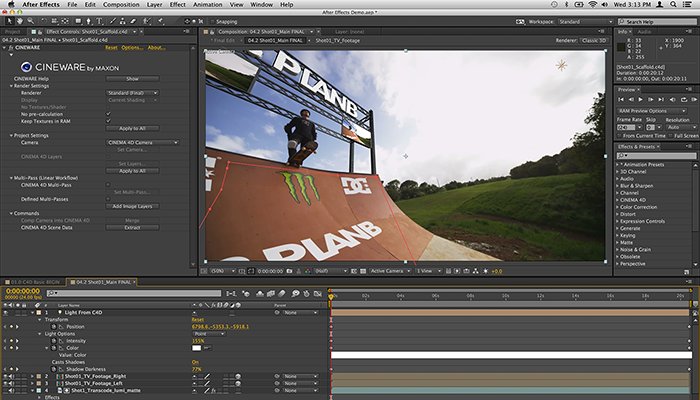
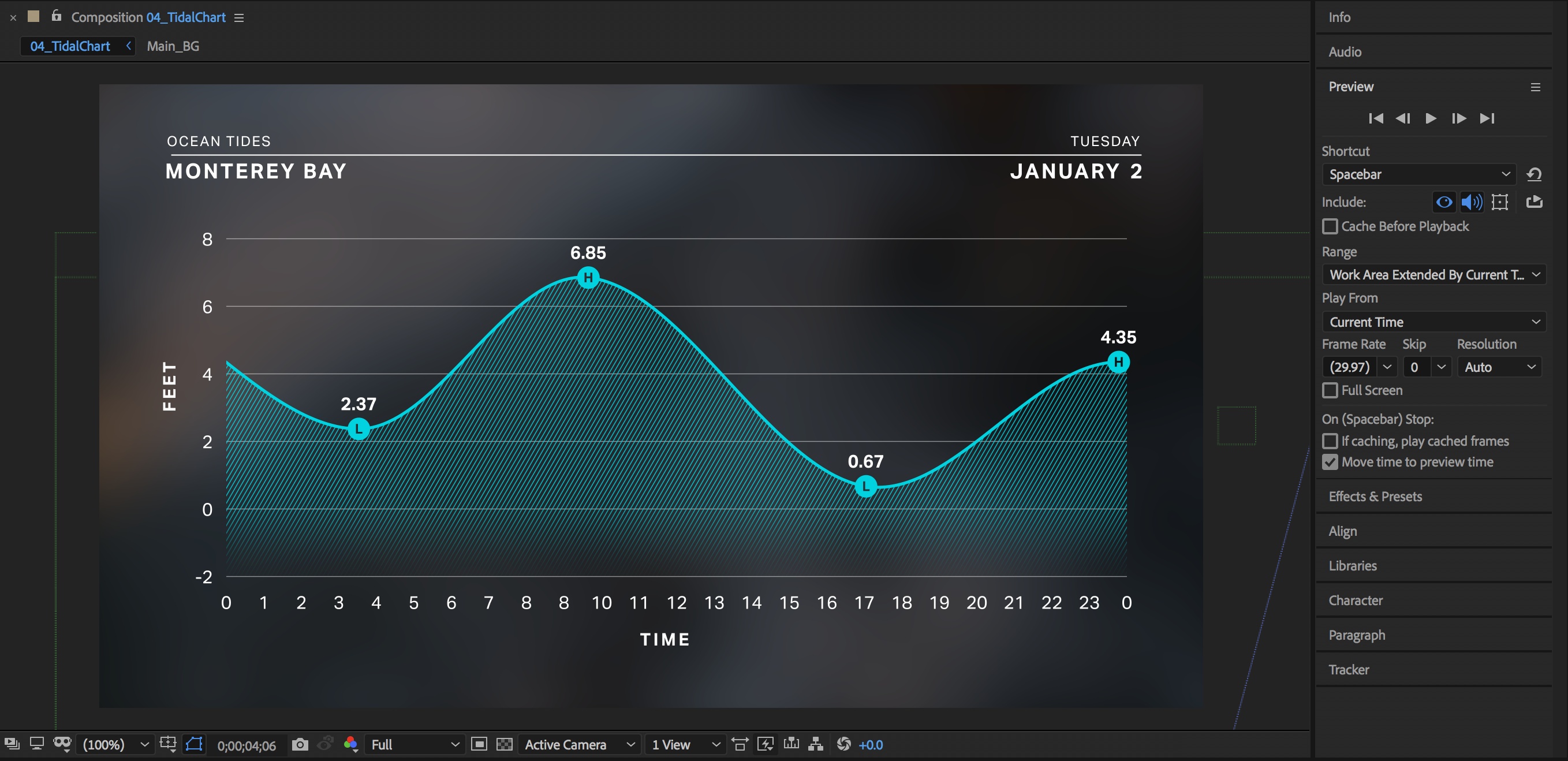
Adobe After Effects software delivers a comprehensive set of tools to efficiently produce motion graphics and visual effects for film, video, multimedia, and the Web. Price $20/month or $50/month for all Adobe products.
Screenshots
Latest version
Download
Download Adobe After Effects 26.3 Windows 3.1MB Win

Download Adobe After Effects 26.3 Mac Mac

Software License
Supported operating systems
Mac OS Version history / Release notes / Changelog / What's New
June 2026 release (version 26.3)
Create and use Depth of Field in the Advanced 3D renderer
Create a Depth of Field effect that lets you focus on 3D models, parametric meshes, Substance 3D materials, 3D text, shape layers, and more in Advanced 3D.
Learn to enable inengine Depth of Field ›
Copy and paste Illustrator and SVG content
Paste SVG content from Illustrator or other apps directly into After Effects as native, editable shape layers using Edit > Paste.
Learn to copy and paste Illustrator and SVG content ›
Updated Mask Tracker
Track masks faster and more accurately with the updated mask tracker, now up to 5x faster with accessible controls that let you start tracking directly from the Timeline panel.
Learn about mask tracking in After Effects ›
Copy a frame to the clipboard
Capture the currently rendered frame as a still image from the Composition, Footage, or Layer panel and copy it to your system clipboard in a single click.
Learn to copy a frame to the clipboard ›
Curl Noise effect for swirling animated 2D patterns
Create fluid, organic 2D noise that feels like smoke, water, or ink, ideal for smooth, flowing motion in backgrounds, textures, and abstract animations.
Learn about Curl Noise effect ›
Quickly Find Variable Fonts by Axis
Filter the font list to show only variable fonts, making it easier to find the right fonts.
Learn to work with Variable Font Axes ›
Create and use Depth of Field in the Advanced 3D renderer
Create a Depth of Field effect that lets you focus on 3D models, parametric meshes, Substance 3D materials, 3D text, shape layers, and more in Advanced 3D.
Learn to enable inengine Depth of Field ›
Copy and paste Illustrator and SVG content
Paste SVG content from Illustrator or other apps directly into After Effects as native, editable shape layers using Edit > Paste.
Learn to copy and paste Illustrator and SVG content ›
Updated Mask Tracker
Track masks faster and more accurately with the updated mask tracker, now up to 5x faster with accessible controls that let you start tracking directly from the Timeline panel.
Learn about mask tracking in After Effects ›
Copy a frame to the clipboard
Capture the currently rendered frame as a still image from the Composition, Footage, or Layer panel and copy it to your system clipboard in a single click.
Learn to copy a frame to the clipboard ›
Curl Noise effect for swirling animated 2D patterns
Create fluid, organic 2D noise that feels like smoke, water, or ink, ideal for smooth, flowing motion in backgrounds, textures, and abstract animations.
Learn about Curl Noise effect ›
Quickly Find Variable Fonts by Axis
Filter the font list to show only variable fonts, making it easier to find the right fonts.
Learn to work with Variable Font Axes ›
View full changelog
Sections/Browse similar tools
Alternative to Adobe After Effects
(Latest version updated)Adobe Premiere Pro (Aug 5, 2026)
Avid Media Composer (Aug 6, 2026)
Vegas Pro (Sep 9, 2025)
Guides and How to's
Acronyms / Also Known As
Notify me when software updated or report software
| 2 reviews, Showing 1 to 2 reviews |
I love adobe after effects. The program has nearly infinate possibilities. Now if they could solve the crash isses with cc shatter.
Review by lowellriggsiam on
Apr 9, 2011 Version: 10
OS: Windows 7 64-bit Ease of use: 8/10
Functionality: 9/10
Value for money: 9/10
Overall: 9/10
Tight integration with Photoshop and Illustrator and one of the easiest compositors to understand and use (but they're all complicated). Uses a familiar layered timeline interface. A myriad of great 3rd party plug ins (3D, light filters, special fx etc), some of which cost more than the application! Pro version includes extra base filter pack.
I'd like it more if Adobe had included autosave with my version, but unlike other compositors AE rarely crashes and allows you to work to deadlines. Suitable for pros and hobbyists with plenty of spare cash!
I'd like it more if Adobe had included autosave with my version, but unlike other compositors AE rarely crashes and allows you to work to deadlines. Suitable for pros and hobbyists with plenty of spare cash!
Review by mondomedia on
Apr 27, 2005 Version: 5.5 Pro
OS: WinXP Ease of use: 9/10
Functionality: 8/10
Value for money: 7/10
Overall: 8/10
| 2 reviews, Showing 1 to 2 reviews |
| 1 tool hits, Showing 1 to 1 tools |
Explanation:
NEW SOFTWARE= New tool since your last visit
NEW VERSION= New version since your last visit
NEW REVIEW= New review since your last visit
NEW VERSION= New version
Latest version
Version number / Beta version number / Update version number and when it whas released.
Type and download
NO MORE UPDATES? = The software hasn't been updated in over 2 years.
NO LONGER DEVELOPED = The software hasn't been updated in over 5 years.
RECENTLY UPDATED = The software has been updated the last 31 days.
Freeware = Download Free software.
Freeware Trialware = Download Free software but some parts are trial/shareware.
Free software = Download Free software and also open source code also known as FOSS (Free and Open Source Software).
Free software Trialware = Download Free software and also open source code but some parts are trial/shareware.
Freeware Ads = Download Free software but supported by advertising, usually with a included browser toolbar. It may be disabled when installing or after installation.
Free software Ads = Free Download software and open source code but supported by advertising, usually with a included browser toolbar. It may be disabled when installing or after installation.
Trialware = Also called shareware or demo. Free Trial version available for download and testing with usually a time limit or limited functions.
Payware = No demo or trial available.
Portable version = A portable/standalone version is available. No installation is required.
v1.0.1 = Latest version available.
Download beta = It could be a Beta, RC(Release Candidate) or an Alpha / Nightly / Unstable version of the software.
Download 15MB = A direct link to the software download.
Win = Windows download version for 32-bit and 64-bit Windows.
Win64 = Windows 64-bit download version for 64-bit Windows.
WinARM64 = Windows 64-bit ARM download version for Windows ARM64/AArch64.
Mac = Mac download version for 64-bit Mac OS Intel/ARM64/AArch64.
MacARM64 = Mac Silicon download version for 64-bit Mac OS ARM64/AArch64.
Mac64 = Mac OS download version for 64-bit Intel Mac OS.
Linux = Linux download version.
Linux64 = Linux download version for 64bit Linux.
Linux ARM = Linux download version for Linux ARM64/AArch64.
Portable = Portable version. No installation is required.
Ad-Supported = The software is bundled with advertising. Be careful when you install the software and disable addons that you don't want!
Visit developers site = A link to the software developer site.
Download (mirror link) = A mirror link to the software download. It may not contain the latest versions.
Download old versions = Free downloads of previous versions of the program.
Download 64-bit version = If you have a 64bit operating system you can download this version.
Download portable version = Portable/Standalone version meaning that no installation is required, just extract the files to a folder and run directly.
Portable version available = Download the portable version and you can just extract the files and run the program without installation.
Old versions available = Download old versions of the program.
Version history available = Complete changelog on our site.
= Windows version available.
= Mac OS version available.
 = Linux version available.
Our hosted software are virus and malware scanned with several antivirus programs using www.virustotal.com. (NOTE! Just one virustotal warning is 99.9% a false positive. And some software might receive 2-6 warnings but it's if they are not all same virus/trojan then it's 99% false positives.)
Rating
Rating from 0-10.
NEW SOFTWARE= New tool since your last visit
NEW VERSION= New version since your last visit
NEW REVIEW= New review since your last visit
NEW VERSION= New version
Latest version
Version number / Beta version number / Update version number and when it whas released.
Type and download
NO MORE UPDATES? = The software hasn't been updated in over 2 years.
NO LONGER DEVELOPED = The software hasn't been updated in over 5 years.
RECENTLY UPDATED = The software has been updated the last 31 days.
Freeware = Download Free software.
Freeware Trialware = Download Free software but some parts are trial/shareware.
Free software = Download Free software and also open source code also known as FOSS (Free and Open Source Software).
Free software Trialware = Download Free software and also open source code but some parts are trial/shareware.
Freeware Ads = Download Free software but supported by advertising, usually with a included browser toolbar. It may be disabled when installing or after installation.
Free software Ads = Free Download software and open source code but supported by advertising, usually with a included browser toolbar. It may be disabled when installing or after installation.
Trialware = Also called shareware or demo. Free Trial version available for download and testing with usually a time limit or limited functions.
Payware = No demo or trial available.
Portable version = A portable/standalone version is available. No installation is required.
v1.0.1 = Latest version available.
Download beta = It could be a Beta, RC(Release Candidate) or an Alpha / Nightly / Unstable version of the software.
Download 15MB = A direct link to the software download.
Win = Windows download version for 32-bit and 64-bit Windows.
Win64 = Windows 64-bit download version for 64-bit Windows.
WinARM64 = Windows 64-bit ARM download version for Windows ARM64/AArch64.
Mac = Mac download version for 64-bit Mac OS Intel/ARM64/AArch64.
MacARM64 = Mac Silicon download version for 64-bit Mac OS ARM64/AArch64.
Mac64 = Mac OS download version for 64-bit Intel Mac OS.
Linux = Linux download version.
Linux64 = Linux download version for 64bit Linux.
Linux ARM = Linux download version for Linux ARM64/AArch64.
Portable = Portable version. No installation is required.
Ad-Supported = The software is bundled with advertising. Be careful when you install the software and disable addons that you don't want!
Visit developers site = A link to the software developer site.
Download (mirror link) = A mirror link to the software download. It may not contain the latest versions.
Download old versions = Free downloads of previous versions of the program.
Download 64-bit version = If you have a 64bit operating system you can download this version.
Download portable version = Portable/Standalone version meaning that no installation is required, just extract the files to a folder and run directly.
Portable version available = Download the portable version and you can just extract the files and run the program without installation.
Old versions available = Download old versions of the program.
Version history available = Complete changelog on our site.
= Windows version available. = Mac OS version available. = Linux version available.Our hosted software are virus and malware scanned with several antivirus programs using www.virustotal.com. (NOTE! Just one virustotal warning is 99.9% a false positive. And some software might receive 2-6 warnings but it's if they are not all same virus/trojan then it's 99% false positives.)
Rating
Rating from 0-10.
Browse software by sections
All In One Blu-ray Converters (9)
All In One DVD Converters (12)
All In One MKV to MP4, Blu-ray, UHD (11)
All In One Video Converters (19)
Animation (3D, 2D Animation) (12)
Audio Editors (22)
Audio Encoders (80)
Audio Players (19)
Authoring (Blu-ray, UHD, AVCHD) (13)
Authoring (DivX) (4)
Authoring (DVD) (26)
Authoring (SVCD, VCD) (9)
Bitrate Calculators (7)
Blu-ray to AVI, MKV, MP4 (15)
Blu-ray to Blu-ray, AVCHD (10)
Burn (CD,DVD,Blu-ray) (24)
Camcorders, DV, HDV, AVCHD (31)
Capture TV, DVD, VCR (30)
CD, DVD, Blu-ray recovery (3)
Codec Packs (6)
All In One DVD Converters (12)
All In One MKV to MP4, Blu-ray, UHD (11)
All In One Video Converters (19)
Animation (3D, 2D Animation) (12)
Audio Editors (22)
Audio Encoders (80)
Audio Players (19)
Authoring (Blu-ray, UHD, AVCHD) (13)
Authoring (DivX) (4)
Authoring (DVD) (26)
Authoring (SVCD, VCD) (9)
Bitrate Calculators (7)
Blu-ray to AVI, MKV, MP4 (15)
Blu-ray to Blu-ray, AVCHD (10)
Burn (CD,DVD,Blu-ray) (24)
Camcorders, DV, HDV, AVCHD (31)
Capture TV, DVD, VCR (30)
CD, DVD, Blu-ray recovery (3)
Codec Packs (6)
Codec, Video Identifiers (31)
Codecs (67)
Decrypters (DVD Rippers) (16)
Decrypters (UHD, Blu-ray Rippers) (8)
DigitalTV, DVB, IPTV (39)
DVD to DVD (20)
DVD to MP4, MKV, H264, H265 (16)
DVD to VCD, SVCD (5)
DVD to XviD, AVI, DivX (16)
ISO, Image (15)
Linux Video Tools (212)
MacOS Video Tools (244)
Media (Blu-ray, DVD, CD) (9)
Media Center, HTPC (24)
Other Useful Tools (140)
Photo Blu-ray, DVD, SlideShow (8)
Portable (Mobile, PSP) (35)
Region Free Tools (5)
Screen capture , Screen recording (26)
Screenshots , Thumbnails (13)
Codecs (67)
Decrypters (DVD Rippers) (16)
Decrypters (UHD, Blu-ray Rippers) (8)
DigitalTV, DVB, IPTV (39)
DVD to DVD (20)
DVD to MP4, MKV, H264, H265 (16)
DVD to VCD, SVCD (5)
DVD to XviD, AVI, DivX (16)
ISO, Image (15)
Linux Video Tools (212)
MacOS Video Tools (244)
Media (Blu-ray, DVD, CD) (9)
Media Center, HTPC (24)
Other Useful Tools (140)
Photo Blu-ray, DVD, SlideShow (8)
Portable (Mobile, PSP) (35)
Region Free Tools (5)
Screen capture , Screen recording (26)
Screenshots , Thumbnails (13)
Subtitle Editors, Converters (72)
Tag Editors (4)
Video De, Multiplexers (66)
Video Editors (Advanced, NLE) (35)
Video Editors (Basic) (56)
Video Editors (H264, MP4, MKV, MTS) (19)
Video Editors (Lossless) (4)
Video Editors (MPG, DVD) (16)
Video Editors (WMV, AVI) (15)
Video Encoders (AV1, VP8, VP9) (2)
Video Encoders (AVI, WMV) (38)
Video Encoders (H264, H265, MP4, MKV) (45)
Video Encoders (MPG, DVD) (23)
Video Encoders , Converters (155)
Video Frameservers (9)
Video Players (48)
Video Repair, Fix (24)
Video Scripting (10)
Video Streaming (20)
Video Streaming Downloaders (100)
Tag Editors (4)
Video De, Multiplexers (66)
Video Editors (Advanced, NLE) (35)
Video Editors (Basic) (56)
Video Editors (H264, MP4, MKV, MTS) (19)
Video Editors (Lossless) (4)
Video Editors (MPG, DVD) (16)
Video Editors (WMV, AVI) (15)
Video Encoders (AV1, VP8, VP9) (2)
Video Encoders (AVI, WMV) (38)
Video Encoders (H264, H265, MP4, MKV) (45)
Video Encoders (MPG, DVD) (23)
Video Encoders , Converters (155)
Video Frameservers (9)
Video Players (48)
Video Repair, Fix (24)
Video Scripting (10)
Video Streaming (20)
Video Streaming Downloaders (100)