
Help us keep the list up to date and submit new video software here.
Tool
Description
Type
Rating
Reviews
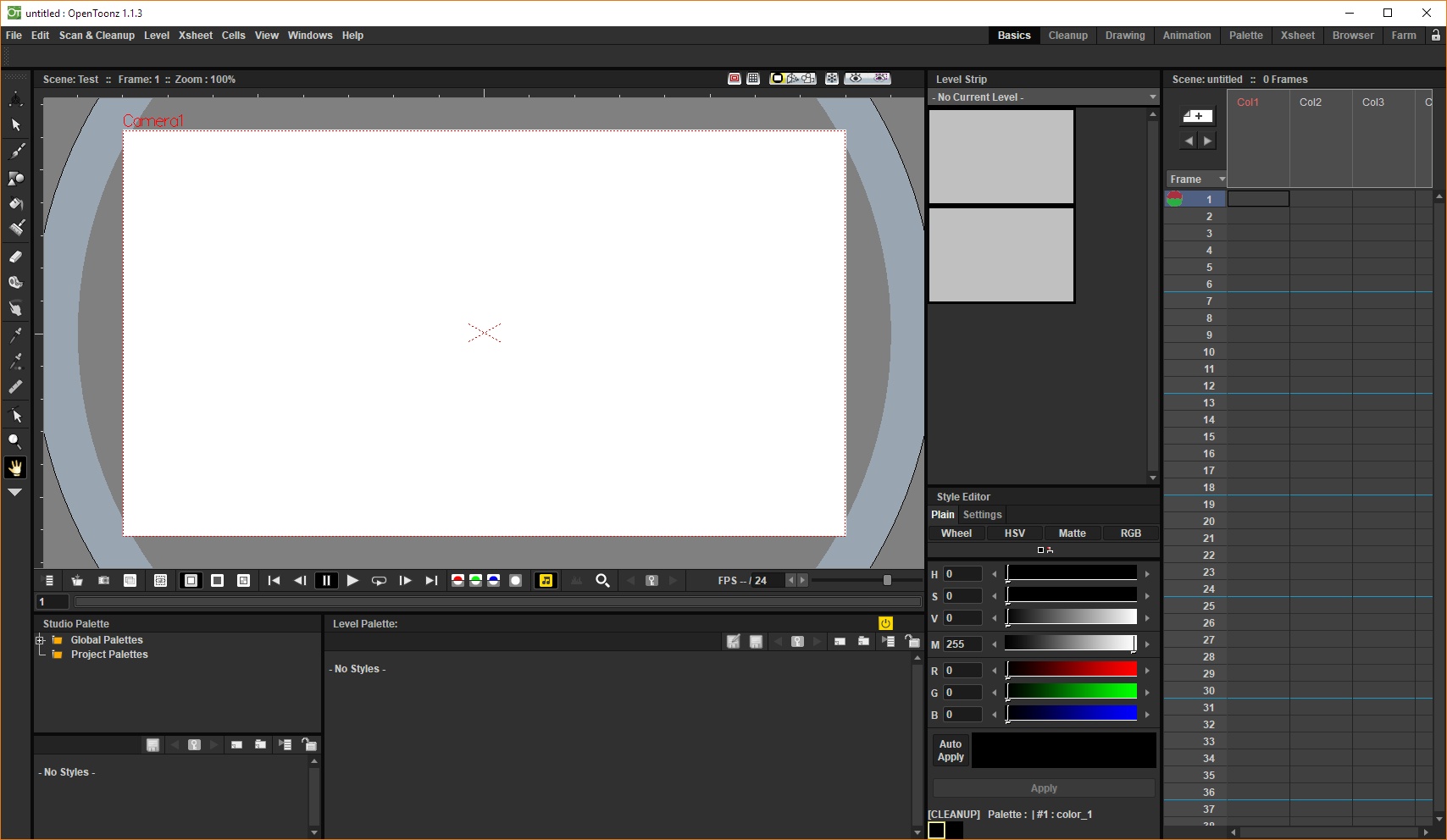
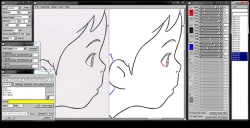
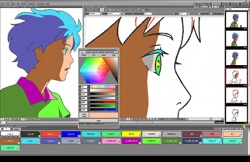
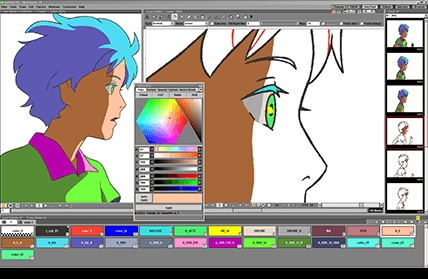
OpenToonz is a free 2D animation software. Sequence number scanning can be conducted efficiently according to in-between animation numbers. Compatible with 4 types of scanning (black-and-white, colored, with or without binarization). Compatible with the TWAIN standards. Anti-aliased lines can be used. Since the data of paintings are independent of those of the palette, it is easy to paint with provisional colors. Smooth operation even with high-definition image data. Equipped with the time sheet-type interface. Effects can be synthesized easily with the GUI using the node tree. Images can be handled with the real scale considering resolution [dpi] (units, such as millimeter, are specified). It is possible to use more effects by using the plug-in.
Free software
OS:


File size: 57MB
Old versions
Version history
OS:
File size: 57MB
Old versions
Version history
Screenshots
Latest version

Download
Download OpenToonz 1.8.0 Windows 57MB Win
Download OpenToonz 1.8.0 Mac 105MB Mac
Download OpenToonz 1.8.0 Linux Linux
Download Beta and other versions
Download OpenToonz latest Beta/Nightly Mac 57MB Mac
Download old versions

Software License
Supported operating systems
Mac OS Linux Version history / Release notes / Changelog / What's New
OpenToonz V1.8
Release Notes
Features / Enhancements
Drawing / Animation Tools
Assistant Tool improvements by @blackwarthog in #4852, #5039, #5066, #5071, #5100, #5125
Brush & Paintbrush Tools enhancements by @Abel032 in #5838, #5890, #5988, #5989, #6075, #6079, #6224
Brush Tool (Stroke Replication) feature by @blackwarthog in #5069
Brushes enhancements and refactoring by @andeon in #5295, #5733
Fill Tool improvements and features by @Abel032 in #5828, #5979, #6088, #6090, #6105, #6111, #6113, #6154, #6158, #6164, #6181, #6193, #6196, #6221, #6252
Finger Tool options and improvements by @Abel032 in #5902, #6224
Geometric Tool enhancements by @Abel032 in #5762, #5838, #5999
Tape Tool enhancements by @Abel032 in #6090, #6874
Screentones feature by @andeon in #4911
Straight Line (Angle Snap): Prevent CTRL activating draw straight line angle snap by @konero in #4885
Color Model Viewer & Style options by @Abel032 in #5773, #6081
Xsheet / Timeline
Xsheet cell and column options by Contrail Co., Ltd. / @shun-iwasawa in #4874, #4937
Enhance xsheet selection by @Abel032 in #5795, #5906
Cell dragging and visibility switching enhancements by @Abel032 in #6095, #6131
Xsheet and Column enhancements by @JParks123 in #6384, #6409
Tune column selection by @blackwarthog in #5108
Sub-Xsheet Navigation Bar by @manongjohn in #5235
Restore the function to select cell ranges by clicking the sidebar by @shun-iwasawa in #6083
Effects / Rendering
Replace fx fixed sized buttons with minimum size hint by @flurick in #4932
Clapperboard for non-movie render by @shun-iwasawa in #6043
New Fx: Smoother Fx Iwa by @shun-iwasawa in #6150
add naru lazy brush fx by @Appule in #6040
feat: add draggable cage controls to corner pin fx by @andeon in #6188
File Browser / I/O / Scene Management
Export and Level Conversion improvements by @Abel032 in #5659, #5719, #5796, #5953, #5954, #6098
Assets Import, XDTS integration, and Image Sequence Renaming improvements by @Abel032 in #5768, #6084, #6085, #6086, #6103
XDTS I/O and symbol unification by @shun-iwasawa in #5685, #6911
Camera Capture: Save default image adjust parameters by @shun-iwasawa in #4823
New OCA Import feature + Export fixes by @manongjohn in #5315
Change Name of Projects Node in file browser to Dirname (DirPath) by @Abel032 in #5734
Add SVN config combo preference by @Abel032 in #5808
Display file paths in Scene Cast by @JParks123 in #6379
User Interface / UX
Custom Panel Editor, Viewer commands, and UI customization improvements by @Ahl76 in #6594, #6596, #6597, #6722
UI text fields, notifications, and palette updates by @Abel032 in #5756, #5767, #5809, #5818, #5859
Preferences page and window adjustments by @Abel032 in #6015, #6202, #6241, #6245, #6295
Viewer UI and guide enhancements by @JParks123 in #6336, #6380, #6417, #6602
Icon improvements and refactoring by @konero in #4983, #5794, #5873
Xsheet color enhancements by @konero in #5356, #5379
Navigation shortcuts and options by @konero in #5761, #5786
Command bar and Rooms layout adjustments by @konero in #5848, #5852
Studio Palette Tweaks by @shun-iwasawa in #4863
Unify preview and camstand visibility toggles option by Contrail Co., Ltd. by @shun-iwasawa in #4843
Add View Check indicators to Viewer by @manongjohn in #5860
Rephrase Save Default Settings menu command by @pravdomil in #5870
feat: Add support for custom display labels in menu commands by @andeon in #5877
Allow multiple key stroke shortcuts by @manongjohn in #5444
Viewer Navigation Tools by @shun-iwasawa in #6199
Add labels to the experimental panels by @shun-iwasawa in #6909
Replace deprecated QLayout::setMargin() with setContentsMargins() by @andeon in #6320
Improve Transparency Check by @andeon in #6329
Add Windows Toonz Thumbnail Provider by @Abel032 in #6293
Localization
Chinese translation and documentation updates by @Abel032 in #5844, #6889
Japanese translation for v1.8 by @shun-iwasawa in #6885
Spanish translation for v1.8 by gab3d by @shun-iwasawa in #6908
Release Notes
Features / Enhancements
Drawing / Animation Tools
Assistant Tool improvements by @blackwarthog in #4852, #5039, #5066, #5071, #5100, #5125
Brush & Paintbrush Tools enhancements by @Abel032 in #5838, #5890, #5988, #5989, #6075, #6079, #6224
Brush Tool (Stroke Replication) feature by @blackwarthog in #5069
Brushes enhancements and refactoring by @andeon in #5295, #5733
Fill Tool improvements and features by @Abel032 in #5828, #5979, #6088, #6090, #6105, #6111, #6113, #6154, #6158, #6164, #6181, #6193, #6196, #6221, #6252
Finger Tool options and improvements by @Abel032 in #5902, #6224
Geometric Tool enhancements by @Abel032 in #5762, #5838, #5999
Tape Tool enhancements by @Abel032 in #6090, #6874
Screentones feature by @andeon in #4911
Straight Line (Angle Snap): Prevent CTRL activating draw straight line angle snap by @konero in #4885
Color Model Viewer & Style options by @Abel032 in #5773, #6081
Xsheet / Timeline
Xsheet cell and column options by Contrail Co., Ltd. / @shun-iwasawa in #4874, #4937
Enhance xsheet selection by @Abel032 in #5795, #5906
Cell dragging and visibility switching enhancements by @Abel032 in #6095, #6131
Xsheet and Column enhancements by @JParks123 in #6384, #6409
Tune column selection by @blackwarthog in #5108
Sub-Xsheet Navigation Bar by @manongjohn in #5235
Restore the function to select cell ranges by clicking the sidebar by @shun-iwasawa in #6083
Effects / Rendering
Replace fx fixed sized buttons with minimum size hint by @flurick in #4932
Clapperboard for non-movie render by @shun-iwasawa in #6043
New Fx: Smoother Fx Iwa by @shun-iwasawa in #6150
add naru lazy brush fx by @Appule in #6040
feat: add draggable cage controls to corner pin fx by @andeon in #6188
File Browser / I/O / Scene Management
Export and Level Conversion improvements by @Abel032 in #5659, #5719, #5796, #5953, #5954, #6098
Assets Import, XDTS integration, and Image Sequence Renaming improvements by @Abel032 in #5768, #6084, #6085, #6086, #6103
XDTS I/O and symbol unification by @shun-iwasawa in #5685, #6911
Camera Capture: Save default image adjust parameters by @shun-iwasawa in #4823
New OCA Import feature + Export fixes by @manongjohn in #5315
Change Name of Projects Node in file browser to Dirname (DirPath) by @Abel032 in #5734
Add SVN config combo preference by @Abel032 in #5808
Display file paths in Scene Cast by @JParks123 in #6379
User Interface / UX
Custom Panel Editor, Viewer commands, and UI customization improvements by @Ahl76 in #6594, #6596, #6597, #6722
UI text fields, notifications, and palette updates by @Abel032 in #5756, #5767, #5809, #5818, #5859
Preferences page and window adjustments by @Abel032 in #6015, #6202, #6241, #6245, #6295
Viewer UI and guide enhancements by @JParks123 in #6336, #6380, #6417, #6602
Icon improvements and refactoring by @konero in #4983, #5794, #5873
Xsheet color enhancements by @konero in #5356, #5379
Navigation shortcuts and options by @konero in #5761, #5786
Command bar and Rooms layout adjustments by @konero in #5848, #5852
Studio Palette Tweaks by @shun-iwasawa in #4863
Unify preview and camstand visibility toggles option by Contrail Co., Ltd. by @shun-iwasawa in #4843
Add View Check indicators to Viewer by @manongjohn in #5860
Rephrase Save Default Settings menu command by @pravdomil in #5870
feat: Add support for custom display labels in menu commands by @andeon in #5877
Allow multiple key stroke shortcuts by @manongjohn in #5444
Viewer Navigation Tools by @shun-iwasawa in #6199
Add labels to the experimental panels by @shun-iwasawa in #6909
Replace deprecated QLayout::setMargin() with setContentsMargins() by @andeon in #6320
Improve Transparency Check by @andeon in #6329
Add Windows Toonz Thumbnail Provider by @Abel032 in #6293
Localization
Chinese translation and documentation updates by @Abel032 in #5844, #6889
Japanese translation for v1.8 by @shun-iwasawa in #6885
Spanish translation for v1.8 by gab3d by @shun-iwasawa in #6908
View full changelog
Sections/Browse similar tools
Guides and How to's
Notify me when software updated or report software
| 1 reviews, Showing 1 to 1 reviews |
From describing here I dont get, it is full featured 2d animation software, using graphic tablets. It makes impression in me that it only works with scanned document. It is software, that is able to do any 2d animation you can image. It has advanced feature like for example: Motion tracking, automatic coloring, plastic tool, picture to mesh and many more. Its learning curve can take some time, lots of usual features are hidden for example (motion rotation and speed curves to edit), so learn this software take a while but result is priceless.
Here is only one example of one feature. https://www.youtube.com/watch?v=NLYv9IbK13c
It is bit demanding on HW minimum requirements, but i think it is nowadays standard.
Bernix
Here is only one example of one feature. https://www.youtube.com/watch?v=NLYv9IbK13c
It is bit demanding on HW minimum requirements, but i think it is nowadays standard.
Bernix
Review by Bernix on
Oct 20, 2017 Version: 1.1.3
OS: Windows 10 64-bit Ease of use: 8/10
Functionality: 9/10
Value for money: 10/10
Overall: 10/10
| 1 reviews, Showing 1 to 1 reviews |
| 1 tool hits, Showing 1 to 1 tools |
Explanation:
NEW SOFTWARE= New tool since your last visit
NEW VERSION= New version since your last visit
NEW REVIEW= New review since your last visit
NEW VERSION= New version
Latest version
Version number / Beta version number / Update version number and when it whas released.
Type and download
NO MORE UPDATES? = The software hasn't been updated in over 2 years.
NO LONGER DEVELOPED = The software hasn't been updated in over 5 years.
RECENTLY UPDATED = The software has been updated the last 31 days.
Freeware = Download Free software.
Freeware Trialware = Download Free software but some parts are trial/shareware.
Free software = Download Free software and also open source code also known as FOSS (Free and Open Source Software).
Free software Trialware = Download Free software and also open source code but some parts are trial/shareware.
Freeware Ads = Download Free software but supported by advertising, usually with a included browser toolbar. It may be disabled when installing or after installation.
Free software Ads = Free Download software and open source code but supported by advertising, usually with a included browser toolbar. It may be disabled when installing or after installation.
Trialware = Also called shareware or demo. Free Trial version available for download and testing with usually a time limit or limited functions.
Payware = No demo or trial available.
Portable version = A portable/standalone version is available. No installation is required.
v1.0.1 = Latest version available.
Download beta = It could be a Beta, RC(Release Candidate) or an Alpha / Nightly / Unstable version of the software.
Download 15MB = A direct link to the software download.
Win = Windows download version for 32-bit and 64-bit Windows.
Win64 = Windows 64-bit download version for 64-bit Windows.
WinARM64 = Windows 64-bit ARM download version for Windows ARM64/AArch64.
Mac = Mac download version for 64-bit Mac OS Intel/ARM64/AArch64.
MacARM64 = Mac Silicon download version for 64-bit Mac OS ARM64/AArch64.
Mac64 = Mac OS download version for 64-bit Intel Mac OS.
Linux = Linux download version.
Linux64 = Linux download version for 64bit Linux.
Linux ARM = Linux download version for Linux ARM64/AArch64.
Portable = Portable version. No installation is required.
Ad-Supported = The software is bundled with advertising. Be careful when you install the software and disable addons that you don't want!
Visit developers site = A link to the software developer site.
Download (mirror link) = A mirror link to the software download. It may not contain the latest versions.
Download old versions = Free downloads of previous versions of the program.
Download 64-bit version = If you have a 64bit operating system you can download this version.
Download portable version = Portable/Standalone version meaning that no installation is required, just extract the files to a folder and run directly.
Portable version available = Download the portable version and you can just extract the files and run the program without installation.
Old versions available = Download old versions of the program.
Version history available = Complete changelog on our site.
= Windows version available.
= Mac OS version available.
= Linux version available.
Our hosted software are virus and malware scanned with several antivirus programs using www.virustotal.com. (NOTE! Just one virustotal warning is 99.9% a false positive. And some software might receive 2-6 warnings but it's if they are not all same virus/trojan then it's 99% false positives.)
Rating
Rating from 0-10.
NEW SOFTWARE= New tool since your last visit
NEW VERSION= New version since your last visit
NEW REVIEW= New review since your last visit
NEW VERSION= New version
Latest version
Version number / Beta version number / Update version number and when it whas released.
Type and download
NO MORE UPDATES? = The software hasn't been updated in over 2 years.
NO LONGER DEVELOPED = The software hasn't been updated in over 5 years.
RECENTLY UPDATED = The software has been updated the last 31 days.
Freeware = Download Free software.
Freeware Trialware = Download Free software but some parts are trial/shareware.
Free software = Download Free software and also open source code also known as FOSS (Free and Open Source Software).
Free software Trialware = Download Free software and also open source code but some parts are trial/shareware.
Freeware Ads = Download Free software but supported by advertising, usually with a included browser toolbar. It may be disabled when installing or after installation.
Free software Ads = Free Download software and open source code but supported by advertising, usually with a included browser toolbar. It may be disabled when installing or after installation.
Trialware = Also called shareware or demo. Free Trial version available for download and testing with usually a time limit or limited functions.
Payware = No demo or trial available.
Portable version = A portable/standalone version is available. No installation is required.
v1.0.1 = Latest version available.
Download beta = It could be a Beta, RC(Release Candidate) or an Alpha / Nightly / Unstable version of the software.
Download 15MB = A direct link to the software download.
Win = Windows download version for 32-bit and 64-bit Windows.
Win64 = Windows 64-bit download version for 64-bit Windows.
WinARM64 = Windows 64-bit ARM download version for Windows ARM64/AArch64.
Mac = Mac download version for 64-bit Mac OS Intel/ARM64/AArch64.
MacARM64 = Mac Silicon download version for 64-bit Mac OS ARM64/AArch64.
Mac64 = Mac OS download version for 64-bit Intel Mac OS.
Linux = Linux download version.
Linux64 = Linux download version for 64bit Linux.
Linux ARM = Linux download version for Linux ARM64/AArch64.
Portable = Portable version. No installation is required.
Ad-Supported = The software is bundled with advertising. Be careful when you install the software and disable addons that you don't want!
Visit developers site = A link to the software developer site.
Download (mirror link) = A mirror link to the software download. It may not contain the latest versions.
Download old versions = Free downloads of previous versions of the program.
Download 64-bit version = If you have a 64bit operating system you can download this version.
Download portable version = Portable/Standalone version meaning that no installation is required, just extract the files to a folder and run directly.
Portable version available = Download the portable version and you can just extract the files and run the program without installation.
Old versions available = Download old versions of the program.
Version history available = Complete changelog on our site.
= Windows version available. = Mac OS version available. = Linux version available.Our hosted software are virus and malware scanned with several antivirus programs using www.virustotal.com. (NOTE! Just one virustotal warning is 99.9% a false positive. And some software might receive 2-6 warnings but it's if they are not all same virus/trojan then it's 99% false positives.)
Rating
Rating from 0-10.
Browse software by sections
All In One Blu-ray Converters (9)
All In One DVD Converters (12)
All In One MKV to MP4, Blu-ray, UHD (11)
All In One Video Converters (19)
Animation (3D, 2D Animation) (12)
Audio Editors (22)
Audio Encoders (80)
Audio Players (19)
Authoring (Blu-ray, UHD, AVCHD) (13)
Authoring (DivX) (4)
Authoring (DVD) (26)
Authoring (SVCD, VCD) (9)
Bitrate Calculators (7)
Blu-ray to AVI, MKV, MP4 (15)
Blu-ray to Blu-ray, AVCHD (10)
Burn (CD,DVD,Blu-ray) (24)
Camcorders, DV, HDV, AVCHD (31)
Capture TV, DVD, VCR (30)
CD, DVD, Blu-ray recovery (3)
Codec Packs (6)
All In One DVD Converters (12)
All In One MKV to MP4, Blu-ray, UHD (11)
All In One Video Converters (19)
Animation (3D, 2D Animation) (12)
Audio Editors (22)
Audio Encoders (80)
Audio Players (19)
Authoring (Blu-ray, UHD, AVCHD) (13)
Authoring (DivX) (4)
Authoring (DVD) (26)
Authoring (SVCD, VCD) (9)
Bitrate Calculators (7)
Blu-ray to AVI, MKV, MP4 (15)
Blu-ray to Blu-ray, AVCHD (10)
Burn (CD,DVD,Blu-ray) (24)
Camcorders, DV, HDV, AVCHD (31)
Capture TV, DVD, VCR (30)
CD, DVD, Blu-ray recovery (3)
Codec Packs (6)
Codec, Video Identifiers (31)
Codecs (67)
Decrypters (DVD Rippers) (16)
Decrypters (UHD, Blu-ray Rippers) (8)
DigitalTV, DVB, IPTV (40)
DVD to DVD (20)
DVD to MP4, MKV, H264, H265 (16)
DVD to VCD, SVCD (5)
DVD to XviD, AVI, DivX (16)
ISO, Image (14)
Linux Video Tools (216)
MacOS Video Tools (247)
Media (Blu-ray, DVD, CD) (9)
Media Center, HTPC (24)
Other Useful Tools (136)
Photo Blu-ray, DVD, SlideShow (8)
Portable (Mobile, PSP) (35)
Region Free Tools (5)
Screen capture , Screen recording (25)
Screenshots , Thumbnails (13)
Codecs (67)
Decrypters (DVD Rippers) (16)
Decrypters (UHD, Blu-ray Rippers) (8)
DigitalTV, DVB, IPTV (40)
DVD to DVD (20)
DVD to MP4, MKV, H264, H265 (16)
DVD to VCD, SVCD (5)
DVD to XviD, AVI, DivX (16)
ISO, Image (14)
Linux Video Tools (216)
MacOS Video Tools (247)
Media (Blu-ray, DVD, CD) (9)
Media Center, HTPC (24)
Other Useful Tools (136)
Photo Blu-ray, DVD, SlideShow (8)
Portable (Mobile, PSP) (35)
Region Free Tools (5)
Screen capture , Screen recording (25)
Screenshots , Thumbnails (13)
Subtitle Editors, Converters (72)
Tag Editors (4)
Video Compare Software (5)
Video Demultiplexers, Multiplexers (66)
Video Editors (Advanced, NLE) (35)
Video Editors (Basic) (57)
Video Editors (H264, MP4, MKV, MTS) (19)
Video Editors (Lossless) (5)
Video Editors (MPG, DVD) (16)
Video Editors (WMV, AVI) (15)
Video Encoders (AV1, VP8, VP9) (2)
Video Encoders (AVI, WMV) (38)
Video Encoders (H264, H265, MP4, MKV) (45)
Video Encoders (MPG, DVD) (23)
Video Encoders , Converters (156)
Video Frameservers (9)
Video Players (48)
Video Repair, Fix (24)
Video Scripting (10)
Video Streaming (20)
Tag Editors (4)
Video Compare Software (5)
Video Demultiplexers, Multiplexers (66)
Video Editors (Advanced, NLE) (35)
Video Editors (Basic) (57)
Video Editors (H264, MP4, MKV, MTS) (19)
Video Editors (Lossless) (5)
Video Editors (MPG, DVD) (16)
Video Editors (WMV, AVI) (15)
Video Encoders (AV1, VP8, VP9) (2)
Video Encoders (AVI, WMV) (38)
Video Encoders (H264, H265, MP4, MKV) (45)
Video Encoders (MPG, DVD) (23)
Video Encoders , Converters (156)
Video Frameservers (9)
Video Players (48)
Video Repair, Fix (24)
Video Scripting (10)
Video Streaming (20)