
Help us keep the list up to date and submit new video software here.
Ordered by Comments and listed by List all
| 15 tool hits, Showing 1 to 15 tools |
MKVToolNix is a set of tools to create, alter, split, join and inspect Matroska files(mkv). With these tools one can get information about (mkvinfo) Matroska files, extract tracks/data from (mkvextract) Matroska files and create (mkvmerge) Matroska files from other media files. Matroska is a multimedia file format aiming to become THE new container format for the future. Use MKVCleaver or gMKVExtractGUI to extract/demultiplex mkv video and audio files.
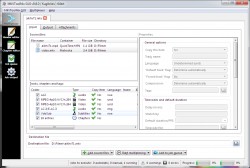
MKVmergeBatcher is a batch mkvmerger. Create/execute custom created models to batch your Mkvmerge work.
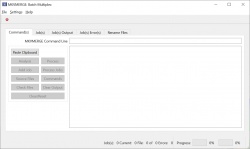
mkvbatchmultiplex is for processing mkvmerge command line and use it as a template to apply the multiplex instructions to all the files found in the directory. The command line is expected to be taken from mkvtoolnix-gui: Multiplexer->Show command line. mkvmerge and mkvtoolnix-gui are part of the MKVToolNix set of tools to work with Matroska media container files. Works with Windows (cmd.exe) or Linux/unix shells (bash, zsh, etc.).
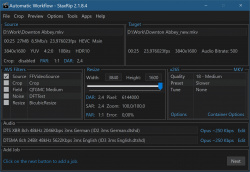
StaxRip is a powerful video/audio encoding GUI for Windows. It executes and controls console apps such as x265, mkvmerge, ffmpeg, etc. and uses scripting based frame servers, AviSynth+ and VapourSynth, for video processing. Each project can also be extended by various events and settings. StaxRip is no One-Click Encoder! Requires .NET.
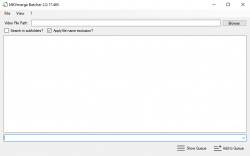
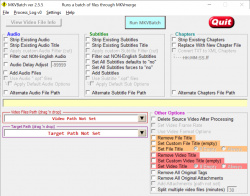
MKVBatch is basically a front-end for the excellent MKVMerge program. MKVBatch will scan the Video Path folder for acceptable video files, then run the command line version of MediaInfo to get the video's information. Using this information, MKVBatch will construct a batch file with the relevant info and your chosen functions and then run it on each of the recognised video files which have been found. Requires MKVToolnix to be installed.
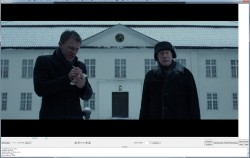
MKV Cutter is a tool to cut h.264 mkv files frame accurate. Cut out mkv video clips exactly without reconverting the entire video. Since it's an ALPHA version it has some major shortcomings.
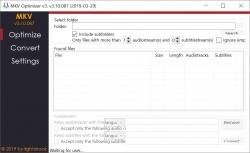
MKV Optimizer removes unnecessary audio tracks from selected MKV files. And that too automatically. Likewise, soundtracks can be recoded. To edit the MKV files MKVToolNix is needed. MKV Optimizer automatically searches for MKVToolNix in the MKV Optimizer folder as well as under the "Program Files" or "Program Files (x86)" folder. If MKVToolNix can not be found, the path can be specified manually. For the recoding of the sound tracks the program ffmpeg is needed. The corresponding executable file is simply copied to the folder of the MKV Optimizer. Requires MKVToolnix!
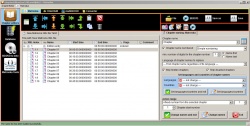
ChapterEditor is a chapter editor and menu editor for OGG, XML, TTXT, m.AVCHD, m.editions-mkv, Matroska Menu. The project has grown and now are 4 diffrent Format Editors available and an editor for muxing multi editions mkvs.
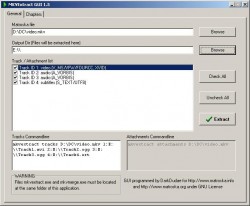
MKVEXtractGUI and MKVE Wizard are demultiplexer GUIs that allow you to demux mkv streams, split video, audio and subtitle to separate files, from an MKV file. GUI for mkvtoolnix (mkvextract/ mkvmerge). Requires mkvtoolnix in same folder as mkvextractgui.exe/mkvewizard.exe.If it fails use instead MKVExtractGUI-2.
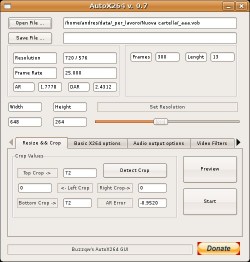
AutoX264 is a cross platform application (avaiable for windows and linux) that use mencoder for encoding with x264 codec. It uses/requires mencoder, mplayer, mkvmerge and MP4Box.
Video Updater Tools is: VideoUpdater - A simple tool used to convert EDL files into Chapters and embed the Chapters (EDL) and Subtitles (SRT) files into MP4, M4V or MKV files. SubtitleExtractor - A simple tool used to extract subtitles (including multiple subtitle tracks) from video files (MKV, MP4, M4V etc) into SRT formatted subtitle files. EDL2Chapter - A simple GUI tool used to validate and convert EDL files into XML and TTXT chapter files. SRTValidate - A simple command line tool used to validate and correct (if possible) SRT files. ToMKV - A simple tool used to convert any Video file into a MKV file container.

BatchGuy is a windows desktop application that allows the user to create batch eac3to, mkvmerge, ffmsindex, avisynth and x264 script files for batch encodes and remuxing of Blu-ray discs. Requires Windows 7, 8.1 x64, Microsoft .Net Framework 4.5+, eac3to, vfw4x264, x264, AviSynth 2.5+ and all relevant plugins.
tsDemux/tsdemuxer is a AVCHD/Blu-Ray demuxer. Joins and demuxes HDMV M2TS/MTS (MPEG-2 transport stream) or TS (transport stream) files to Elementary streams. It tries to align tracks and write mkvtoolnix timecode files (tmc), it`s needed for NTSC framerates (29,97 etc.). Demuxer also writes mkvtoolnix chapters file, SRT file and show mkvmerge command example. Command line version and GUI/Frontend.
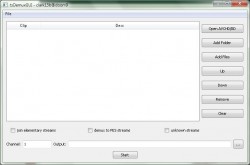
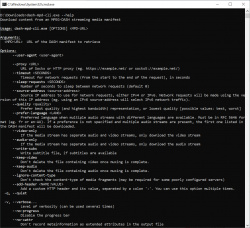
dash-mpd-cli is an open source commandline application for downloading media content from a DASH MPD file, as used for on-demand replay of TV content and video streaming services. Supports Microsoft Windows, MacOS, Linux and Android. Command line software.
Xin1Generator is an application that simplifies generating Matroska files from seamlessly branched Blu-ray and HD DVD titles.

| 15 tool hits, Showing 1 to 15 tools |
Explanation:
NEW SOFTWARE= New tool since your last visit
NEW VERSION= New version since your last visit
NEW REVIEW= New review since your last visit
NEW VERSION= New version
Latest version
Version number / Beta version number / Update version number and when it whas released.
Type and download
NO MORE UPDATES? = The software hasn't been updated in over 2 years.
NO LONGER DEVELOPED = The software hasn't been updated in over 5 years.
RECENTLY UPDATED = The software has been updated the last 31 days.
Freeware = Download Free software.
Freeware Trialware = Download Free software but some parts are trial/shareware.
Free software = Download Free software and also open source code also known as FOSS (Free and Open Source Software).
Free software Trialware = Download Free software and also open source code but some parts are trial/shareware.
Freeware Ads = Download Free software but supported by advertising, usually with a included browser toolbar. It may be disabled when installing or after installation.
Free software Ads = Free Download software and open source code but supported by advertising, usually with a included browser toolbar. It may be disabled when installing or after installation.
Trialware = Also called shareware or demo. Free Trial version available for download and testing with usually a time limit or limited functions.
Payware = No demo or trial available.
Portable version = A portable/standalone version is available. No installation is required.
v1.0.1 = Latest version available.
Download beta = It could be a Beta, RC(Release Candidate) or an Alpha / Nightly / Unstable version of the software.
Download 15MB = A direct link to the software download.
Win = Windows download version for 32-bit and 64-bit Windows.
Win64 = Windows 64-bit download version for 64-bit Windows.
WinARM64 = Windows 64-bit ARM download version for Windows ARM64/AArch64.
Mac = Mac download version for 64-bit Mac OS Intel/ARM64/AArch64.
MacARM64 = Mac Silicon download version for 64-bit Mac OS ARM64/AArch64.
Mac64 = Mac OS download version for 64-bit Intel Mac OS.
Linux = Linux download version.
Linux64 = Linux download version for 64bit Linux.
Linux ARM = Linux download version for Linux ARM64/AArch64.
Portable = Portable version. No installation is required.
Ad-Supported = The software is bundled with advertising. Be careful when you install the software and disable addons that you don't want!
Visit developers site = A link to the software developer site.
Download (mirror link) = A mirror link to the software download. It may not contain the latest versions.
Download old versions = Free downloads of previous versions of the program.
Download 64-bit version = If you have a 64bit operating system you can download this version.
Download portable version = Portable/Standalone version meaning that no installation is required, just extract the files to a folder and run directly.
Portable version available = Download the portable version and you can just extract the files and run the program without installation.
Old versions available = Download old versions of the program.
Version history available = Complete changelog on our site.
 = Windows version available.
 = Mac OS version available.
 = Linux version available.
Our hosted software are virus and malware scanned with several antivirus programs using www.virustotal.com. (NOTE! Just one virustotal warning is 99.9% a false positive. And some software might receive 2-6 warnings but it's if they are not all same virus/trojan then it's 99% false positives.)
Rating
Rating from 0-10.
NEW SOFTWARE= New tool since your last visit
NEW VERSION= New version since your last visit
NEW REVIEW= New review since your last visit
NEW VERSION= New version
Latest version
Version number / Beta version number / Update version number and when it whas released.
Type and download
NO MORE UPDATES? = The software hasn't been updated in over 2 years.
NO LONGER DEVELOPED = The software hasn't been updated in over 5 years.
RECENTLY UPDATED = The software has been updated the last 31 days.
Freeware = Download Free software.
Freeware Trialware = Download Free software but some parts are trial/shareware.
Free software = Download Free software and also open source code also known as FOSS (Free and Open Source Software).
Free software Trialware = Download Free software and also open source code but some parts are trial/shareware.
Freeware Ads = Download Free software but supported by advertising, usually with a included browser toolbar. It may be disabled when installing or after installation.
Free software Ads = Free Download software and open source code but supported by advertising, usually with a included browser toolbar. It may be disabled when installing or after installation.
Trialware = Also called shareware or demo. Free Trial version available for download and testing with usually a time limit or limited functions.
Payware = No demo or trial available.
Portable version = A portable/standalone version is available. No installation is required.
v1.0.1 = Latest version available.
Download beta = It could be a Beta, RC(Release Candidate) or an Alpha / Nightly / Unstable version of the software.
Download 15MB = A direct link to the software download.
Win = Windows download version for 32-bit and 64-bit Windows.
Win64 = Windows 64-bit download version for 64-bit Windows.
WinARM64 = Windows 64-bit ARM download version for Windows ARM64/AArch64.
Mac = Mac download version for 64-bit Mac OS Intel/ARM64/AArch64.
MacARM64 = Mac Silicon download version for 64-bit Mac OS ARM64/AArch64.
Mac64 = Mac OS download version for 64-bit Intel Mac OS.
Linux = Linux download version.
Linux64 = Linux download version for 64bit Linux.
Linux ARM = Linux download version for Linux ARM64/AArch64.
Portable = Portable version. No installation is required.
Ad-Supported = The software is bundled with advertising. Be careful when you install the software and disable addons that you don't want!
Visit developers site = A link to the software developer site.
Download (mirror link) = A mirror link to the software download. It may not contain the latest versions.
Download old versions = Free downloads of previous versions of the program.
Download 64-bit version = If you have a 64bit operating system you can download this version.
Download portable version = Portable/Standalone version meaning that no installation is required, just extract the files to a folder and run directly.
Portable version available = Download the portable version and you can just extract the files and run the program without installation.
Old versions available = Download old versions of the program.
Version history available = Complete changelog on our site.
= Windows version available. = Mac OS version available. = Linux version available.Our hosted software are virus and malware scanned with several antivirus programs using www.virustotal.com. (NOTE! Just one virustotal warning is 99.9% a false positive. And some software might receive 2-6 warnings but it's if they are not all same virus/trojan then it's 99% false positives.)
Rating
Rating from 0-10.
Browse software by sections
All In One Blu-ray Converters (9)
All In One DVD Converters (12)
All In One MKV to MP4, Blu-ray, UHD (11)
All In One Video Converters (19)
Animation (3D, 2D Animation) (12)
Audio Editors (22)
Audio Encoders (80)
Audio Players (19)
Authoring (Blu-ray, UHD, AVCHD) (13)
Authoring (DivX) (4)
Authoring (DVD) (26)
Authoring (SVCD, VCD) (9)
Bitrate Calculators (7)
Blu-ray to AVI, MKV, MP4 (15)
Blu-ray to Blu-ray, AVCHD (10)
Burn (CD,DVD,Blu-ray) (24)
Camcorders, DV, HDV, AVCHD (31)
Capture TV, DVD, VCR (30)
CD, DVD, Blu-ray recovery (3)
Codec Packs (6)
All In One DVD Converters (12)
All In One MKV to MP4, Blu-ray, UHD (11)
All In One Video Converters (19)
Animation (3D, 2D Animation) (12)
Audio Editors (22)
Audio Encoders (80)
Audio Players (19)
Authoring (Blu-ray, UHD, AVCHD) (13)
Authoring (DivX) (4)
Authoring (DVD) (26)
Authoring (SVCD, VCD) (9)
Bitrate Calculators (7)
Blu-ray to AVI, MKV, MP4 (15)
Blu-ray to Blu-ray, AVCHD (10)
Burn (CD,DVD,Blu-ray) (24)
Camcorders, DV, HDV, AVCHD (31)
Capture TV, DVD, VCR (30)
CD, DVD, Blu-ray recovery (3)
Codec Packs (6)
Codec, Video Identifiers (30)
Codecs (67)
Decrypters (DVD Rippers) (16)
Decrypters (UHD, Blu-ray Rippers) (8)
DigitalTV, DVB, IPTV (39)
DVD to DVD (20)
DVD to MP4, MKV, H264, H265 (16)
DVD to VCD, SVCD (5)
DVD to XviD, AVI, DivX (16)
ISO, Image (15)
Linux Video Tools (208)
MacOS Video Tools (244)
Media (Blu-ray, DVD, CD) (9)
Media Center, HTPC (24)
Other Useful Tools (140)
Photo Blu-ray, DVD, SlideShow (8)
Portable (Mobile, PSP) (35)
Region Free Tools (5)
Screen capture , Screen recording (27)
Screenshots , Thumbnails (13)
Codecs (67)
Decrypters (DVD Rippers) (16)
Decrypters (UHD, Blu-ray Rippers) (8)
DigitalTV, DVB, IPTV (39)
DVD to DVD (20)
DVD to MP4, MKV, H264, H265 (16)
DVD to VCD, SVCD (5)
DVD to XviD, AVI, DivX (16)
ISO, Image (15)
Linux Video Tools (208)
MacOS Video Tools (244)
Media (Blu-ray, DVD, CD) (9)
Media Center, HTPC (24)
Other Useful Tools (140)
Photo Blu-ray, DVD, SlideShow (8)
Portable (Mobile, PSP) (35)
Region Free Tools (5)
Screen capture , Screen recording (27)
Screenshots , Thumbnails (13)
Subtitle Editors, Converters (72)
Tag Editors (4)
Video De, Multiplexers (66)
Video Editors (Advanced, NLE) (35)
Video Editors (Basic) (56)
Video Editors (H264, MP4, MKV, MTS) (19)
Video Editors (Lossless) (4)
Video Editors (MPG, DVD) (16)
Video Editors (WMV, AVI) (15)
Video Encoders (AV1, VP8, VP9) (2)
Video Encoders (AVI, WMV) (38)
Video Encoders (H264, H265, MP4, MKV) (45)
Video Encoders (MPG, DVD) (23)
Video Encoders , Converters (155)
Video Frameservers (9)
Video Players (49)
Video Repair, Fix (24)
Video Scripting (10)
Video Streaming (21)
Video Streaming Downloaders (101)
Tag Editors (4)
Video De, Multiplexers (66)
Video Editors (Advanced, NLE) (35)
Video Editors (Basic) (56)
Video Editors (H264, MP4, MKV, MTS) (19)
Video Editors (Lossless) (4)
Video Editors (MPG, DVD) (16)
Video Editors (WMV, AVI) (15)
Video Encoders (AV1, VP8, VP9) (2)
Video Encoders (AVI, WMV) (38)
Video Encoders (H264, H265, MP4, MKV) (45)
Video Encoders (MPG, DVD) (23)
Video Encoders , Converters (155)
Video Frameservers (9)
Video Players (49)
Video Repair, Fix (24)
Video Scripting (10)
Video Streaming (21)
Video Streaming Downloaders (101)