
Help us keep the list up to date and submit new video software here.
Tool
Description
Type
Rating
Reviews
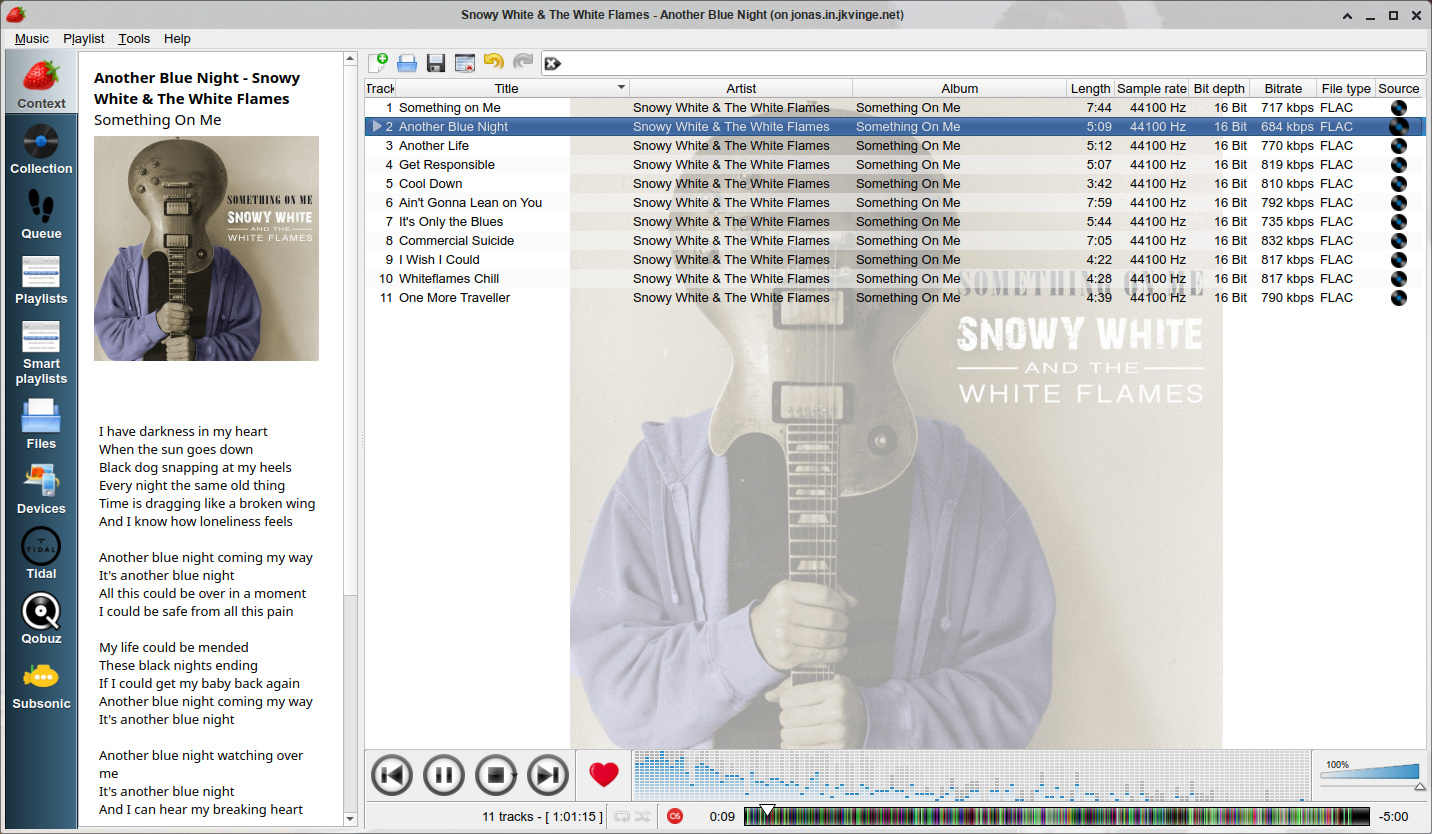
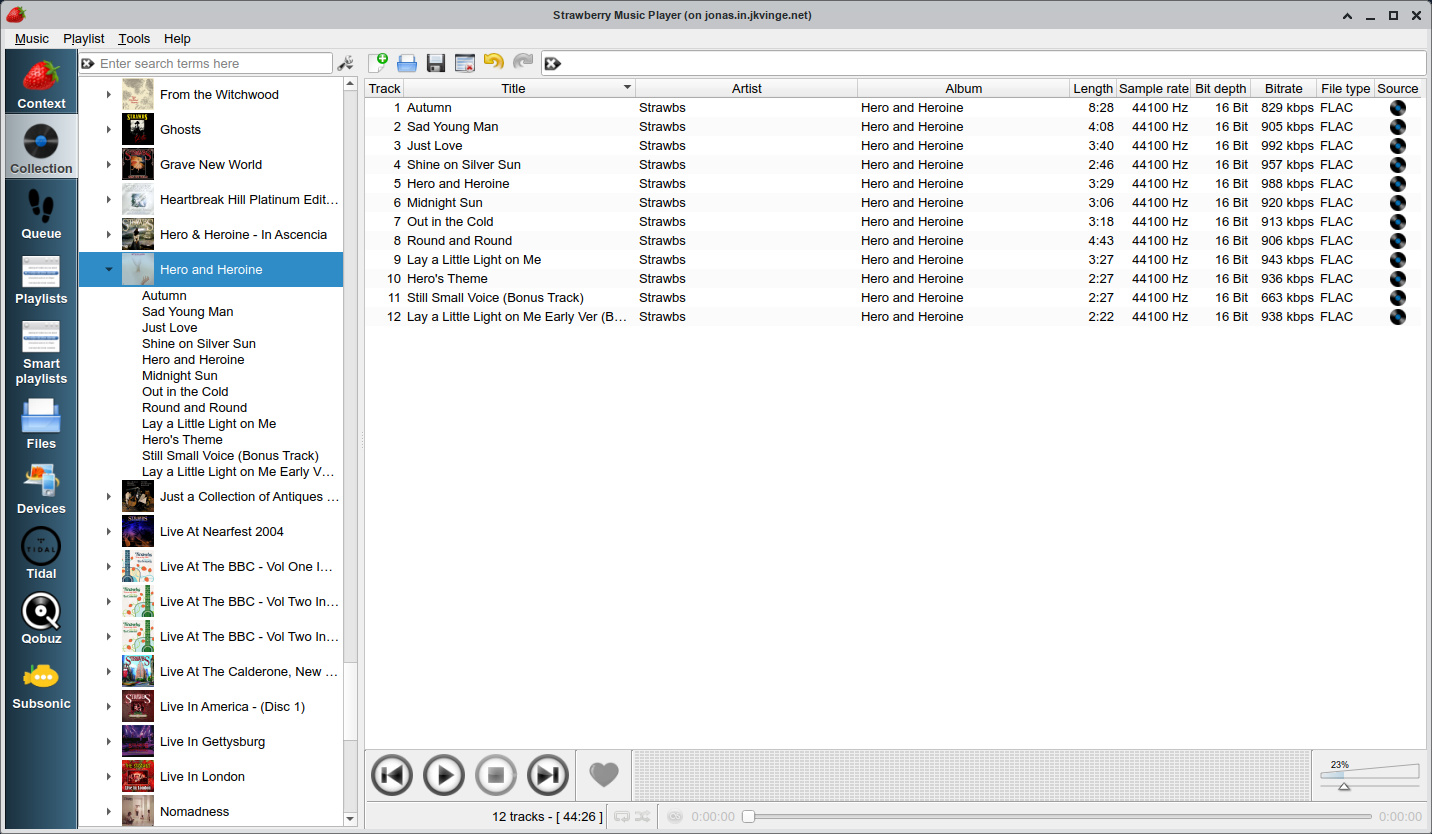
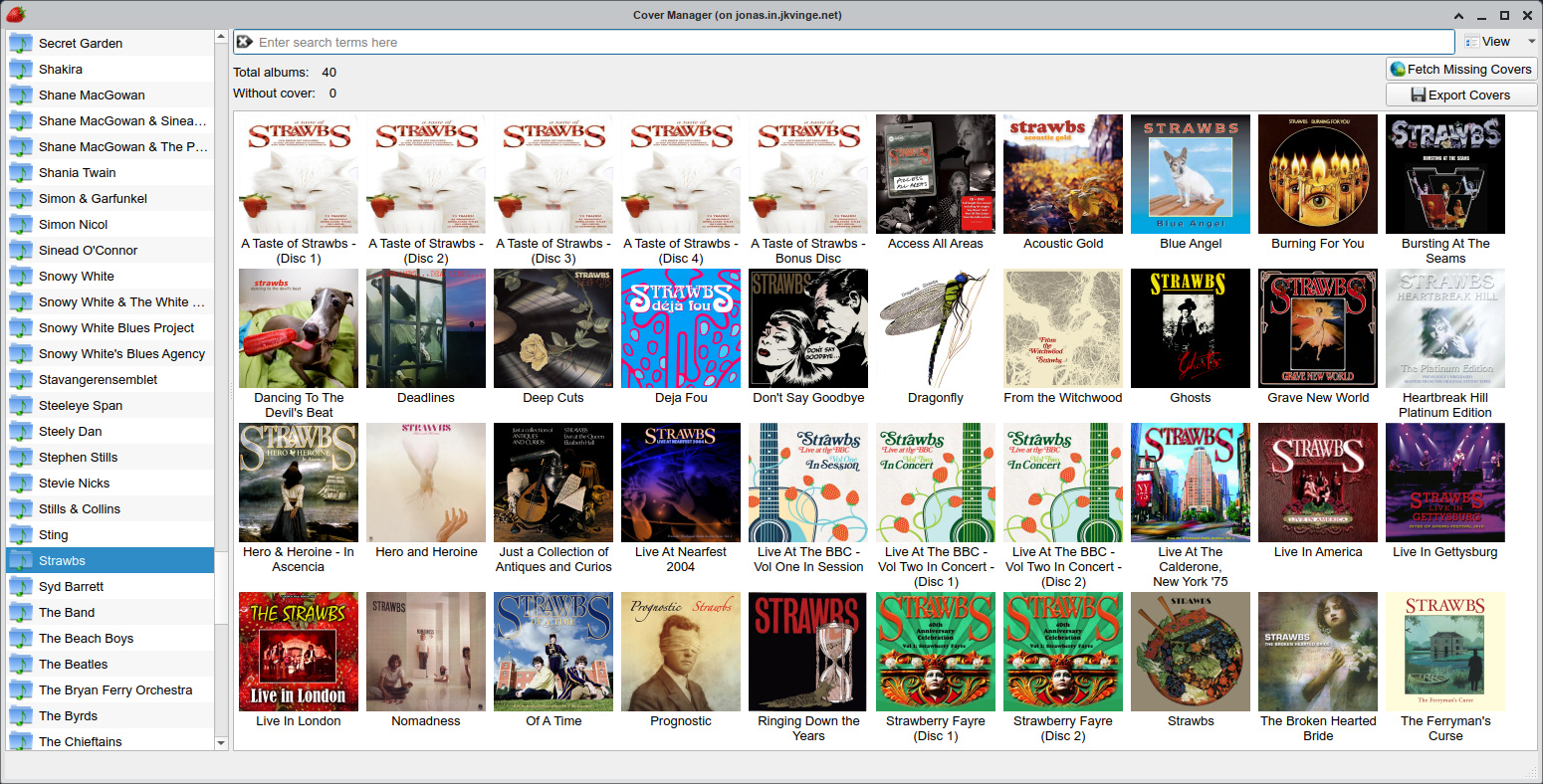
Strawberry is a music player and music collection organizer for Linux, macOS and Windows. It is aimed at music collectors and audiophiles. With Strawberry you can play and manage your digital music collection, or stream your favorite radios. Windows and MacOS latest versions requires Patreon donations.
Free software/Donateware
OS:
File size: 40MB
Old versions
Version history
OS:
File size: 40MB
Old versions
Version history
Screenshots
Latest version
Download
Download Strawberry 1.0.23 Windows 64-bit 47MB Win64
Download Strawberry 1.0.18 Mac Intel 64-bit 73MB
Download Strawberry 1.1.1 Linux
Download Beta and other versions
Download Strawberry 1.2.31 Patreon Mac
Download old versions

Software License
Supported operating systems
Version history / Release notes / Changelog / What's New
Strawberry 1.2.31
Bugfixes:
Fixed shuffle skipping tracks and repeating tracks already played, when adding tracks, removing the current track, choosing a track, turning on shuffle while playing or repeating the playlist
Fixed going back to the previous track changing the shuffle order
Fixed album and grouping shuffle skipping albums or groupings when choosing a track
Fixed inside album shuffle and album repeat not finding the next track on the same album after removing the current track
Fixed track repeat playing the wrong track after removing the current track
Fixed moving several tracks that are not next to each other to another playlist removing the wrong tracks from the source playlist
Fixed undo right after startup removing the restored playlist
Fixed undo after repopulating a dynamic playlist acting on the wrong tracks
Fixed "play now" playing the wrong track when inserting tracks into an automatically sorted playlist
Fixed tracks copied to another playlist, or added to the same playlist again, being shared between the playlists, which broke updating and saving the remaining tracks when one of them was removed
Fixed OpenTidal cover provider search (API changed)
Fixed songlyrics.com and letras.mus.br lyrics being blocked
(Windows) Fixed unstable ASIO playback
(Windows|MinGW-W64) Fixed ASIO device listing
Enhancements:
Volume mute is now a separate state instead of setting the volume to zero, and is shown in the volume slider and on-screen display
Use uchardet to detect the text encoding of CUE sheets and M3U and PLS playlists (#2336)
Use existing src/apicredentials.h when building from source
Improved detecting a dark palette and calculating the playlist alternating row color
Added Ctrl+B shortcut for showing the sidebar
Added a "Scan tracks" repeat mode which only plays a part of each track
Added a credentials manager which stores the Subsonic password in the system keyring (libsecret, KWallet, GNOME Keyring, macOS Keychain or Windows Credential Manager)
Added an option to disable notifications when the title of a radio stream changes
Added options to show the album edition and audio quality in Qobuz search results, and the audio quality in Tidal search results
Added Plex support
Added Jellyfin support
Added a bitrate setting for Spotify (96, 160 or 320 kbit/s)
Show a warning in the Spotify settings when the GStreamer Spotify plugin is too old to play tracks (older than 0.14.4), and explain the possible causes when a Spotify track can't be played
(macOS) Fixed alternating row colors being painted in the empty area below the playlist
(Windows) Disabled fading when ASIO output is selected
View full changelog
All features
Play and organize music
Supports WAV, FLAC, WavPack, Ogg Vorbis, Speex, MPC, TrueAudio, AIFF, MP4, MP3, ASF and Monkey's Audio
Audio CD playback [*]
Native desktop notifications
Playlist management and playlists in multiple formats
Smart and dynamic playlists
Advanced audio output and device configuration for bit-perfect playback on Linux
Edit tags on audio files
Automatically retrieve tags from MusicBrainz
Album cover art from Last.fm, Musicbrainz, Discogs, Musixmatch, Deezer, Tidal and Spotify
Song lyrics from AudD AudD, Genius, Musixmatch, ChartLyrics, lyrics.ovh and lololyrics.com
Audio analyzer
Audio equalizer
Transfer music to mass-storage USB players, MTP compatible devices and iPod Nano/Classic [*]
Scrobbler with support for Last.fm, Libre.fm and ListenBrainz
Streaming support for Subsonic-compatible servers
* Audio CD and device support is not available on Windows.
Sections/Browse similar tools
Guides and How to's
Acronyms / Also Known As
Notify me when software updated or report software
| 1 reviews, Showing 1 to 1 reviews |
Rating by loster on
Sep 14, 2025 Version: 1.0
OS: Windows 11 64-bit Ease of use: 6/10
Functionality: 6/10
Value for money: 1/10
Overall: 6/10
| 1 reviews, Showing 1 to 1 reviews |
| 1 tool hits, Showing 1 to 1 tools |
Explanation:
NEW SOFTWARE= New tool since your last visit
NEW VERSION= New version since your last visit
NEW REVIEW= New review since your last visit
NEW VERSION= New version
Latest version
Version number / Beta version number / Update version number and when it whas released.
Type and download
NO MORE UPDATES? = The software hasn't been updated in over 2 years.
NO LONGER DEVELOPED = The software hasn't been updated in over 5 years.
RECENTLY UPDATED = The software has been updated the last 31 days.
Freeware = Download Free software.
Freeware Trialware = Download Free software but some parts are trial/shareware.
Free software = Download Free software and also open source code also known as FOSS (Free and Open Source Software).
Free software Trialware = Download Free software and also open source code but some parts are trial/shareware.
Freeware Ads = Download Free software but supported by advertising, usually with a included browser toolbar. It may be disabled when installing or after installation.
Free software Ads = Free Download software and open source code but supported by advertising, usually with a included browser toolbar. It may be disabled when installing or after installation.
Trialware = Also called shareware or demo. Free Trial version available for download and testing with usually a time limit or limited functions.
Payware = No demo or trial available.
Portable version = A portable/standalone version is available. No installation is required.
v1.0.1 = Latest version available.
Download beta = It could be a Beta, RC(Release Candidate) or an Alpha / Nightly / Unstable version of the software.
Download 15MB = A direct link to the software download.
Win = Windows download version for 32-bit and 64-bit Windows.
Win64 = Windows 64-bit download version for 64-bit Windows.
WinARM64 = Windows 64-bit ARM download version for Windows ARM64/AArch64.
Mac = Mac download version for 64-bit Mac OS Intel/ARM64/AArch64.
MacARM64 = Mac Silicon download version for 64-bit Mac OS ARM64/AArch64.
Mac64 = Mac OS download version for 64-bit Intel Mac OS.
Linux = Linux download version.
Linux64 = Linux download version for 64bit Linux.
Linux ARM = Linux download version for Linux ARM64/AArch64.
Portable = Portable version. No installation is required.
Ad-Supported = The software is bundled with advertising. Be careful when you install the software and disable addons that you don't want!
Visit developers site = A link to the software developer site.
Download (mirror link) = A mirror link to the software download. It may not contain the latest versions.
Download old versions = Free downloads of previous versions of the program.
Download 64-bit version = If you have a 64bit operating system you can download this version.
Download portable version = Portable/Standalone version meaning that no installation is required, just extract the files to a folder and run directly.
Portable version available = Download the portable version and you can just extract the files and run the program without installation.
Old versions available = Download old versions of the program.
Version history available = Complete changelog on our site.
= Windows version available.
 = Mac OS version available.
 = Linux version available.
Our hosted software are virus and malware scanned with several antivirus programs using www.virustotal.com. (NOTE! Just one virustotal warning is 99.9% a false positive. And some software might receive 2-6 warnings but it's if they are not all same virus/trojan then it's 99% false positives.)
Rating
Rating from 0-10.
NEW SOFTWARE= New tool since your last visit
NEW VERSION= New version since your last visit
NEW REVIEW= New review since your last visit
NEW VERSION= New version
Latest version
Version number / Beta version number / Update version number and when it whas released.
Type and download
NO MORE UPDATES? = The software hasn't been updated in over 2 years.
NO LONGER DEVELOPED = The software hasn't been updated in over 5 years.
RECENTLY UPDATED = The software has been updated the last 31 days.
Freeware = Download Free software.
Freeware Trialware = Download Free software but some parts are trial/shareware.
Free software = Download Free software and also open source code also known as FOSS (Free and Open Source Software).
Free software Trialware = Download Free software and also open source code but some parts are trial/shareware.
Freeware Ads = Download Free software but supported by advertising, usually with a included browser toolbar. It may be disabled when installing or after installation.
Free software Ads = Free Download software and open source code but supported by advertising, usually with a included browser toolbar. It may be disabled when installing or after installation.
Trialware = Also called shareware or demo. Free Trial version available for download and testing with usually a time limit or limited functions.
Payware = No demo or trial available.
Portable version = A portable/standalone version is available. No installation is required.
v1.0.1 = Latest version available.
Download beta = It could be a Beta, RC(Release Candidate) or an Alpha / Nightly / Unstable version of the software.
Download 15MB = A direct link to the software download.
Win = Windows download version for 32-bit and 64-bit Windows.
Win64 = Windows 64-bit download version for 64-bit Windows.
WinARM64 = Windows 64-bit ARM download version for Windows ARM64/AArch64.
Mac = Mac download version for 64-bit Mac OS Intel/ARM64/AArch64.
MacARM64 = Mac Silicon download version for 64-bit Mac OS ARM64/AArch64.
Mac64 = Mac OS download version for 64-bit Intel Mac OS.
Linux = Linux download version.
Linux64 = Linux download version for 64bit Linux.
Linux ARM = Linux download version for Linux ARM64/AArch64.
Portable = Portable version. No installation is required.
Ad-Supported = The software is bundled with advertising. Be careful when you install the software and disable addons that you don't want!
Visit developers site = A link to the software developer site.
Download (mirror link) = A mirror link to the software download. It may not contain the latest versions.
Download old versions = Free downloads of previous versions of the program.
Download 64-bit version = If you have a 64bit operating system you can download this version.
Download portable version = Portable/Standalone version meaning that no installation is required, just extract the files to a folder and run directly.
Portable version available = Download the portable version and you can just extract the files and run the program without installation.
Old versions available = Download old versions of the program.
Version history available = Complete changelog on our site.
= Windows version available. = Mac OS version available. = Linux version available.Our hosted software are virus and malware scanned with several antivirus programs using www.virustotal.com. (NOTE! Just one virustotal warning is 99.9% a false positive. And some software might receive 2-6 warnings but it's if they are not all same virus/trojan then it's 99% false positives.)
Rating
Rating from 0-10.
Browse software by sections
All In One Blu-ray Converters (9)
All In One DVD Converters (12)
All In One MKV to MP4, Blu-ray, UHD (11)
All In One Video Converters (19)
Animation (3D, 2D Animation) (13)
Audio Editors (23)
Audio Encoders (80)
Audio Players (19)
Authoring (Blu-ray, UHD, AVCHD) (13)
Authoring (DivX) (4)
Authoring (DVD) (26)
Authoring (SVCD, VCD) (9)
Bitrate Calculators (7)
Blu-ray to AVI, MKV, MP4 (15)
Blu-ray to Blu-ray, AVCHD (10)
Burn (CD,DVD,Blu-ray) (24)
Camcorders, DV, HDV, AVCHD (31)
Capture TV, DVD, VCR (30)
CD, DVD, Blu-ray recovery (3)
Codec Packs (6)
Codec, Video Identifiers (31)
Codecs , Renderers (68)
Decrypters (DVD Rippers) (16)
Decrypters (UHD, Blu-ray Rippers) (8)
DigitalTV, DVB, IPTV (40)
DVD to DVD (20)
DVD to MP4, MKV, H264, H265 (16)
DVD to VCD, SVCD (5)
DVD to XviD, AVI, DivX (16)
ISO, Image (14)
Linux Video Tools (219)
MacOS Video Tools (253)
Media (Blu-ray, DVD, CD) (9)
Media Center, HTPC (26)
Other Useful Tools (136)
Photo Blu-ray, DVD, SlideShow (8)
Portable (Mobile, PSP) (35)
Region Free Tools (5)
Screen capture , Screen recording (25)
Screenshots , Thumbnails (13)
Subtitle Editors, Converters (71)
Tag Editors (4)
Video Compare Software (6)
Video Demultiplexers, Multiplexers (66)
Video Editors (Advanced, NLE) (37)
Video Editors (Basic) (58)
Video Editors (H264, MP4, MKV, MTS) (21)
Video Editors (Lossless) (7)
Video Editors (MPG, DVD) (16)
Video Editors (WMV, AVI) (15)
Video Encoders (AV1, VP8, VP9) (2)
Video Encoders (AVI, WMV) (38)
Video Encoders (H264, H265, MP4, MKV) (45)
Video Encoders (MPG, DVD) (23)
Video Encoders , Converters (155)
Video Frameservers (9)
Video Players (49)
Video Repair, Fix (24)
Video Scripting (10)
Video Streaming (20)