
Help us keep the list up to date and submit new video software here.
Tool
Description
Type
Rating
Reviews
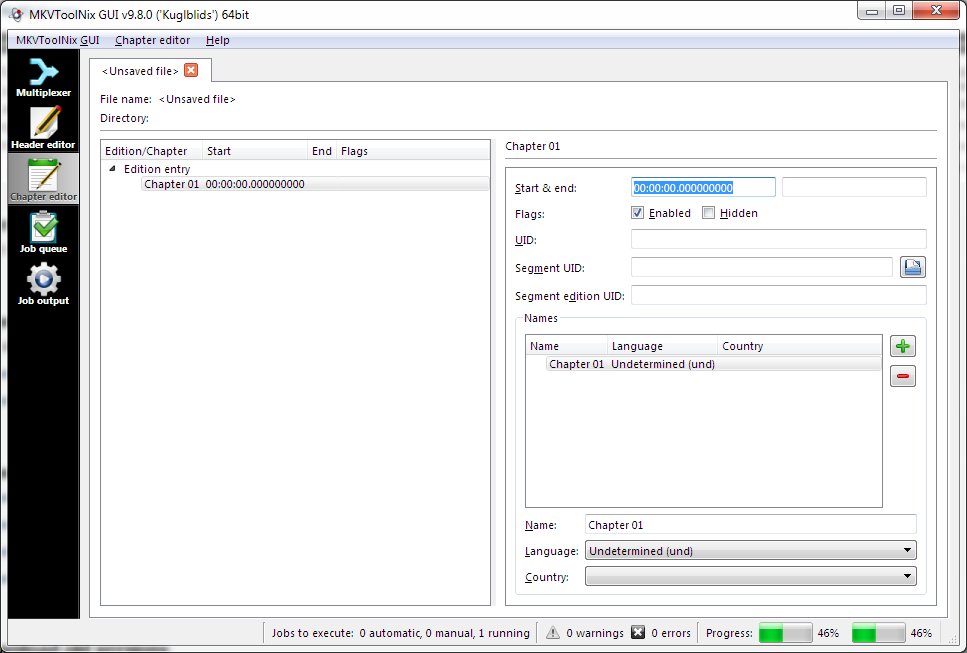
MKVToolNix is a set of tools to create, alter, split, join and inspect Matroska files(mkv). With these tools one can get information about (mkvinfo) Matroska files, extract tracks/data from (mkvextract) Matroska files and create (mkvmerge) Matroska files from other media files. Matroska is a multimedia file format aiming to become THE new container format for the future. Use MKVCleaver or gMKVExtractGUI to extract/demultiplex mkv video and audio files.
Free software
OS:


File size: 35MB
Portable version
Other versions
Old versions
Version history
Alternative software
OS:
File size: 35MB
Portable version
Other versions
Old versions
Version history
Alternative software
Screenshots
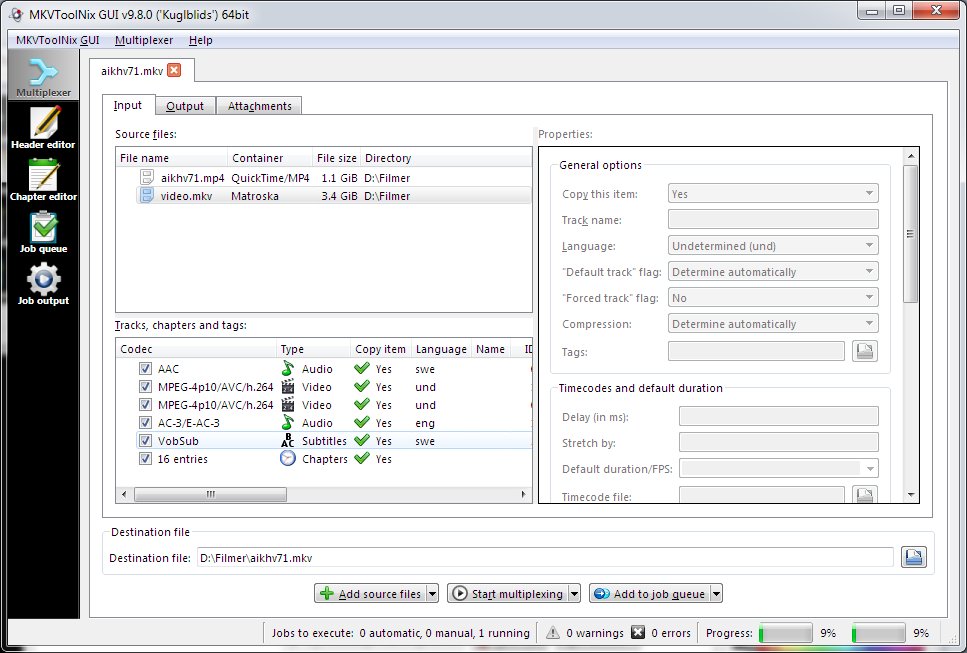
Latest version
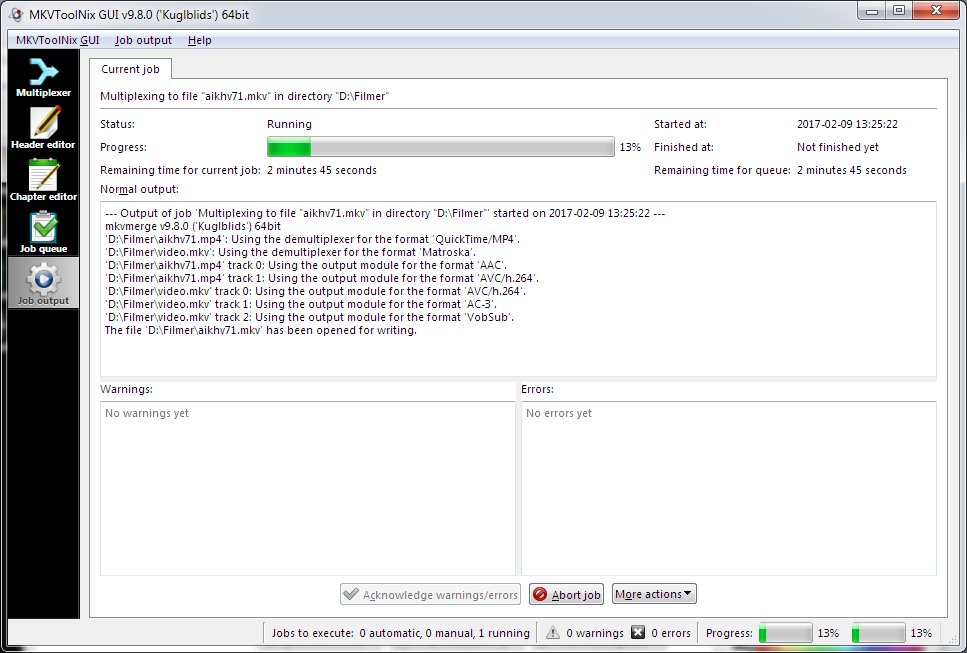
Download
Download MKVToolNix 103.0 Windows 64-bit 35MB Win64
Download MKVToolNix 103.0 Windows 35MB Win
Download MKVToolNix 102.0 Mac 64-bit 47MB Mac64
Download MKVToolNix 103.0 Linux 64-bit 60MB Linux64
AppImage Download Portable and other versions
Portable 
Download MKVToolNix 103.0 Portable Windows 30MB Win
Portable Download MKVToolNix for Windows 7,8 and old Windows 10 versions Win7 Win8 Win10 Portable
Download old versions

Software License
Supported operating systems
Mac OS Linux More information and other downloads
Download mkclean 0.9.0 Win64, it is a command line tool to clean and optimize Matroska files.
Download mkvalidator 0.6.0 Win64, it is a command line tool to verify Matroska and WebM files.
Download mkvalidator GUI Win64, it is a frontend for mkvalidator. Requires .NET 4.8.
Use MKVCleaver or gMKVExtractGUI to extract/demultiplex mkv video and audio files.
Download jMkvpropedit here, a GUI for mkvpropedit. Set default audio, video tracks.
Download mkvalidator 0.6.0 Win64, it is a command line tool to verify Matroska and WebM files.
Download mkvalidator GUI Win64, it is a frontend for mkvalidator. Requires .NET 4.8.
Use MKVCleaver or gMKVExtractGUI to extract/demultiplex mkv video and audio files.
Download jMkvpropedit here, a GUI for mkvpropedit. Set default audio, video tracks.
Version history / Release notes / Changelog / What's New
# Version 103.0 "The Darkness" 2026-10-18
## New features and enhancements
* mkvmerge: AVC/H.264: the stereo mode is now set from the frame packing arrangement SEI message in the video stream if neither the command line nor the container specifies one. This works for MP4, Matroska, AVC elementary stream and MPEG transport stream input and is already known during file identification. Implements the AVC part of #6309.
* mkvmerge: HEVC/H.265: the stereo mode is now set from the frame packing arrangement SEI message in the video stream if neither the command line nor the container specifies one. This works for MP4, Matroska, HEVC elementary stream and MPEG transport stream input and is already known during file identification. Implements the HEVC part of #6309.
* MKVToolNix GUI: multiplexer: added new actions to the tracks context menu for enabling/disabling all items belonging to the same source file as the selected item. Implements #6318.
## Bug fixes
* mkvmerge: MP4 reader: fixed losing video frames at the end of the file due to flushing the packetizers too early (when the first track ends instead of only when all tracks in the file have ended). Another byproduct is that `BlockDuration` attributes aren't set for the last frame when they aren't needed anymore. Fixes #6320.
* MKVToolNix GUI: multiplexer: when identification fails due to an unrecognized or unsupported format, clicking the "Cancel" button in the error dialog shown no longer locks up the GUI in the state of "identification is still running", which disabled most elements. Fixes #6298.
* MKVToolNix GUI: chapter editor: when adding chapters mandatory elements set to their default values are removed in the underlying data structures. This restores consistency to how the chapter editor worked when copying values from the UI into them for the selected chapter. The result is that those elements won't show up in saved XML/Matroska files even if they have never been selected in the UI. Fixes #6294.
* macOS: GUI: fixed check boxes in lists such as the multiplexer's track list being invisible on macOS 27 by patching the Qt bundled with the app. Patch by corticalcode, based on the fix J.D. Purcell proposed in QTBUG-150017. Fixes #6307.
## New features and enhancements
* mkvmerge: AVC/H.264: the stereo mode is now set from the frame packing arrangement SEI message in the video stream if neither the command line nor the container specifies one. This works for MP4, Matroska, AVC elementary stream and MPEG transport stream input and is already known during file identification. Implements the AVC part of #6309.
* mkvmerge: HEVC/H.265: the stereo mode is now set from the frame packing arrangement SEI message in the video stream if neither the command line nor the container specifies one. This works for MP4, Matroska, HEVC elementary stream and MPEG transport stream input and is already known during file identification. Implements the HEVC part of #6309.
* MKVToolNix GUI: multiplexer: added new actions to the tracks context menu for enabling/disabling all items belonging to the same source file as the selected item. Implements #6318.
## Bug fixes
* mkvmerge: MP4 reader: fixed losing video frames at the end of the file due to flushing the packetizers too early (when the first track ends instead of only when all tracks in the file have ended). Another byproduct is that `BlockDuration` attributes aren't set for the last frame when they aren't needed anymore. Fixes #6320.
* MKVToolNix GUI: multiplexer: when identification fails due to an unrecognized or unsupported format, clicking the "Cancel" button in the error dialog shown no longer locks up the GUI in the state of "identification is still running", which disabled most elements. Fixes #6298.
* MKVToolNix GUI: chapter editor: when adding chapters mandatory elements set to their default values are removed in the underlying data structures. This restores consistency to how the chapter editor worked when copying values from the UI into them for the selected chapter. The result is that those elements won't show up in saved XML/Matroska files even if they have never been selected in the UI. Fixes #6294.
* macOS: GUI: fixed check boxes in lists such as the multiplexer's track list being invisible on macOS 27 by patching the Qt bundled with the app. Patch by corticalcode, based on the fix J.D. Purcell proposed in QTBUG-150017. Fixes #6307.
View full changelog
Sections/Browse similar tools
Alternative to MKVToolNix
(Latest version updated)MetaFox (Oct 11, 2026)
MKVcleaver (Nov 21, 2025)
MKVExtractGUI and MKVE Wizard (Nov 17, 2006)
OGMcleaver (Aug 8, 2007)
Guides and How to's
How to cut/split/extract parts from a mkv including all audio and subtitle tracks
- ReadHow to rip a Blu-ray disc and remux it to MKV
- ReadMKVToolNix video tutorials
View all guides with guide description here
Acronyms / Also Known As
Download MKVToolNix Portable download from the Download links under Download and Download other versions!
Notify me when software updated or report software
| 201 reviews, Showing 1 to 5 reviews |
Rating by Sunflow on
Oct 18, 2026 Version: 103.0
OS: Windows 10 64-bit Ease of use: 9/10
Functionality: 10/10
Value for money: 10/10
Overall: 10/10
Rating by tso on
Apr 20, 2025 Version: 82
OS: Windows 10 64-bit Ease of use: 9/10
Functionality: 9/10
Value for money: 10/10
Overall: 10/10
@ Tagoria: How old are you?
Yoù're provided with this highly functional, top notch software for FREE!
Not that it'd occur to you to leave a "thank you",
you rate it 1/10, even on "value for money".
There's someone working for your benefit, for free,
you might wanna show some gratitude.
And if you got a prob with that app, it works like a charm
for the vast majority of users, so in your case...
.....PEBCAK
Yoù're provided with this highly functional, top notch software for FREE!
Not that it'd occur to you to leave a "thank you",
you rate it 1/10, even on "value for money".
There's someone working for your benefit, for free,
you might wanna show some gratitude.
And if you got a prob with that app, it works like a charm
for the vast majority of users, so in your case...
.....PEBCAK
Review by tuco76 on
Jan 10, 2025 Version: MKVToolNix 89.0
OS: Windows 10 64-bit Ease of use: 10/10
Functionality: 10/10
Value for money: 10/10
Overall: 10/10
When are you people going to learn to check against VirusTotal when you get a positive virus report from any antivirus?
https://www.virustotal.com/gui/file/959a56dea9135933113483b1a269841cc7958cff2de25fd97d08f15a36a80cb8
Sixty-six other A/V say there is nothing wrong with MKVToolNix 82.
https://www.virustotal.com/gui/file/959a56dea9135933113483b1a269841cc7958cff2de25fd97d08f15a36a80cb8
Sixty-six other A/V say there is nothing wrong with MKVToolNix 82.
Review by Gripweed on
Jan 3, 2024 Version: 82.0
OS: Windows 10 64-bit Ease of use: 10/10
Functionality: 10/10
Value for money: 10/10
Overall: 10/10
Bummer! Avast! A/V identified it as containing "FileRepMalware".
Review by mail2tom on
Jan 3, 2024 Version: 82.0 X64
OS: Windows 10 64-bit Ease of use: 8/10
Functionality: 10/10
Value for money: 10/10
Overall: 9/10
| 201 reviews, Showing 1 to 5 reviews |
| 1 tool hits, Showing 1 to 1 tools |
Explanation:
NEW SOFTWARE= New tool since your last visit
NEW VERSION= New version since your last visit
NEW REVIEW= New review since your last visit
NEW VERSION= New version
Latest version
Version number / Beta version number / Update version number and when it whas released.
Type and download
NO MORE UPDATES? = The software hasn't been updated in over 2 years.
NO LONGER DEVELOPED = The software hasn't been updated in over 5 years.
RECENTLY UPDATED = The software has been updated the last 31 days.
Freeware = Download Free software.
Freeware Trialware = Download Free software but some parts are trial/shareware.
Free software = Download Free software and also open source code also known as FOSS (Free and Open Source Software).
Free software Trialware = Download Free software and also open source code but some parts are trial/shareware.
Freeware Ads = Download Free software but supported by advertising, usually with a included browser toolbar. It may be disabled when installing or after installation.
Free software Ads = Free Download software and open source code but supported by advertising, usually with a included browser toolbar. It may be disabled when installing or after installation.
Trialware = Also called shareware or demo. Free Trial version available for download and testing with usually a time limit or limited functions.
Payware = No demo or trial available.
Portable version = A portable/standalone version is available. No installation is required.
v1.0.1 = Latest version available.
Download beta = It could be a Beta, RC(Release Candidate) or an Alpha / Nightly / Unstable version of the software.
Download 15MB = A direct link to the software download.
Win = Windows download version for 32-bit and 64-bit Windows.
Win64 = Windows 64-bit download version for 64-bit Windows.
WinARM64 = Windows 64-bit ARM download version for Windows ARM64/AArch64.
Mac = Mac download version for 64-bit Mac OS Intel/ARM64/AArch64.
MacARM64 = Mac Silicon download version for 64-bit Mac OS ARM64/AArch64.
Mac64 = Mac OS download version for 64-bit Intel Mac OS.
Linux = Linux download version.
Linux64 = Linux download version for 64bit Linux.
Linux ARM = Linux download version for Linux ARM64/AArch64.
Portable = Portable version. No installation is required.
Ad-Supported = The software is bundled with advertising. Be careful when you install the software and disable addons that you don't want!
Visit developers site = A link to the software developer site.
Download (mirror link) = A mirror link to the software download. It may not contain the latest versions.
Download old versions = Free downloads of previous versions of the program.
Download 64-bit version = If you have a 64bit operating system you can download this version.
Download portable version = Portable/Standalone version meaning that no installation is required, just extract the files to a folder and run directly.
Portable version available = Download the portable version and you can just extract the files and run the program without installation.
Old versions available = Download old versions of the program.
Version history available = Complete changelog on our site.
= Windows version available.
= Mac OS version available.
= Linux version available.
Our hosted software are virus and malware scanned with several antivirus programs using www.virustotal.com. (NOTE! Just one virustotal warning is 99.9% a false positive. And some software might receive 2-6 warnings but it's if they are not all same virus/trojan then it's 99% false positives.)
Rating
Rating from 0-10.
NEW SOFTWARE= New tool since your last visit
NEW VERSION= New version since your last visit
NEW REVIEW= New review since your last visit
NEW VERSION= New version
Latest version
Version number / Beta version number / Update version number and when it whas released.
Type and download
NO MORE UPDATES? = The software hasn't been updated in over 2 years.
NO LONGER DEVELOPED = The software hasn't been updated in over 5 years.
RECENTLY UPDATED = The software has been updated the last 31 days.
Freeware = Download Free software.
Freeware Trialware = Download Free software but some parts are trial/shareware.
Free software = Download Free software and also open source code also known as FOSS (Free and Open Source Software).
Free software Trialware = Download Free software and also open source code but some parts are trial/shareware.
Freeware Ads = Download Free software but supported by advertising, usually with a included browser toolbar. It may be disabled when installing or after installation.
Free software Ads = Free Download software and open source code but supported by advertising, usually with a included browser toolbar. It may be disabled when installing or after installation.
Trialware = Also called shareware or demo. Free Trial version available for download and testing with usually a time limit or limited functions.
Payware = No demo or trial available.
Portable version = A portable/standalone version is available. No installation is required.
v1.0.1 = Latest version available.
Download beta = It could be a Beta, RC(Release Candidate) or an Alpha / Nightly / Unstable version of the software.
Download 15MB = A direct link to the software download.
Win = Windows download version for 32-bit and 64-bit Windows.
Win64 = Windows 64-bit download version for 64-bit Windows.
WinARM64 = Windows 64-bit ARM download version for Windows ARM64/AArch64.
Mac = Mac download version for 64-bit Mac OS Intel/ARM64/AArch64.
MacARM64 = Mac Silicon download version for 64-bit Mac OS ARM64/AArch64.
Mac64 = Mac OS download version for 64-bit Intel Mac OS.
Linux = Linux download version.
Linux64 = Linux download version for 64bit Linux.
Linux ARM = Linux download version for Linux ARM64/AArch64.
Portable = Portable version. No installation is required.
Ad-Supported = The software is bundled with advertising. Be careful when you install the software and disable addons that you don't want!
Visit developers site = A link to the software developer site.
Download (mirror link) = A mirror link to the software download. It may not contain the latest versions.
Download old versions = Free downloads of previous versions of the program.
Download 64-bit version = If you have a 64bit operating system you can download this version.
Download portable version = Portable/Standalone version meaning that no installation is required, just extract the files to a folder and run directly.
Portable version available = Download the portable version and you can just extract the files and run the program without installation.
Old versions available = Download old versions of the program.
Version history available = Complete changelog on our site.
= Windows version available. = Mac OS version available. = Linux version available.Our hosted software are virus and malware scanned with several antivirus programs using www.virustotal.com. (NOTE! Just one virustotal warning is 99.9% a false positive. And some software might receive 2-6 warnings but it's if they are not all same virus/trojan then it's 99% false positives.)
Rating
Rating from 0-10.
Browse software by sections
All In One Blu-ray Converters (9)
All In One DVD Converters (12)
All In One MKV to MP4, Blu-ray, UHD (11)
All In One Video Converters (19)
Animation (3D, 2D Animation) (13)
Audio Editors (23)
Audio Encoders (80)
Audio Players (19)
Authoring (Blu-ray, UHD, AVCHD) (13)
Authoring (DivX) (4)
Authoring (DVD) (26)
Authoring (SVCD, VCD) (9)
Bitrate Calculators (7)
Blu-ray to AVI, MKV, MP4 (15)
Blu-ray to Blu-ray, AVCHD (10)
Burn (CD,DVD,Blu-ray) (24)
Camcorders, DV, HDV, AVCHD (31)
Capture TV, DVD, VCR (30)
CD, DVD, Blu-ray recovery (3)
Codec Packs (6)
All In One DVD Converters (12)
All In One MKV to MP4, Blu-ray, UHD (11)
All In One Video Converters (19)
Animation (3D, 2D Animation) (13)
Audio Editors (23)
Audio Encoders (80)
Audio Players (19)
Authoring (Blu-ray, UHD, AVCHD) (13)
Authoring (DivX) (4)
Authoring (DVD) (26)
Authoring (SVCD, VCD) (9)
Bitrate Calculators (7)
Blu-ray to AVI, MKV, MP4 (15)
Blu-ray to Blu-ray, AVCHD (10)
Burn (CD,DVD,Blu-ray) (24)
Camcorders, DV, HDV, AVCHD (31)
Capture TV, DVD, VCR (30)
CD, DVD, Blu-ray recovery (3)
Codec Packs (6)
Codec, Video Identifiers (31)
Codecs (67)
Decrypters (DVD Rippers) (16)
Decrypters (UHD, Blu-ray Rippers) (8)
DigitalTV, DVB, IPTV (40)
DVD to DVD (20)
DVD to MP4, MKV, H264, H265 (16)
DVD to VCD, SVCD (5)
DVD to XviD, AVI, DivX (16)
ISO, Image (14)
Linux Video Tools (219)
MacOS Video Tools (252)
Media (Blu-ray, DVD, CD) (9)
Media Center, HTPC (25)
Other Useful Tools (136)
Photo Blu-ray, DVD, SlideShow (8)
Portable (Mobile, PSP) (35)
Region Free Tools (5)
Screen capture , Screen recording (25)
Screenshots , Thumbnails (13)
Codecs (67)
Decrypters (DVD Rippers) (16)
Decrypters (UHD, Blu-ray Rippers) (8)
DigitalTV, DVB, IPTV (40)
DVD to DVD (20)
DVD to MP4, MKV, H264, H265 (16)
DVD to VCD, SVCD (5)
DVD to XviD, AVI, DivX (16)
ISO, Image (14)
Linux Video Tools (219)
MacOS Video Tools (252)
Media (Blu-ray, DVD, CD) (9)
Media Center, HTPC (25)
Other Useful Tools (136)
Photo Blu-ray, DVD, SlideShow (8)
Portable (Mobile, PSP) (35)
Region Free Tools (5)
Screen capture , Screen recording (25)
Screenshots , Thumbnails (13)
Subtitle Editors, Converters (72)
Tag Editors (4)
Video Compare Software (6)
Video Demultiplexers, Multiplexers (66)
Video Editors (Advanced, NLE) (37)
Video Editors (Basic) (57)
Video Editors (H264, MP4, MKV, MTS) (19)
Video Editors (Lossless) (5)
Video Editors (MPG, DVD) (16)
Video Editors (WMV, AVI) (15)
Video Encoders (AV1, VP8, VP9) (2)
Video Encoders (AVI, WMV) (38)
Video Encoders (H264, H265, MP4, MKV) (45)
Video Encoders (MPG, DVD) (23)
Video Encoders , Converters (156)
Video Frameservers (9)
Video Players (48)
Video Repair, Fix (24)
Video Scripting (10)
Video Streaming (20)
Tag Editors (4)
Video Compare Software (6)
Video Demultiplexers, Multiplexers (66)
Video Editors (Advanced, NLE) (37)
Video Editors (Basic) (57)
Video Editors (H264, MP4, MKV, MTS) (19)
Video Editors (Lossless) (5)
Video Editors (MPG, DVD) (16)
Video Editors (WMV, AVI) (15)
Video Encoders (AV1, VP8, VP9) (2)
Video Encoders (AVI, WMV) (38)
Video Encoders (H264, H265, MP4, MKV) (45)
Video Encoders (MPG, DVD) (23)
Video Encoders , Converters (156)
Video Frameservers (9)
Video Players (48)
Video Repair, Fix (24)
Video Scripting (10)
Video Streaming (20)