
Help us keep the list up to date and submit new video software here.
Tool
Description
Type
Rating
Reviews
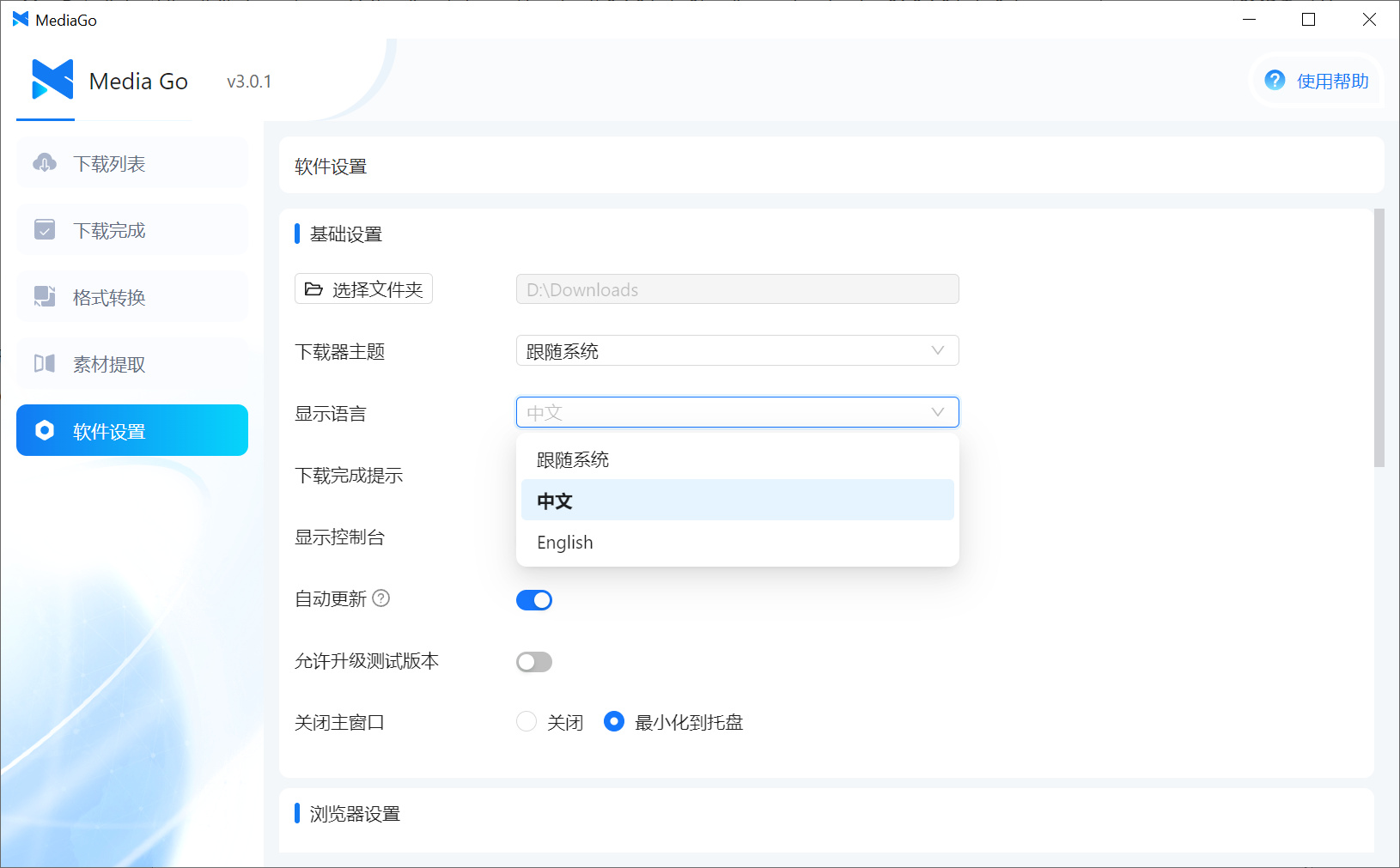
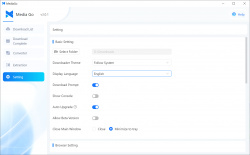
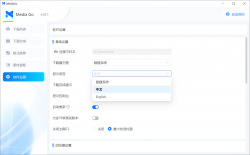
MediaGo project supports m3u8 video extraction tools, streaming media download, and m3u8 download. Chinese software but english language setting available (To change the language click at the bottom left menu and then the third option, see the this screenshot).
Free software
OS:
File size: 161MB
Portable version
Other versions
Version history
OS:
File size: 161MB
Portable version
Other versions
Version history
Screenshots

Latest version


Download
Download MediaGo 3.5.0 Windows 64-bit 161MB Win64
Download MediaGo 3.5.0 Mac Silicon ARM 64-bit 161MB
Download MediaGo 3.5.0 Mac Intel 64-bit 161MB
Download MediaGo 3.5.0 Linux 64-bit 161MB
Download Portable and other versions
Portable 
Software License
Supported operating systems
More information and other downloads
To change the language click at the bottom left menu and then the third option, see the this screenshot !
Version history / Release notes / Changelog / What's New
MediaGo v3.5.0
This release brings support for more sites, a brand-new browser extension, and deep integration with AI assistants. Overall, it runs faster and uses fewer resources.
Browser Extension (Chrome / Edge)
See a video you like while browsing? Send it to MediaGo with one click.
Automatically detects downloadable videos on web pages — the toolbar icon shows the count detected on the current page
Works with most major video sites, including Bilibili, YouTube, and more
Bilingual interface (English / Chinese) that follows your browser language by default
No need to install from the store — after installing MediaGo, find the extension files under Settings More Settings Browser Extension Directory
YouTube and 1000+ Sites Supported
Added support for YouTube, Twitter/X, Instagram, Reddit, and over a thousand other video sites. Previously supported formats are now more stable too, especially for overseas sites.
Download with a Single Sentence via AI Assistants (OpenClaw Skill)
If you use AI coding tools like Claude Code or Cursor, you can now just tell your AI:
"Download this video for me: https://..."
The AI will automatically call MediaGo to handle the download. To install:
npx clawhub@latest install mediago
Both English and Chinese commands are recognized.
Let Other Tools Integrate with MediaGo
A full set of APIs is now open, letting scripts, automation tools, and even other apps call MediaGo — you're no longer confined to the desktop window. The browser extension itself communicates with the desktop app through these APIs, and power users can build them into their own workflows.
Convert Formats Right After Downloading
Once a video finishes downloading, you can convert its format and choose quality settings directly inside MediaGo — no need to open another tool.
Easier Docker Deployment
Deploy with a single command. Works on both Intel and ARM chips:
docker run -d --name mediago -p 8899:8899 \
-v /path/to/mediago:/app/mediago \
ghcr.io/caorushizi/mediago:3.5.0
If you're using the desktop version, phones and tablets on the same home network can also open MediaGo's web interface — no extra configuration needed.
Performance and Experience
Faster startup and lower memory footprint
Built-in video player — no need to launch a separate app
Some long-standing issues are fixed: download logs can now be copied, the download task list auto-refreshes when tasks are imported externally, and special characters in filenames are handled automatically — no more "can't find the file after it finishes downloading"
Notes for macOS Users
[Intel chips] Install the x64 version from the release page. After installation, you'll need to allow apps from unidentified developers in your Mac's security settings.
[Apple Silicon] Install the arm64 version from the release page. After installation, run the following command in Terminal:
sudo xattr -dr com.apple.quarantine /Applications/mediago-community.app
This release brings support for more sites, a brand-new browser extension, and deep integration with AI assistants. Overall, it runs faster and uses fewer resources.
Browser Extension (Chrome / Edge)
See a video you like while browsing? Send it to MediaGo with one click.
Automatically detects downloadable videos on web pages — the toolbar icon shows the count detected on the current page
Works with most major video sites, including Bilibili, YouTube, and more
Bilingual interface (English / Chinese) that follows your browser language by default
No need to install from the store — after installing MediaGo, find the extension files under Settings More Settings Browser Extension Directory
YouTube and 1000+ Sites Supported
Added support for YouTube, Twitter/X, Instagram, Reddit, and over a thousand other video sites. Previously supported formats are now more stable too, especially for overseas sites.
Download with a Single Sentence via AI Assistants (OpenClaw Skill)
If you use AI coding tools like Claude Code or Cursor, you can now just tell your AI:
"Download this video for me: https://..."
The AI will automatically call MediaGo to handle the download. To install:
npx clawhub@latest install mediago
Both English and Chinese commands are recognized.
Let Other Tools Integrate with MediaGo
A full set of APIs is now open, letting scripts, automation tools, and even other apps call MediaGo — you're no longer confined to the desktop window. The browser extension itself communicates with the desktop app through these APIs, and power users can build them into their own workflows.
Convert Formats Right After Downloading
Once a video finishes downloading, you can convert its format and choose quality settings directly inside MediaGo — no need to open another tool.
Easier Docker Deployment
Deploy with a single command. Works on both Intel and ARM chips:
docker run -d --name mediago -p 8899:8899 \
-v /path/to/mediago:/app/mediago \
ghcr.io/caorushizi/mediago:3.5.0
If you're using the desktop version, phones and tablets on the same home network can also open MediaGo's web interface — no extra configuration needed.
Performance and Experience
Faster startup and lower memory footprint
Built-in video player — no need to launch a separate app
Some long-standing issues are fixed: download logs can now be copied, the download task list auto-refreshes when tasks are imported externally, and special characters in filenames are handled automatically — no more "can't find the file after it finishes downloading"
Notes for macOS Users
[Intel chips] Install the x64 version from the release page. After installation, you'll need to allow apps from unidentified developers in your Mac's security settings.
[Apple Silicon] Install the arm64 version from the release page. After installation, run the following command in Terminal:
sudo xattr -dr com.apple.quarantine /Applications/mediago-community.app
View full changelog
All features
No need to capture packets: You can easily sniff video resources on web pages using the built-in browser. Choose the resource you want to download from the sniffed resource list—simple and fast.
Mobile playback: Easily switch between PC and mobile devices seamlessly. Once downloaded, you can watch the video on your phone.
Batch download: Supports downloading multiple videos and live streams simultaneously, ensuring high bandwidth is fully utilized.
Docker deployment supported: Supports Docker deployment for the web version, making it convenient and quick.
Mobile playback: Easily switch between PC and mobile devices seamlessly. Once downloaded, you can watch the video on your phone.
Batch download: Supports downloading multiple videos and live streams simultaneously, ensuring high bandwidth is fully utilized.
Docker deployment supported: Supports Docker deployment for the web version, making it convenient and quick.
Sections/Browse similar tools
Guides and How to's
Notify me when software updated or report software
| 3 reviews, Showing 1 to 3 reviews |
I tried the program about two or three months ago and I remember that there is a way to change to English, yes, but you have to navigate the Chinese options to know which option it is...
Review by Havokdan on
Nov 6, 2025 Version: MediaGo 3.0.1 / 3.1.0 Beta
OS: Windows 10 64-bit Ease of use: 5/10
Functionality: 5/10
Value for money: 5/10
Overall: 5/10
There is no option to translate the GUI to English from default Chinese?
Review by alex on
Nov 5, 2025 Version: 3.0.1
OS: Windows 11 64-bit Ease of use: -/10
Functionality: -/10
Value for money: -/10
Overall: 5/10
Rating by audacieuxnumber1 on
Nov 5, 2025 Version: 3.1.0
OS: Windows 11 64-bit Ease of use: 10/10
Functionality: 10/10
Value for money: 10/10
Overall: 10/10
| 3 reviews, Showing 1 to 3 reviews |
| 1 tool hits, Showing 1 to 1 tools |
Explanation:
NEW SOFTWARE= New tool since your last visit
NEW VERSION= New version since your last visit
NEW REVIEW= New review since your last visit
NEW VERSION= New version
Latest version
Version number / Beta version number / Update version number and when it whas released.
Type and download
NO MORE UPDATES? = The software hasn't been updated in over 2 years.
NO LONGER DEVELOPED = The software hasn't been updated in over 5 years.
RECENTLY UPDATED = The software has been updated the last 31 days.
Freeware = Download Free software.
Freeware Trialware = Download Free software but some parts are trial/shareware.
Free software = Download Free software and also open source code also known as FOSS (Free and Open Source Software).
Free software Trialware = Download Free software and also open source code but some parts are trial/shareware.
Freeware Ads = Download Free software but supported by advertising, usually with a included browser toolbar. It may be disabled when installing or after installation.
Free software Ads = Free Download software and open source code but supported by advertising, usually with a included browser toolbar. It may be disabled when installing or after installation.
Trialware = Also called shareware or demo. Free Trial version available for download and testing with usually a time limit or limited functions.
Payware = No demo or trial available.
Portable version = A portable/standalone version is available. No installation is required.
v1.0.1 = Latest version available.
Download beta = It could be a Beta, RC(Release Candidate) or an Alpha / Nightly / Unstable version of the software.
Download 15MB = A direct link to the software download.
Win = Windows download version for 32-bit and 64-bit Windows.
Win64 = Windows 64-bit download version for 64-bit Windows.
WinARM64 = Windows 64-bit ARM download version for Windows ARM64/AArch64.
Mac = Mac download version for 64-bit Mac OS Intel/ARM64/AArch64.
MacARM64 = Mac Silicon download version for 64-bit Mac OS ARM64/AArch64.
Mac64 = Mac OS download version for 64-bit Intel Mac OS.
Linux = Linux download version.
Linux64 = Linux download version for 64bit Linux.
Linux ARM = Linux download version for Linux ARM64/AArch64.
Portable = Portable version. No installation is required.
Ad-Supported = The software is bundled with advertising. Be careful when you install the software and disable addons that you don't want!
Visit developers site = A link to the software developer site.
Download (mirror link) = A mirror link to the software download. It may not contain the latest versions.
Download old versions = Free downloads of previous versions of the program.
Download 64-bit version = If you have a 64bit operating system you can download this version.
Download portable version = Portable/Standalone version meaning that no installation is required, just extract the files to a folder and run directly.
Portable version available = Download the portable version and you can just extract the files and run the program without installation.
Old versions available = Download old versions of the program.
Version history available = Complete changelog on our site.
= Windows version available.
 = Mac OS version available.
 = Linux version available.
Our hosted software are virus and malware scanned with several antivirus programs using www.virustotal.com. (NOTE! Just one virustotal warning is 99.9% a false positive. And some software might receive 2-6 warnings but it's if they are not all same virus/trojan then it's 99% false positives.)
Rating
Rating from 0-10.
NEW SOFTWARE= New tool since your last visit
NEW VERSION= New version since your last visit
NEW REVIEW= New review since your last visit
NEW VERSION= New version
Latest version
Version number / Beta version number / Update version number and when it whas released.
Type and download
NO MORE UPDATES? = The software hasn't been updated in over 2 years.
NO LONGER DEVELOPED = The software hasn't been updated in over 5 years.
RECENTLY UPDATED = The software has been updated the last 31 days.
Freeware = Download Free software.
Freeware Trialware = Download Free software but some parts are trial/shareware.
Free software = Download Free software and also open source code also known as FOSS (Free and Open Source Software).
Free software Trialware = Download Free software and also open source code but some parts are trial/shareware.
Freeware Ads = Download Free software but supported by advertising, usually with a included browser toolbar. It may be disabled when installing or after installation.
Free software Ads = Free Download software and open source code but supported by advertising, usually with a included browser toolbar. It may be disabled when installing or after installation.
Trialware = Also called shareware or demo. Free Trial version available for download and testing with usually a time limit or limited functions.
Payware = No demo or trial available.
Portable version = A portable/standalone version is available. No installation is required.
v1.0.1 = Latest version available.
Download beta = It could be a Beta, RC(Release Candidate) or an Alpha / Nightly / Unstable version of the software.
Download 15MB = A direct link to the software download.
Win = Windows download version for 32-bit and 64-bit Windows.
Win64 = Windows 64-bit download version for 64-bit Windows.
WinARM64 = Windows 64-bit ARM download version for Windows ARM64/AArch64.
Mac = Mac download version for 64-bit Mac OS Intel/ARM64/AArch64.
MacARM64 = Mac Silicon download version for 64-bit Mac OS ARM64/AArch64.
Mac64 = Mac OS download version for 64-bit Intel Mac OS.
Linux = Linux download version.
Linux64 = Linux download version for 64bit Linux.
Linux ARM = Linux download version for Linux ARM64/AArch64.
Portable = Portable version. No installation is required.
Ad-Supported = The software is bundled with advertising. Be careful when you install the software and disable addons that you don't want!
Visit developers site = A link to the software developer site.
Download (mirror link) = A mirror link to the software download. It may not contain the latest versions.
Download old versions = Free downloads of previous versions of the program.
Download 64-bit version = If you have a 64bit operating system you can download this version.
Download portable version = Portable/Standalone version meaning that no installation is required, just extract the files to a folder and run directly.
Portable version available = Download the portable version and you can just extract the files and run the program without installation.
Old versions available = Download old versions of the program.
Version history available = Complete changelog on our site.
= Windows version available. = Mac OS version available. = Linux version available.Our hosted software are virus and malware scanned with several antivirus programs using www.virustotal.com. (NOTE! Just one virustotal warning is 99.9% a false positive. And some software might receive 2-6 warnings but it's if they are not all same virus/trojan then it's 99% false positives.)
Rating
Rating from 0-10.
Browse software by sections
All In One Blu-ray Converters (9)
All In One DVD Converters (12)
All In One MKV to MP4, Blu-ray, UHD (11)
All In One Video Converters (19)
Animation (3D, 2D Animation) (12)
Audio Editors (22)
Audio Encoders (80)
Audio Players (19)
Authoring (Blu-ray, UHD, AVCHD) (13)
Authoring (DivX) (4)
Authoring (DVD) (26)
Authoring (SVCD, VCD) (9)
Bitrate Calculators (7)
Blu-ray to AVI, MKV, MP4 (15)
Blu-ray to Blu-ray, AVCHD (10)
Burn (CD,DVD,Blu-ray) (24)
Camcorders, DV, HDV, AVCHD (31)
Capture TV, DVD, VCR (30)
CD, DVD, Blu-ray recovery (3)
Codec Packs (6)
All In One DVD Converters (12)
All In One MKV to MP4, Blu-ray, UHD (11)
All In One Video Converters (19)
Animation (3D, 2D Animation) (12)
Audio Editors (22)
Audio Encoders (80)
Audio Players (19)
Authoring (Blu-ray, UHD, AVCHD) (13)
Authoring (DivX) (4)
Authoring (DVD) (26)
Authoring (SVCD, VCD) (9)
Bitrate Calculators (7)
Blu-ray to AVI, MKV, MP4 (15)
Blu-ray to Blu-ray, AVCHD (10)
Burn (CD,DVD,Blu-ray) (24)
Camcorders, DV, HDV, AVCHD (31)
Capture TV, DVD, VCR (30)
CD, DVD, Blu-ray recovery (3)
Codec Packs (6)
Codec, Video Identifiers (31)
Codecs (67)
Decrypters (DVD Rippers) (16)
Decrypters (UHD, Blu-ray Rippers) (8)
DigitalTV, DVB, IPTV (39)
DVD to DVD (20)
DVD to MP4, MKV, H264, H265 (16)
DVD to VCD, SVCD (5)
DVD to XviD, AVI, DivX (16)
ISO, Image (15)
Linux Video Tools (214)
MacOS Video Tools (246)
Media (Blu-ray, DVD, CD) (9)
Media Center, HTPC (24)
Other Useful Tools (140)
Photo Blu-ray, DVD, SlideShow (8)
Portable (Mobile, PSP) (35)
Region Free Tools (5)
Screen capture , Screen recording (25)
Screenshots , Thumbnails (13)
Codecs (67)
Decrypters (DVD Rippers) (16)
Decrypters (UHD, Blu-ray Rippers) (8)
DigitalTV, DVB, IPTV (39)
DVD to DVD (20)
DVD to MP4, MKV, H264, H265 (16)
DVD to VCD, SVCD (5)
DVD to XviD, AVI, DivX (16)
ISO, Image (15)
Linux Video Tools (214)
MacOS Video Tools (246)
Media (Blu-ray, DVD, CD) (9)
Media Center, HTPC (24)
Other Useful Tools (140)
Photo Blu-ray, DVD, SlideShow (8)
Portable (Mobile, PSP) (35)
Region Free Tools (5)
Screen capture , Screen recording (25)
Screenshots , Thumbnails (13)
Subtitle Editors, Converters (72)
Tag Editors (4)
Video De, Multiplexers (66)
Video Editors (Advanced, NLE) (35)
Video Editors (Basic) (56)
Video Editors (H264, MP4, MKV, MTS) (19)
Video Editors (Lossless) (4)
Video Editors (MPG, DVD) (16)
Video Editors (WMV, AVI) (15)
Video Encoders (AV1, VP8, VP9) (2)
Video Encoders (AVI, WMV) (38)
Video Encoders (H264, H265, MP4, MKV) (45)
Video Encoders (MPG, DVD) (23)
Video Encoders , Converters (156)
Video Frameservers (9)
Video Players (48)
Video Repair, Fix (24)
Video Scripting (10)
Video Streaming (20)
Video Streaming Downloaders (99)
Tag Editors (4)
Video De, Multiplexers (66)
Video Editors (Advanced, NLE) (35)
Video Editors (Basic) (56)
Video Editors (H264, MP4, MKV, MTS) (19)
Video Editors (Lossless) (4)
Video Editors (MPG, DVD) (16)
Video Editors (WMV, AVI) (15)
Video Encoders (AV1, VP8, VP9) (2)
Video Encoders (AVI, WMV) (38)
Video Encoders (H264, H265, MP4, MKV) (45)
Video Encoders (MPG, DVD) (23)
Video Encoders , Converters (156)
Video Frameservers (9)
Video Players (48)
Video Repair, Fix (24)
Video Scripting (10)
Video Streaming (20)
Video Streaming Downloaders (99)