Requirements:
A Digital Camcorder, a Pinnacle
firewire card and Studio DV from pinnacle.
The
first things to do
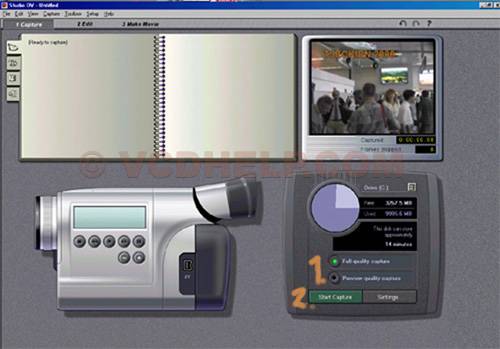
Start capture
1. Choose
a quality. If you chose Full quality you will needs a very
big harddrive, if you chose Preview quality you have to have
a video tape that has a counter.
If you want to make some own changes like change the solution
just go to the settings beside the start capture button.
2. Start
capturing and choose where to save the capturing.
When you press okey capturing will start. Remember that the
Video for Windows does not accept captured video more than
20minutes.
When you want to stop capturing you just click on the same
place that you clicked to start the capturing.
Now can
you edit the "captured"
video or just directly convert the
video to VCD/SVCD/DVD/Divx.
Thnx
to Helmut for this Guide
Problems:
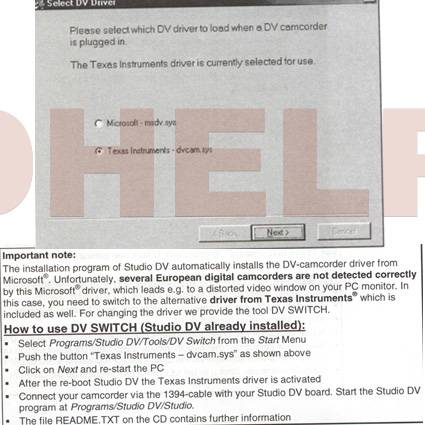
Dv
switch Problem (if you dont have studio dv installed download
this file)