
Help us keep the list up to date and submit new video software here.
Tool
Description
Type
Rating
Reviews
OpenShot Video Editor is a free, open-source, non-linear video editor for Linux, Mac OS, Windows, built with Python, GTK, and the MLT Framework. Our goal is to create an easy-to-use, powerful, non-linear video editor, with a focus on "User Interface", "Work flow", and "Stability".
Free software
OS:


File size: 187MB
Old versions
Version history
OS:
File size: 187MB
Old versions
Version history
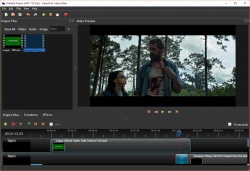
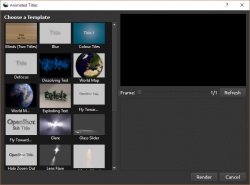
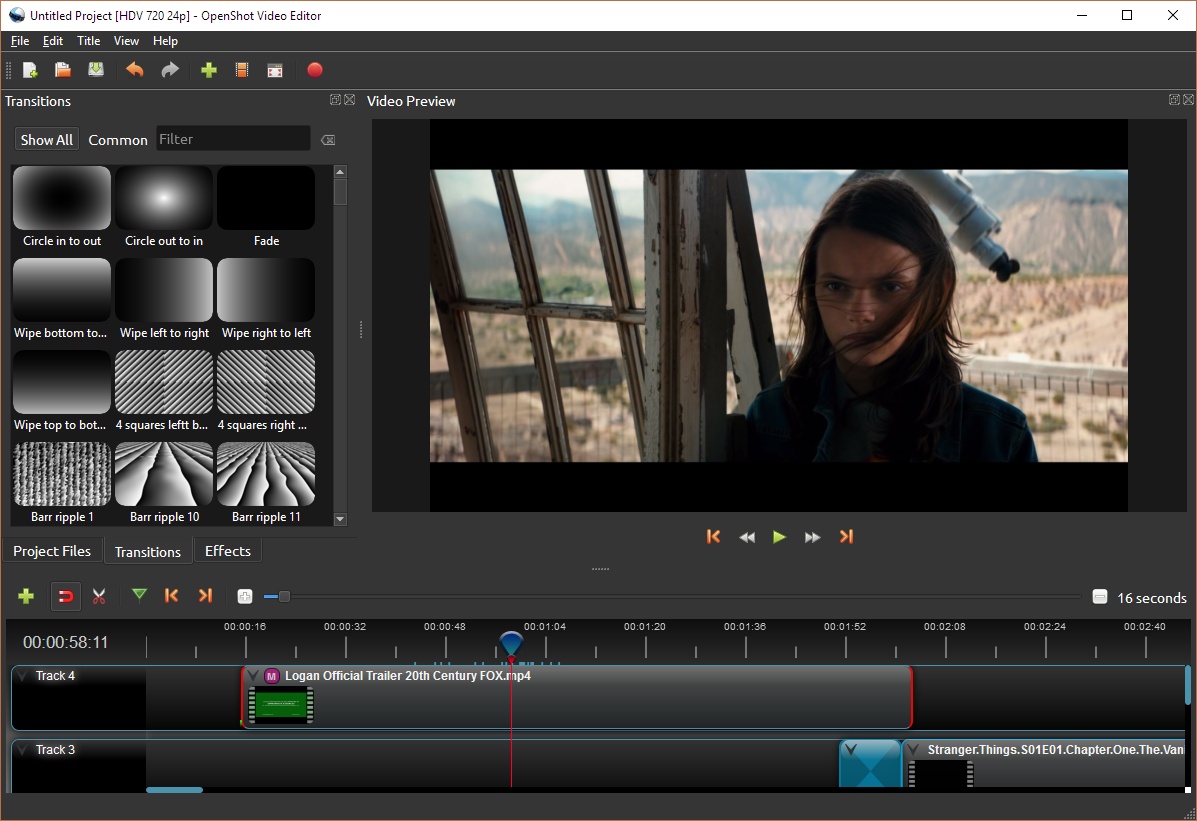
Screenshots

Latest version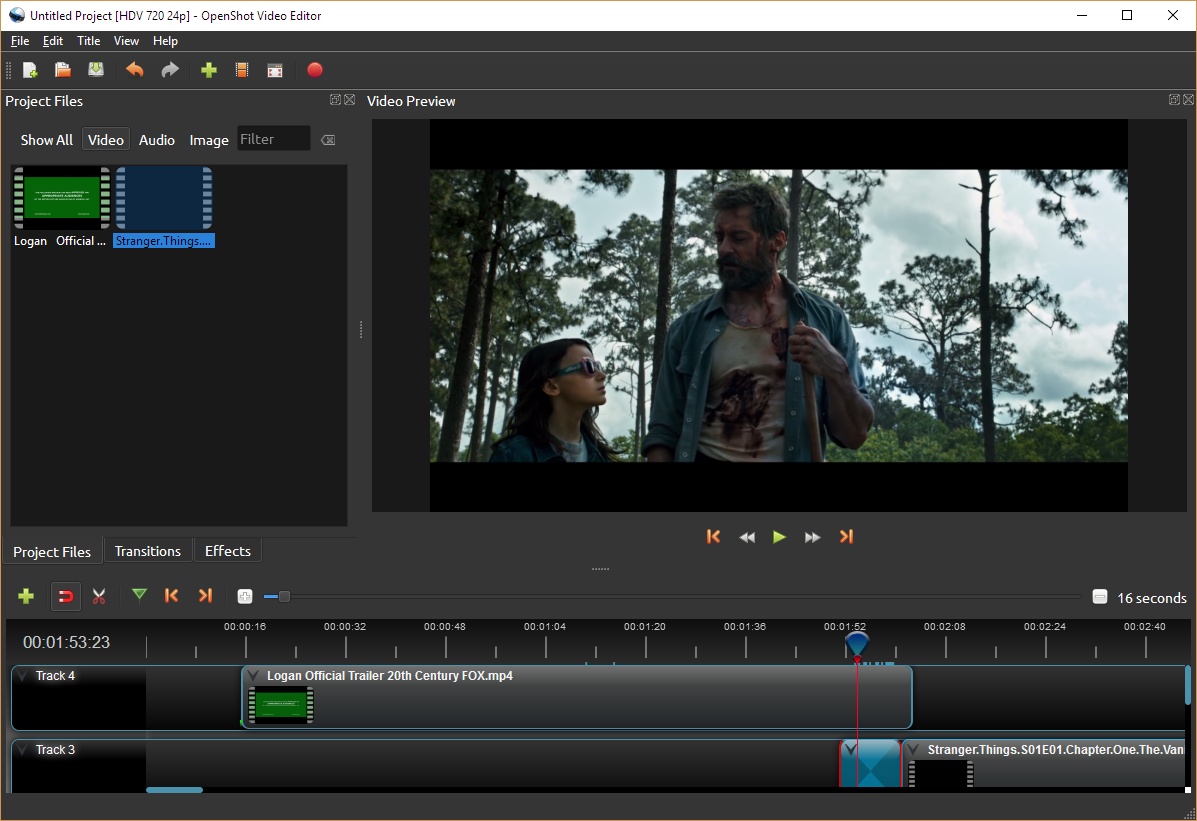
Download
Download OpenShot Video Editor 3.1.1 Windows 64-bit 188MB Win64
Download OpenShot Video Editor 3.1.1 Windows 187MB Win
Download OpenShot Video Editor 3.1.1 Mac 64-bit 248MB Mac64
Download OpenShot Video Editor 3.1.1 Linux 64-bit 229MB Linux64
Download old versions
Software License
Supported operating systems
Windows Mac OS Linux Version history / Release notes / Changelog / What's New
v3.1.1: Adding back in "layers", "markers" to webview changes - since we acci…
Highlights & Features:
Bumping version to 3.1.1, min libopenshot dependency to 0.3.2
Prevent freeze on launch (in Windows - when your sample-rate in OpenShot does not match the host OS sample-rate)
Fix duplicate Profile name bug (causing an issue when exporting and re-opening a project with specific profile names)
Adding Profile search button to Preferences (for easier filtering and searching for a default profile)
Protect timeline (webview) from receiving lots of unneeded messages from libopenshot
Large refactor for Tracker and Object Detection effects (allow property editing, prevent crashes, allow parent property to work)
Refactor of Parent property (simpler, a single 'None' option, thumbnail images)
Improved caching logic around Property Editor (better performance while adjusting clip properties)
Many small code refactors and fixes to prevent noisy errors (reported by Sentry.io)
Updated language translations
Updated credits and donors
Removed old GitHub Action builder for Ubuntu 18.04, and tweaked GitHub CI build scripts
openshot-qt Changelog (Version: 3.1.1)
5416a16 2023-04-20 Jonathan Thomas Adding back in "layers", "markers" to webview changes - since we accidentally filtered them out. HEAD, origin/release-20230417
1ee5f7b 2023-04-19 Jonathan Thomas Allow "duration" to be sent to the webview, to allow auto-increase project duration / auto resize the timeline
0979288 2023-04-18 Jonathan Thomas Protect setWindowTitle from being called by a different thread (preview_thread - if sample_rate is updated). Protect preview_thread::update() method from triggering with 'sample_rate' update.
91b19e5 2023-04-17 Jonathan Thomas Protecting timeline webview from unrelated changes - which can sometimes happen prior to the webview being fully loaded (causing a freeze on launch of OpenShot)
967a429 2023-04-17 Jonathan Thomas On launch of OpenShot, convert float sample_rate into Integer (if needed), and update settings::sample_rate if needed. This causes our audio device to freeze
6736aa6 2023-04-17 Jonathan Thomas Bumping version to 3.1.1, min libopenshot dependency to 0.3.2
52f5431 2023-04-17 Jonathan Thomas Merge pull request #5212 from OpenShot/update-translations-credits-apr-6-2023 origin/develop
14c4260 2023-04-17 Jonathan Thomas Merge pull request #5211 from OpenShot/protect-waveform-from-null-clip
2c49311 2023-04-17 Jonathan Thomas Merge pull request #5210 from OpenShot/project-data-parsing-error
f8282e7 2023-04-16 Jonathan Thomas Updating donors and supporters
43cf54e 2023-04-16 Jonathan Thomas Updating translations for 3.1.1 release
150689f 2023-04-16 Jonathan Thomas Protect from generating a waveform for a NULL clip (we should skip clips that we can't find or query). Reported in Sentry: OPENSHOT-1WJ5
8d896e8 2023-04-16 Jonathan Thomas Show friendly error to user when Export dialog fails to parse project JSON data: Reported in Sentry: OPENSHOT-6X
266092e 2023-04-16 Jonathan Thomas Merge pull request #5205 from OpenShot/sentry-invalid-property-data
e0af3c5 2023-04-16 Jonathan Thomas Refactor some logic in Parent / Child property context menus - to be simpler, and more efficient. This solves a bug on Windows also, where file paths were not matching correctly.
954d868 2023-04-16 Jonathan Thomas Adding debug logs to property widget context menus
92cf3d4 2023-04-13 Jonathan Thomas Removing items from "Parent" and "Child Clip ID" and "Parent Effect" context menus in the Property dialog - for example, clips with no effects, or clips with no tracking data, etc... Also, making things more consistent with parent folders in context menus (None, Clips, Tracked Objects)
3b260d7 2023-04-13 Jonathan Thomas Fix object detector and tracker effects when using context menus, color pickers, and other property dialog editors - to correctly update the JSON without destroying certain data or "objects"
bb85b5b 2023-04-13 Jonathan Thomas Allow clearing the "Parent" and "Child Clip ID" properties of a clip / effect, and allow setting of the initial value to work correctly.
d37894c 2023-04-13 Jonathan Thomas Extending objects protections to color_update and remove_keyframe methods - to ignore when an object_id is not found, or a clip has no 'objects' dict
36d9b36 2023-04-13 Jonathan Thomas Updating timeline changed callback to always reset the current value of ENABLE_PLAYBACK_CACHING. For example, sometimes we have already disabled this setting before changing the timeline data - and we would like it to stay disabled until further notice. This method was accidentally re-enabling the caching when we were not expecting it to.
788266e 2023-04-13 Jonathan Thomas Protecting property widget exception when a label returns an invalid data tuple for the current selected property label: Sentry reported this error: OPENSHOT-43. This also fixes a regression related to updating ObjectDetector and Tracker objects.
8ff253e 2023-04-13 Jonathan Thomas Protecting property widget exception when a label returns an invalid data tuple for the current selected property label: Setnry reported this error: OPENSHOT-43.
1e07ee3 2023-04-13 Jonathan Thomas Merge pull request #5202 from OpenShot/protect-timeline-args origin/audio-background-transparent
db2e8e8 2023-04-12 Jonathan Thomas Merge pull request #5201 from OpenShot/edit-title-error
c05a3c9 2023-04-12 Jonathan Thomas Merge pull request #5200 from OpenShot/fix-duplicate-profile-names
a284f22 2023-04-12 Jonathan Thomas Protecting timeline args from non-Integer values. Detected on Sentry: OPENSHOT-245G
6ff1dbe 2023-04-12 Jonathan Thomas Fix for editing a title and trying to update a thumbnail on the timeline - was missing a required arg
eed7a2c 2023-04-12 Jonathan Thomas Removing freeze from github actions - too difficult to maintain compatibility with all the different builders
877b0fd 2023-04-12 Jonathan Thomas Fixing issue where we still had many duplicate profile descriptions causing issues. Adding - width x height | DAR suffix for only the duplicate ones.
e725246 2023-04-12 Jonathan Thomas Removing old ubuntu 18.04 github builder, adding 22.04
b270275 2023-04-12 Jonathan Thomas Ignore profile folders on Export dialog init - removes warning log about "failed to process" profile folder
4c7af05 2023-04-12 Jonathan Thomas Adding Profile search button to Preferences for easier filtering and searching for a default profile
c95e9a9 2023-04-12 Jonathan Thomas Updating duplicate profile names to use unique name (with DAR appended onto the end)
ebe2ad3 2023-04-07 Jonathan Thomas Merge pull request #5178 from OpenShot/release-20230321
Highlights & Features:
Bumping version to 3.1.1, min libopenshot dependency to 0.3.2
Prevent freeze on launch (in Windows - when your sample-rate in OpenShot does not match the host OS sample-rate)
Fix duplicate Profile name bug (causing an issue when exporting and re-opening a project with specific profile names)
Adding Profile search button to Preferences (for easier filtering and searching for a default profile)
Protect timeline (webview) from receiving lots of unneeded messages from libopenshot
Large refactor for Tracker and Object Detection effects (allow property editing, prevent crashes, allow parent property to work)
Refactor of Parent property (simpler, a single 'None' option, thumbnail images)
Improved caching logic around Property Editor (better performance while adjusting clip properties)
Many small code refactors and fixes to prevent noisy errors (reported by Sentry.io)
Updated language translations
Updated credits and donors
Removed old GitHub Action builder for Ubuntu 18.04, and tweaked GitHub CI build scripts
openshot-qt Changelog (Version: 3.1.1)
5416a16 2023-04-20 Jonathan Thomas Adding back in "layers", "markers" to webview changes - since we accidentally filtered them out. HEAD, origin/release-20230417
1ee5f7b 2023-04-19 Jonathan Thomas Allow "duration" to be sent to the webview, to allow auto-increase project duration / auto resize the timeline
0979288 2023-04-18 Jonathan Thomas Protect setWindowTitle from being called by a different thread (preview_thread - if sample_rate is updated). Protect preview_thread::update() method from triggering with 'sample_rate' update.
91b19e5 2023-04-17 Jonathan Thomas Protecting timeline webview from unrelated changes - which can sometimes happen prior to the webview being fully loaded (causing a freeze on launch of OpenShot)
967a429 2023-04-17 Jonathan Thomas On launch of OpenShot, convert float sample_rate into Integer (if needed), and update settings::sample_rate if needed. This causes our audio device to freeze
6736aa6 2023-04-17 Jonathan Thomas Bumping version to 3.1.1, min libopenshot dependency to 0.3.2
52f5431 2023-04-17 Jonathan Thomas Merge pull request #5212 from OpenShot/update-translations-credits-apr-6-2023 origin/develop
14c4260 2023-04-17 Jonathan Thomas Merge pull request #5211 from OpenShot/protect-waveform-from-null-clip
2c49311 2023-04-17 Jonathan Thomas Merge pull request #5210 from OpenShot/project-data-parsing-error
f8282e7 2023-04-16 Jonathan Thomas Updating donors and supporters
43cf54e 2023-04-16 Jonathan Thomas Updating translations for 3.1.1 release
150689f 2023-04-16 Jonathan Thomas Protect from generating a waveform for a NULL clip (we should skip clips that we can't find or query). Reported in Sentry: OPENSHOT-1WJ5
8d896e8 2023-04-16 Jonathan Thomas Show friendly error to user when Export dialog fails to parse project JSON data: Reported in Sentry: OPENSHOT-6X
266092e 2023-04-16 Jonathan Thomas Merge pull request #5205 from OpenShot/sentry-invalid-property-data
e0af3c5 2023-04-16 Jonathan Thomas Refactor some logic in Parent / Child property context menus - to be simpler, and more efficient. This solves a bug on Windows also, where file paths were not matching correctly.
954d868 2023-04-16 Jonathan Thomas Adding debug logs to property widget context menus
92cf3d4 2023-04-13 Jonathan Thomas Removing items from "Parent" and "Child Clip ID" and "Parent Effect" context menus in the Property dialog - for example, clips with no effects, or clips with no tracking data, etc... Also, making things more consistent with parent folders in context menus (None, Clips, Tracked Objects)
3b260d7 2023-04-13 Jonathan Thomas Fix object detector and tracker effects when using context menus, color pickers, and other property dialog editors - to correctly update the JSON without destroying certain data or "objects"
bb85b5b 2023-04-13 Jonathan Thomas Allow clearing the "Parent" and "Child Clip ID" properties of a clip / effect, and allow setting of the initial value to work correctly.
d37894c 2023-04-13 Jonathan Thomas Extending objects protections to color_update and remove_keyframe methods - to ignore when an object_id is not found, or a clip has no 'objects' dict
36d9b36 2023-04-13 Jonathan Thomas Updating timeline changed callback to always reset the current value of ENABLE_PLAYBACK_CACHING. For example, sometimes we have already disabled this setting before changing the timeline data - and we would like it to stay disabled until further notice. This method was accidentally re-enabling the caching when we were not expecting it to.
788266e 2023-04-13 Jonathan Thomas Protecting property widget exception when a label returns an invalid data tuple for the current selected property label: Sentry reported this error: OPENSHOT-43. This also fixes a regression related to updating ObjectDetector and Tracker objects.
8ff253e 2023-04-13 Jonathan Thomas Protecting property widget exception when a label returns an invalid data tuple for the current selected property label: Setnry reported this error: OPENSHOT-43.
1e07ee3 2023-04-13 Jonathan Thomas Merge pull request #5202 from OpenShot/protect-timeline-args origin/audio-background-transparent
db2e8e8 2023-04-12 Jonathan Thomas Merge pull request #5201 from OpenShot/edit-title-error
c05a3c9 2023-04-12 Jonathan Thomas Merge pull request #5200 from OpenShot/fix-duplicate-profile-names
a284f22 2023-04-12 Jonathan Thomas Protecting timeline args from non-Integer values. Detected on Sentry: OPENSHOT-245G
6ff1dbe 2023-04-12 Jonathan Thomas Fix for editing a title and trying to update a thumbnail on the timeline - was missing a required arg
eed7a2c 2023-04-12 Jonathan Thomas Removing freeze from github actions - too difficult to maintain compatibility with all the different builders
877b0fd 2023-04-12 Jonathan Thomas Fixing issue where we still had many duplicate profile descriptions causing issues. Adding - width x height | DAR suffix for only the duplicate ones.
e725246 2023-04-12 Jonathan Thomas Removing old ubuntu 18.04 github builder, adding 22.04
b270275 2023-04-12 Jonathan Thomas Ignore profile folders on Export dialog init - removes warning log about "failed to process" profile folder
4c7af05 2023-04-12 Jonathan Thomas Adding Profile search button to Preferences for easier filtering and searching for a default profile
c95e9a9 2023-04-12 Jonathan Thomas Updating duplicate profile names to use unique name (with DAR appended onto the end)
ebe2ad3 2023-04-07 Jonathan Thomas Merge pull request #5178 from OpenShot/release-20230321
View full changelog
All features
OpenShot's Features include:
* Support for many video, audio, and image formats (based on FFmpeg)
* Gnome integration (drag and drop support)
* Multiple tracks
* Clip resizing, trimming, snapping, and cutting
* Video transitions with real-time previews
* Compositing, image overlays, watermarks
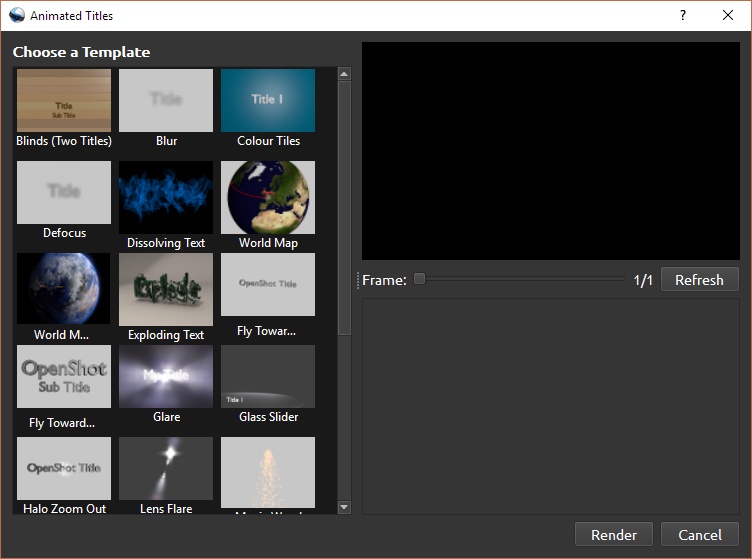
* Title templates, title creation
* SVG friendly, to create and include titles and credits
* Scrolling motion picture credits
* Solid color clips (including alpha compositing)
* Support for Rotoscoping / Image sequences
* Drag and drop timeline
* Frame stepping, key-mappings: J,K, and L keys
* Video encoding (based on FFmpeg)
* Key Frame animation
* Digital zooming of video clips
* Speed changes on clips (slow motion etc)
* Custom transition lumas and masks
* Re-sizing of clips (frame size)
* Audio mixing and editing
* Presets for key frame animations and layout
* Ken Burns effect (making video by panning over an image)
* Support for many video, audio, and image formats (based on FFmpeg)
* Gnome integration (drag and drop support)
* Multiple tracks
* Clip resizing, trimming, snapping, and cutting
* Video transitions with real-time previews
* Compositing, image overlays, watermarks
* Title templates, title creation
* SVG friendly, to create and include titles and credits
* Scrolling motion picture credits
* Solid color clips (including alpha compositing)
* Support for Rotoscoping / Image sequences
* Drag and drop timeline
* Frame stepping, key-mappings: J,K, and L keys
* Video encoding (based on FFmpeg)
* Key Frame animation
* Digital zooming of video clips
* Speed changes on clips (slow motion etc)
* Custom transition lumas and masks
* Re-sizing of clips (frame size)
* Audio mixing and editing
* Presets for key frame animations and layout
* Ken Burns effect (making video by panning over an image)
Sections/Browse similar tools
Alternative to OpenShot Video Editor
Kdenlive
Shotcut
Guides and How to's
OpenShot Video Editor Masks & Transitions Video Tutorial
- ReadOpenShot Video Editor video tutorials
View all guides with guide description here
Acronyms / Also Known As
Notify me when software updated or report software
| 17 reviews, Showing 1 to 5 reviews |
I had been using OpenShot for simple video creation for few years and loved working with it. The old versions such as 2.5.0 were OK for my purposes. But the later versions have a lagging issue. Most of the time, the playhead does not move, or moves very slowly which makes it is impossible to use. This has been a good video editor for simple videos until the new versions were released. It is regrettable to see a good and useful software comes to this fate. It is high time to debug the codes and rectify the problem.
Review by Sajla on
Nov 9, 2022 Version: 2.6.1
OS: Windows 8 64-bit Ease of use: 5/10
Functionality: 5/10
Value for money: 8/10
Overall: 5/10
not open in w10
Review by GY on
Dec 30, 2021 Version: 2.6.1
OS: Windows 10 64-bit Ease of use: 1/10
Functionality: 1/10
Value for money: 1/10
Overall: 1/10
Working with new release (2.6.1) Suspect this might be easier, eventually, but lacks any user documentation for new release. "Intermediate" level users such as myself need guidance on new tools (?Origin X/Y replacing Crop??)
Review by EvD on
Oct 29, 2021 Version: 2.6.1
OS: Windows 10 64-bit Ease of use: 6/10
Functionality: 8/10
Value for money: 10/10
Overall: 8/10
Started Openshot. I see 720 / 30 fps. I like to change to 25 FPS, I go to Edit/Settings
Program craches.
Trying to download 2.5.0 but cannot find
Totally disappointed and confused (((
Program craches.
Trying to download 2.5.0 but cannot find
Totally disappointed and confused (((
Review by Mira on
Apr 14, 2020 Version: 2.5.1
OS: Windows 10 64-bit Ease of use: 1/10
Functionality: 1/10
Value for money: 1/10
Overall: 1/10
Actually - waste of time. Random crashes. Can't export - crashes again.
Not recommended to even try it.
Not recommended to even try it.
Review by dani on
Dec 1, 2019 Version: 2.4.4
OS: Windows 10 64-bit Ease of use: 5/10
Functionality: 1/10
Value for money: 1/10
Overall: 1/10
| 17 reviews, Showing 1 to 5 reviews |
| 1 tool hits, Showing 1 to 1 tools |
Explanation:
NEW SOFTWARE= New tool since your last visit
NEW VERSION= New version since your last visit
NEW REVIEW= New review since your last visit
NEW VERSION= New version
Latest version
Version number / Beta version number / Update version number and when it whas released.
Type and download
NO MORE UPDATES? = The software hasn't been updated in over 2 years.
NO LONGER DEVELOPED = The software hasn't been updated in over 5 years.
RECENTLY UPDATED = The software has been updated the last 31 days.
Freeware = Download Free software.
Freeware Trialware = Download Free software but some parts are trial/shareware.
Free software = Download Free software and also open source code also known as FOSS (Free and Open Source Software).
Free software Trialware = Download Free software and also open source code but some parts are trial/shareware.
Freeware Ads = Download Free software but supported by advertising, usually with a included browser toolbar. It may be disabled when installing or after installation.
Free software Ads = Free Download software and open source code but supported by advertising, usually with a included browser toolbar. It may be disabled when installing or after installation.
Trialware = Also called shareware or demo. Free Trial version available for download and testing with usually a time limit or limited functions.
Payware = No demo or trial available.
Portable version = A portable/standalone version is available. No installation is required.
v1.0.1 = Latest version available.
Download beta = It could be a Beta, RC(Release Candidate) or an Alpha / Nightly / Unstable version of the software.
Download 15MB = A direct link to the software download.
Win = Windows download version. It works on 32-bit and 64-bit Windows.
Win64 = Windows 64-bit download version. It works only on 64-bit Windows.
Mac = Mac download version. It works on 32-bit and 64-bit Mac OS.
Mac64 = Mac OS download version. It works only on 64-bit Mac OS.
Linux = Linux download version.
Portable = Portable version. No installation is required.
Ad-Supported = The software is bundled with advertising. Be careful when you install the software and disable addons that you don't want!
Visit developers site = A link to the software developer site.
Download (mirror link) = A mirror link to the software download. It may not contain the latest versions.
Download old versions = Free downloads of previous versions of the program.
Download 64-bit version = If you have a 64bit operating system you can download this version.
Download portable version = Portable/Standalone version meaning that no installation is required, just extract the files to a folder and run directly.
Portable version available = Download the portable version and you can just extract the files and run the program without installation.
Old versions available = Download old versions of the program.
Version history available = Complete changelog on our site.
= Windows version available.
= Mac OS version available.
= Linux version available.
Our hosted software are virus and malware scanned with several antivirus programs using www.virustotal.com. (NOTE! Just one virustotal warning is 99.9% a false positive. And some software might receive 2-6 warnings but it's if they are not all same virus/trojan then it's 99% false positives.)
Rating
Rating from 0-10.
NEW SOFTWARE= New tool since your last visit
NEW VERSION= New version since your last visit
NEW REVIEW= New review since your last visit
NEW VERSION= New version
Latest version
Version number / Beta version number / Update version number and when it whas released.
Type and download
NO MORE UPDATES? = The software hasn't been updated in over 2 years.
NO LONGER DEVELOPED = The software hasn't been updated in over 5 years.
RECENTLY UPDATED = The software has been updated the last 31 days.
Freeware = Download Free software.
Freeware Trialware = Download Free software but some parts are trial/shareware.
Free software = Download Free software and also open source code also known as FOSS (Free and Open Source Software).
Free software Trialware = Download Free software and also open source code but some parts are trial/shareware.
Freeware Ads = Download Free software but supported by advertising, usually with a included browser toolbar. It may be disabled when installing or after installation.
Free software Ads = Free Download software and open source code but supported by advertising, usually with a included browser toolbar. It may be disabled when installing or after installation.
Trialware = Also called shareware or demo. Free Trial version available for download and testing with usually a time limit or limited functions.
Payware = No demo or trial available.
Portable version = A portable/standalone version is available. No installation is required.
v1.0.1 = Latest version available.
Download beta = It could be a Beta, RC(Release Candidate) or an Alpha / Nightly / Unstable version of the software.
Download 15MB = A direct link to the software download.
Win = Windows download version. It works on 32-bit and 64-bit Windows.
Win64 = Windows 64-bit download version. It works only on 64-bit Windows.
Mac = Mac download version. It works on 32-bit and 64-bit Mac OS.
Mac64 = Mac OS download version. It works only on 64-bit Mac OS.
Linux = Linux download version.
Portable = Portable version. No installation is required.
Ad-Supported = The software is bundled with advertising. Be careful when you install the software and disable addons that you don't want!
Visit developers site = A link to the software developer site.
Download (mirror link) = A mirror link to the software download. It may not contain the latest versions.
Download old versions = Free downloads of previous versions of the program.
Download 64-bit version = If you have a 64bit operating system you can download this version.
Download portable version = Portable/Standalone version meaning that no installation is required, just extract the files to a folder and run directly.
Portable version available = Download the portable version and you can just extract the files and run the program without installation.
Old versions available = Download old versions of the program.
Version history available = Complete changelog on our site.
= Windows version available. = Mac OS version available. = Linux version available.Our hosted software are virus and malware scanned with several antivirus programs using www.virustotal.com. (NOTE! Just one virustotal warning is 99.9% a false positive. And some software might receive 2-6 warnings but it's if they are not all same virus/trojan then it's 99% false positives.)
Rating
Rating from 0-10.
Browse software by sections
All In One Blu-ray Converters (10)
All In One DVD Converters (13)
All In One MKV to MP4, Blu-ray, UHD (11)
All In One Video Converters (19)
Animation (3D, 2D Animation) (11)
Audio Editors (21)
Audio Encoders (82)
Audio Players (19)
Authoring (Blu-ray, UHD, AVCHD) (15)
Authoring (DivX) (4)
Authoring (DVD) (26)
Authoring (SVCD, VCD) (9)
Bitrate Calculators (7)
Blu-ray to AVI, MKV, MP4 (15)
Blu-ray to Blu-ray, AVCHD (10)
Burn (CD,DVD,Blu-ray) (24)
Camcorders, DV, HDV, AVCHD (31)
Capture TV, DVD, VCR (31)
CD, DVD, Blu-ray recovery (3)
Codec Packs (6)
All In One DVD Converters (13)
All In One MKV to MP4, Blu-ray, UHD (11)
All In One Video Converters (19)
Animation (3D, 2D Animation) (11)
Audio Editors (21)
Audio Encoders (82)
Audio Players (19)
Authoring (Blu-ray, UHD, AVCHD) (15)
Authoring (DivX) (4)
Authoring (DVD) (26)
Authoring (SVCD, VCD) (9)
Bitrate Calculators (7)
Blu-ray to AVI, MKV, MP4 (15)
Blu-ray to Blu-ray, AVCHD (10)
Burn (CD,DVD,Blu-ray) (24)
Camcorders, DV, HDV, AVCHD (31)
Capture TV, DVD, VCR (31)
CD, DVD, Blu-ray recovery (3)
Codec Packs (6)
Codec, Video Identifiers (29)
Codecs (67)
Decrypters (DVD Rippers) (15)
Decrypters (UHD, Blu-ray Rippers) (8)
DigitalTV, DVB, IPTV (38)
DVD to DVD (20)
DVD to MP4, MKV, H264, H265 (16)
DVD to VCD, SVCD (5)
DVD to XviD, AVI, DivX (16)
ISO, Image (16)
Linux Video Tools (182)
MacOS Video Tools (224)
Media (Blu-ray, DVD, CD) (9)
Media Center, HTPC (37)
Other Useful Tools (135)
Photo Blu-ray, DVD, SlideShow (8)
Portable (Mobile, PSP) (35)
Region Free Tools (5)
Screen capture , Screen recording (27)
Screenshots , Thumbnails (13)
Codecs (67)
Decrypters (DVD Rippers) (15)
Decrypters (UHD, Blu-ray Rippers) (8)
DigitalTV, DVB, IPTV (38)
DVD to DVD (20)
DVD to MP4, MKV, H264, H265 (16)
DVD to VCD, SVCD (5)
DVD to XviD, AVI, DivX (16)
ISO, Image (16)
Linux Video Tools (182)
MacOS Video Tools (224)
Media (Blu-ray, DVD, CD) (9)
Media Center, HTPC (37)
Other Useful Tools (135)
Photo Blu-ray, DVD, SlideShow (8)
Portable (Mobile, PSP) (35)
Region Free Tools (5)
Screen capture , Screen recording (27)
Screenshots , Thumbnails (13)
Subtitle Editors, Converters (70)
Tag Editors (3)
Video De, Multiplexers (64)
Video Editors (Advanced, NLE) (33)
Video Editors (Basic) (52)
Video Editors (H264, MP4, MKV, MTS) (19)
Video Editors (MPG, DVD) (16)
Video Editors (WMV, AVI) (16)
Video Encoders (AV1, VP8, VP9) (2)
Video Encoders (AVI, WMV) (39)
Video Encoders (H264, H265, MP4, MKV) (45)
Video Encoders (MPG, DVD) (23)
Video Encoders , Converters (154)
Video Frameservers (9)
Video Players (46)
Video Repair, Fix (25)
Video Scripting (11)
Video Streaming (21)
Video Streaming Downloaders (110)
Virtualdub Tools (11)
Tag Editors (3)
Video De, Multiplexers (64)
Video Editors (Advanced, NLE) (33)
Video Editors (Basic) (52)
Video Editors (H264, MP4, MKV, MTS) (19)
Video Editors (MPG, DVD) (16)
Video Editors (WMV, AVI) (16)
Video Encoders (AV1, VP8, VP9) (2)
Video Encoders (AVI, WMV) (39)
Video Encoders (H264, H265, MP4, MKV) (45)
Video Encoders (MPG, DVD) (23)
Video Encoders , Converters (154)
Video Frameservers (9)
Video Players (46)
Video Repair, Fix (25)
Video Scripting (11)
Video Streaming (21)
Video Streaming Downloaders (110)
Virtualdub Tools (11)